- realvirtual.io Forum
- General Questions
-
 Questions

0
Answered
[Not Solved] Compile Error after realvirtual AI Builder Package Installation with Unity 6 LTS Version
Dear,
Sorry But,
The problem is not solved.
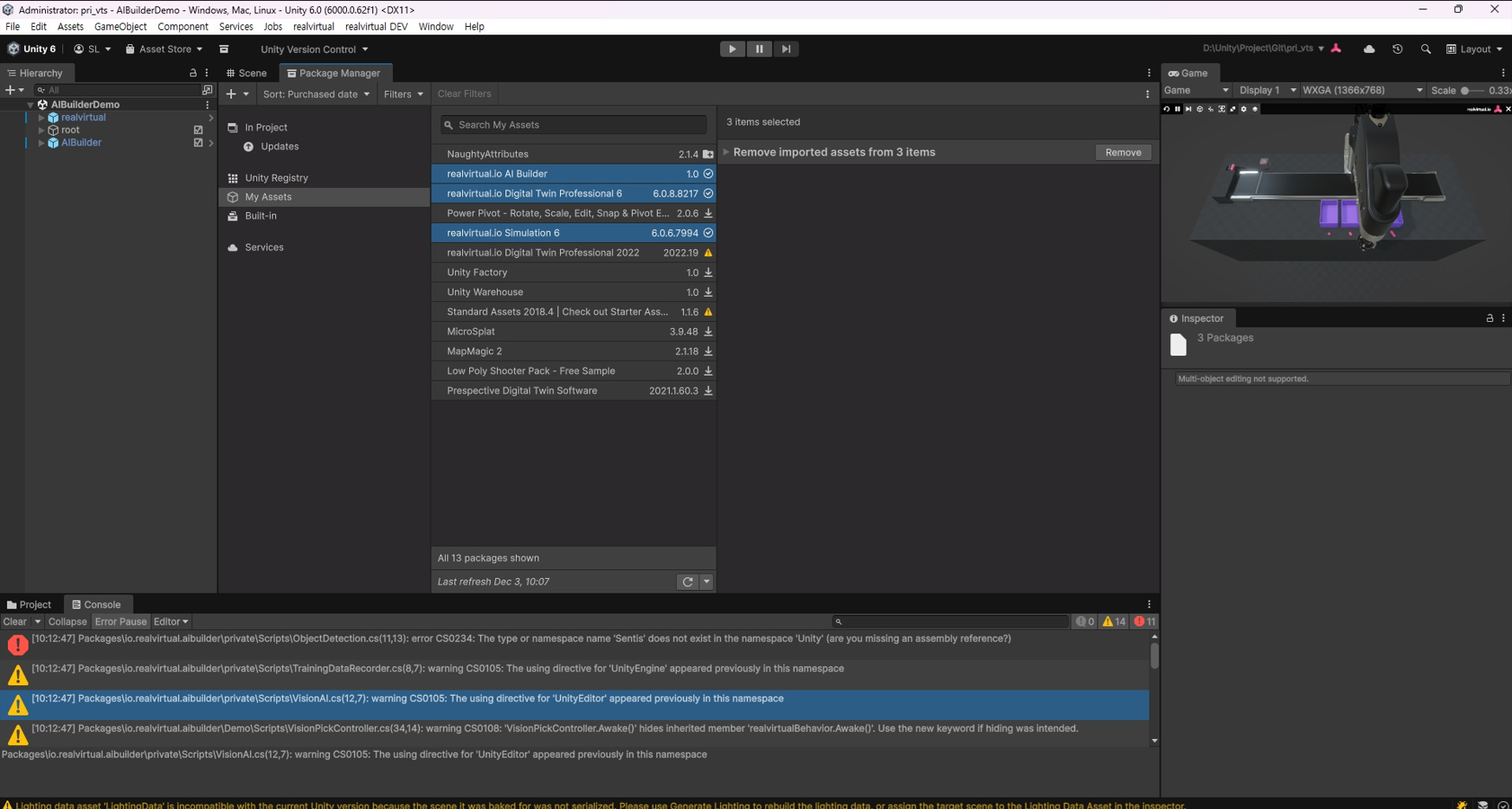
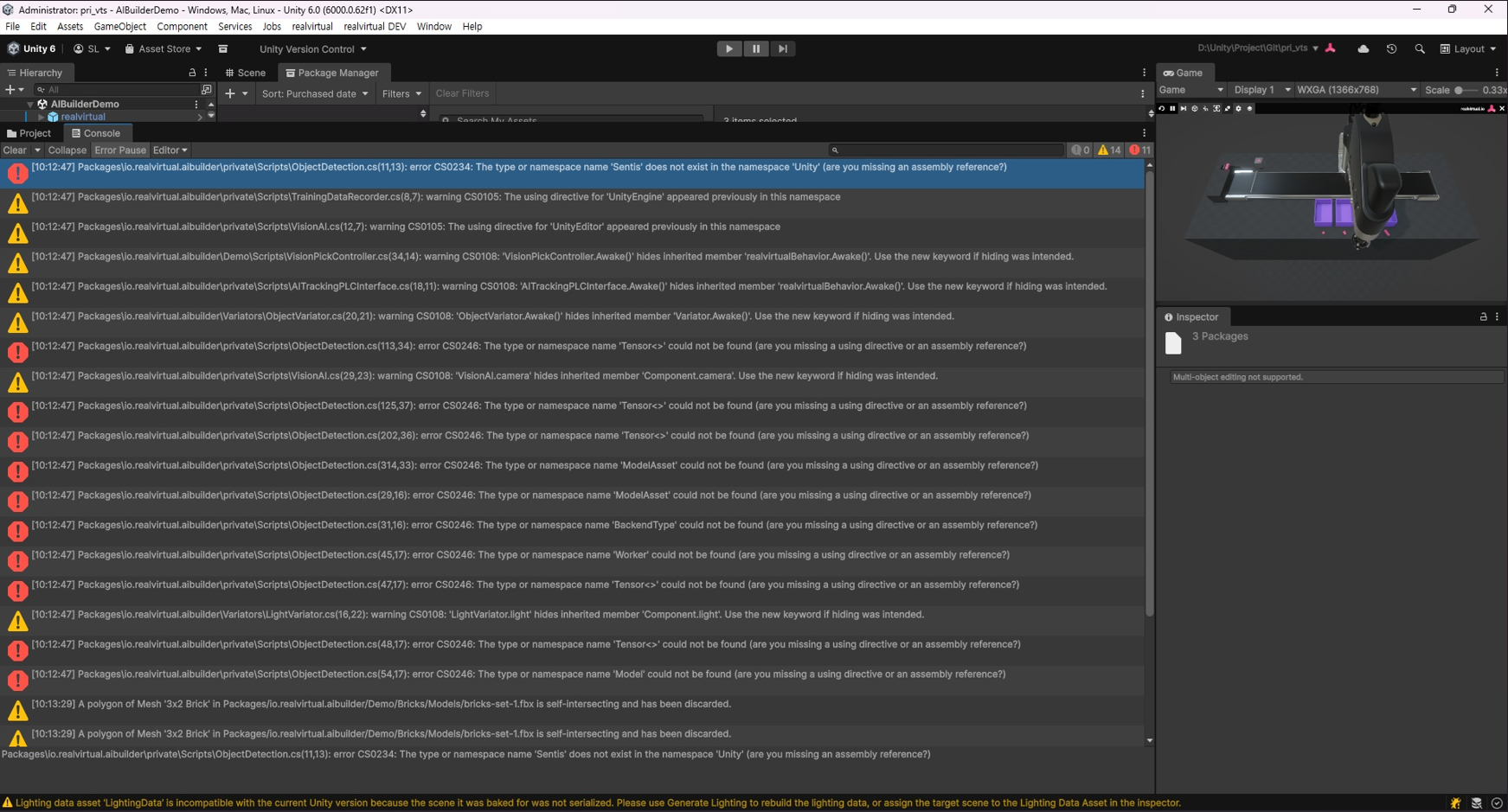
I'm having trouble again with a compile error after installing RealVirtual AI Builder with Unity 6 LTS version.
1) Unity 6 LTS Version (6000.0.62f1)
2) Install RealVirtual IO Digital Twin Professional (6.0.8) & Simulation 6 (6.0.6) → OK
3) Install RealVirtual IO AI Builder 1.0
→ Compile error occurs (see image below)
I would like to request guidance on how to resolve this issue so I can use RealVirtual AI Builder.
Customer support service by UserEcho


Hello,
the symptoms you get hint to a missing installation of the Unity Sentis package or to the wrong version being installed. The version you need is Unity Sentis 2.1.3
Once it is correctly installed you you see a menu in your project which is currently missing and the project should compile
Best regards,
Vincent
Dear,
1)
I understand that Sentis was renamed to Inference Engine in Unity 6. Starting with Unity 6 LTS, the Inference Engine appears to be installed by default.
As you can see in the image below, the Unity 6 LTS version I'm currently using (6000. 0.62f1) includes Inference Engine 2.2.1 as part of the default Unity package.
Is it possible that the Realvirtual.io builder package is incompatible with the Unity Inference Engine? How can I resolve this?
2)
The Sentis or Inference Engine menu bars you mentioned aren't visible separately.
I'll check to see if the AI UI menu is disabled.
3)
As you requested, I will send your full project as a zip to https://realvirtual.io/send/
Please check the compatibility of the Realvirtual.ai Builder package for Sentis and the Inference Engine mentioned above.
Thanks for your feedback.
Best regards,
Seokhyun Lee
Hello,
we will investigate your problem and try to reproduce the behaviour.
If we cannot reproduce the error we suggest to have a short teams meeting to look at your setup.
Best regards,
Vincent
Hello,
we found out that Unity is using the new naming convention also in the last 6000.0.x versions.
If you downgrade to Unity 6000.0.46f it should use the old naming convention for the Sentis package and compile successfully.
We are currently working on a patch of AI Builder supporting the new naming. It will be released for our Unity 6.3 LTS version coming soon.
Regards,
Vincent
Dear Vincent,
I'll fix this problem with Unity 6000.0.30f LTS (lower version of 6000.0.46f, you guided).
Thanks for your support.
We look forward to the AI builder patch for Unity 6.3 LTS, as you mentioned.
Best regards,
Seokhyun Lee