 Fragen
How to solve the complie error when realvirtual io package install in HDRP project
Dear,
Thanks for your support.
I have another problem when realvirtual io package install in HDRP project.
1) Unity 6 LTS Version (6000.0.62f1)
2) Create HDRP Project
3) Install Reavirtual IO Digital Twin Professional (6.0.8)
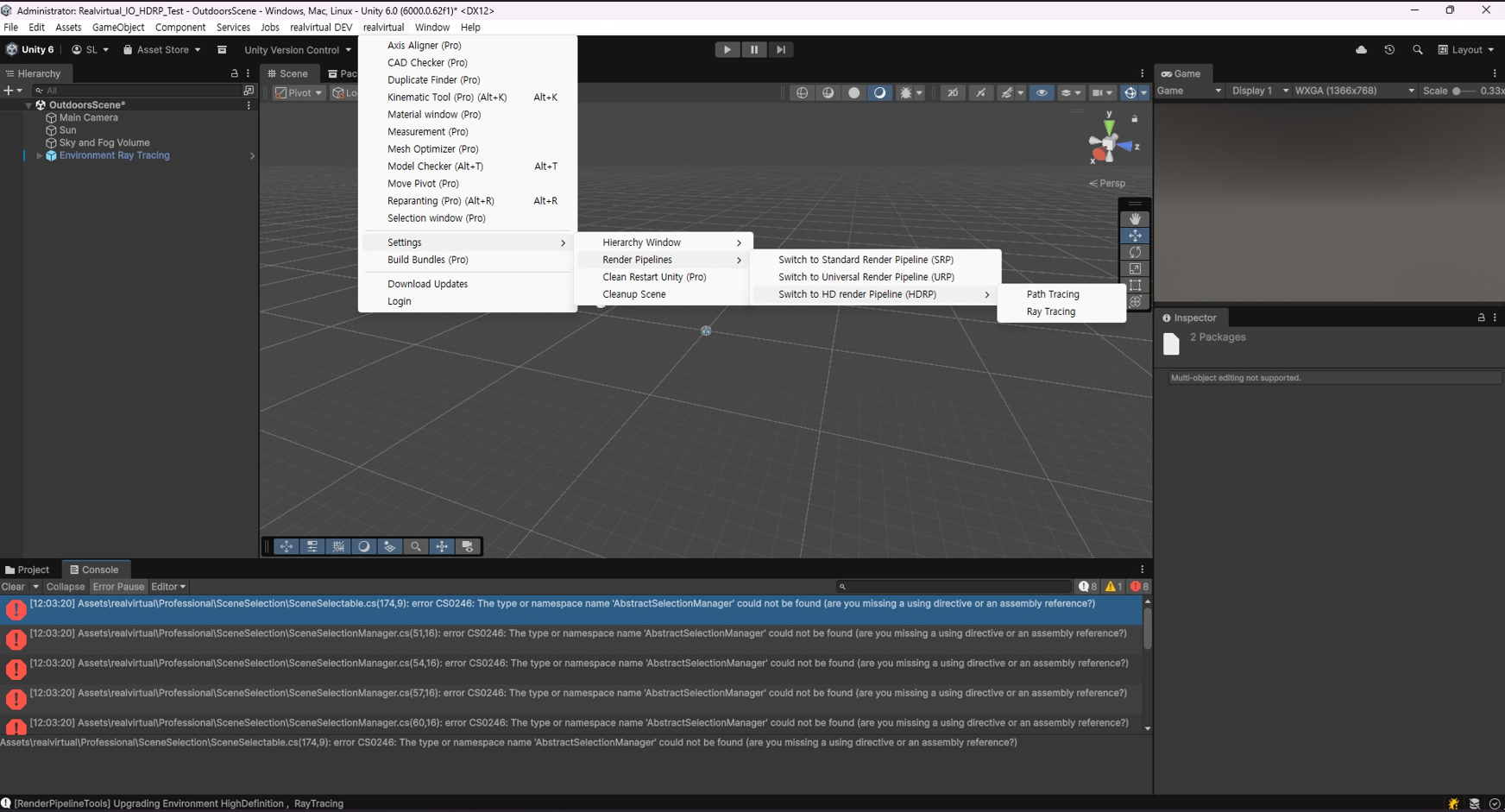
→ Compile error occurs (see image below)
4) Switch to HDRP Menu (in realvirtual menu)
※ Render Pipelines > Switch to HD render Pipeline (HDR) > Path Tracing & Ray Tracing (Both Try)
→ Compile error still occurs (see image below)
I would like to request guidance on how to resolve this issue so I can use realvirtual io in HDRP project.
Best regards,
Seokhyun Lee


Antwort

Hi,
usually you should not change render pipline. Some special materials for highlighting, the bottom, the fences... wont work in HDRP. If you are working with a totally new scene and taking care about the materials and rederers yourself it is ok. Also switching is a very complicated process.
I am sending you in a private message a beta of next release where the compile errors are gone away. If you are having issues when switching one project from URP to HDRP sometimes closing Unity and deleting the Library folder and restarting helps.
The private message will follow.
Best regards
Thomas
Customer support service by UserEcho


Hi,
usually you should not change render pipline. Some special materials for highlighting, the bottom, the fences... wont work in HDRP. If you are working with a totally new scene and taking care about the materials and rederers yourself it is ok. Also switching is a very complicated process.
I am sending you in a private message a beta of next release where the compile errors are gone away. If you are having issues when switching one project from URP to HDRP sometimes closing Unity and deleting the Library folder and restarting helps.
The private message will follow.
Best regards
Thomas