 Bugs
Bugs
HelloWindow occasionally blocks CI builds when running Unity in batchmode
Hi,
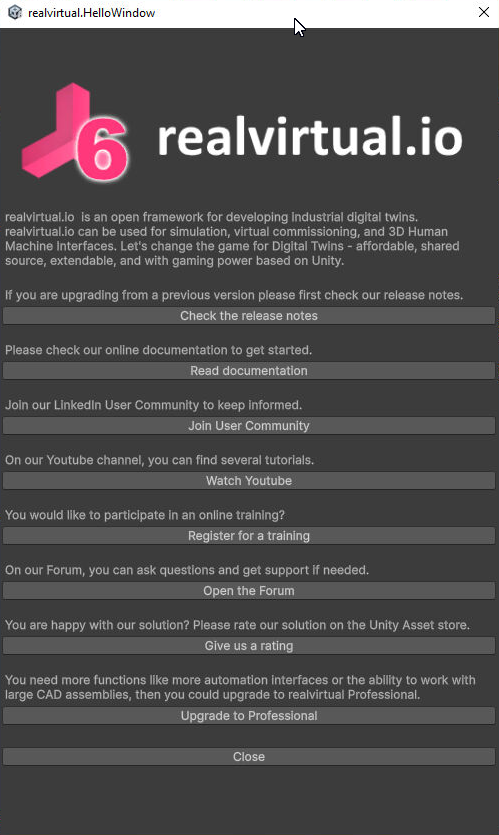
when we trigger our build pipeline and run tests or build the project via script, from time to time the HelloWindow pops up and blocks the pipeline run.
Context
-
We are using realvirtual in a Unity project that we build and test via Azure DevOps.
-
Unity is started from the pipeline in batchmode (no user interaction, headless build).
-
Typical commands are like:
-batchmode -projectPath <path> -runTestsor-batchmode -projectPath <path> -buildWindows64Player <path> ...
Most of the time this works fine, but occasionally the HelloWindow appears during startup and seems to wait for user interaction. Since this happens on a build server without UI interaction, the process just hangs and the entire CI job times out.
Expected behavior
-
When Unity is running in batchmode (CI environment), realvirtual should not open the HelloWindow at all, or
-
There should be an option (e.g. a setting, scripting define symbol, or asset menu option) to completely disable the HelloWindow for automated builds/tests.
Actual behavior
-
Infrequently, the HelloWindow still appears during CI runs, even though Unity is started in batchmode.
-
This blocks the build/test pipeline until it times out.
Questions / requests
-
Is there a recommended way to disable the HelloWindow for CI/batchmode runs?
-
Could realvirtual internally check for
Application.isBatchModeand skip showing the HelloWindow in that case? -
If there is already a setting or flag to turn this off, could you point me to the correct configuration?
Thanks a lot in advance!
Answer
We use version
6.2.1.7128 (Unity 6000.2.10f1)
I see that you are no longer opening the window for cloud builds (!UNITY_CLOUD_BUILD && !DEV).
It may be that it only appears in the headless tests.
We use something
C:\Program Files\Unity\Hub\Editor\6000.2.10f1\Editor\Unity.exe" -batchmode -projectPath C:\Project -runTests -testPlatform EditMode -assemblyNames Project.Common.Tests -testResults C:\Project\TestResults\EditMode\EditModeResults_20251218_171253.xml -logFile C:\Project\TestResults\EditMode\EditModeEditor_20251218_171253.log -enableCodeCoverage -coverageResultsPath C:\Project\Coverage\EditMode -coverageHistoryPath C:\Project\Coverage\History -coverageOptions generateHtmlReport;generateAdditionalReports;generateBadgeReport;assemblyFilters:+Project.*,-*Tests
I can confirm that it only pops up when I run the tests.
I also see this window (not blocking CI, just annoying).

RE: HelloWindow occasionally blocks CI builds when running Unity in batchmode
Hi Ramon,
Thanks for the detailed report. You're right - we check for UNITY_CLOUD_BUILD but we're missing a check for Application.isBatchMode which is why it can still appear when running Unity with -batchmode for CI pipelines.
Workarounds until the official fix:
Option 1: Add DEV define to your build command (Recommended)
Unity.exe -batchmode -projectPath C:\Project -runTests ... -defineSymbols DEV
Option 2: Set the define via script before tests run Create an editor script that runs before your tests:
[InitializeOnLoad]
public static class CISetup
{
    static CISetup()
    {
        if (Application.isBatchMode)
        {
            // Prevents HelloWindow from showing
            PlayerSettings.SetScriptingDefineSymbols(
                NamedBuildTarget.Standalone, "DEV");
        }
    }
}
Option 3: Patch locally In Assets/realvirtual/private/Editor/OnPostProcessImportAsset.cs line 142, change:
if (Game4AutomationImport && !Application.isPlaying)
to:
if (Game4AutomationImport && !Application.isPlaying && !Application.isBatchMode)
Fix: We'll include this batch mode check in the next release.
Thanks for reporting!
Customer support service by UserEcho


RE: HelloWindow occasionally blocks CI builds when running Unity in batchmode
Hi Ramon,
Thanks for the detailed report. You're right - we check for
UNITY_CLOUD_BUILDbut we're missing a check forApplication.isBatchModewhich is why it can still appear when running Unity with-batchmodefor CI pipelines.Workarounds until the official fix:
Option 1: Add DEV define to your build command (Recommended)
Option 2: Set the define via script before tests run Create an editor script that runs before your tests:
Option 3: Patch locally In
Assets/realvirtual/private/Editor/OnPostProcessImportAsset.csline 142, change:to:
Fix: We'll include this batch mode check in the next release.
Thanks for reporting!