Your comments

Dear Vincent,
I'll fix this problem with Unity 6000.0.30f LTS (lower version of 6000.0.46f, you guided).
Thanks for your support.
We look forward to the AI builder patch for Unity 6.3 LTS, as you mentioned.
Best regards,
Seokhyun Lee
Dear,
1)
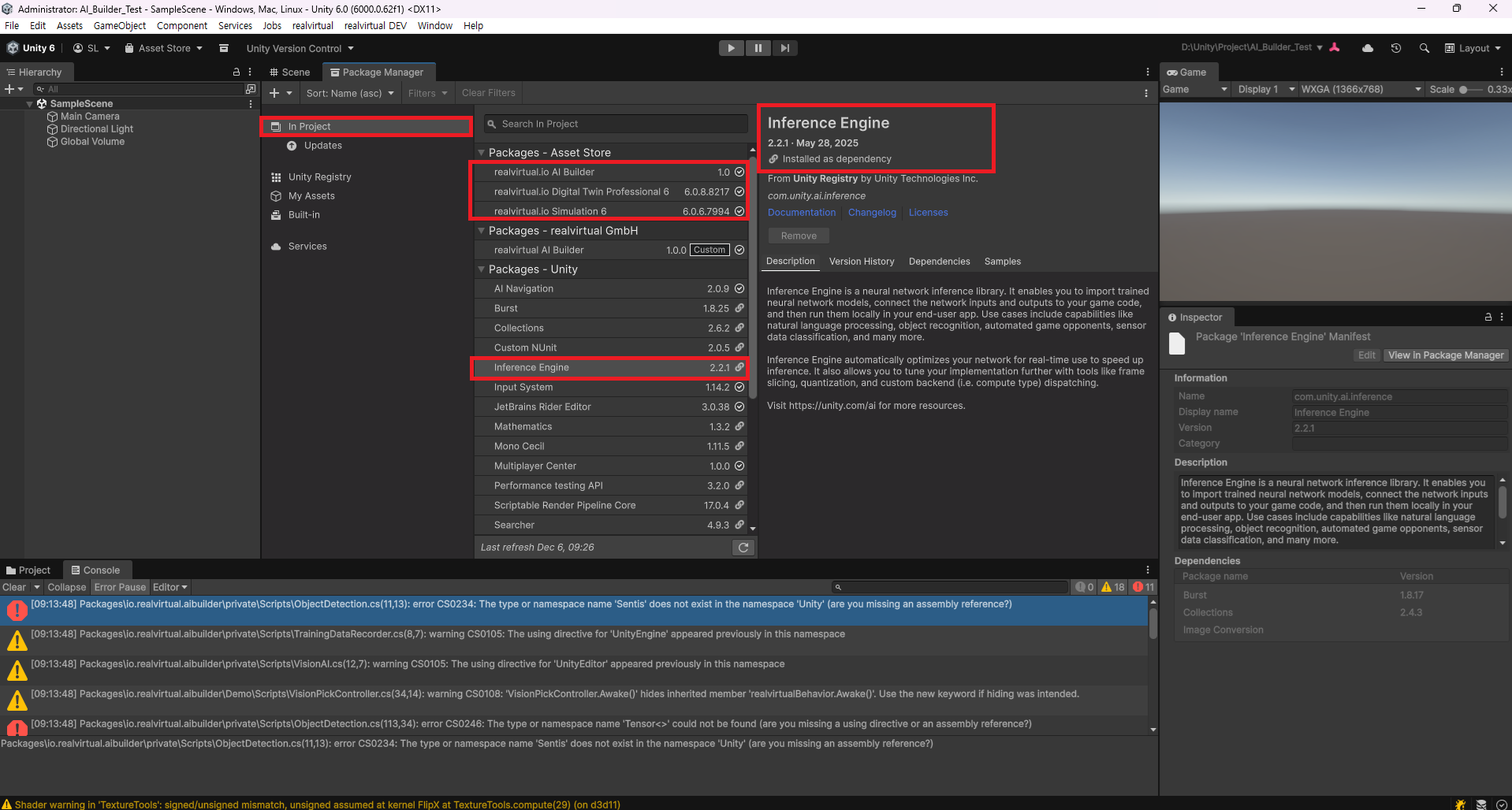
I understand that Sentis was renamed to Inference Engine in Unity 6. Starting with Unity 6 LTS, the Inference Engine appears to be installed by default.
As you can see in the image below, the Unity 6 LTS version I'm currently using (6000. 0.62f1) includes Inference Engine 2.2.1 as part of the default Unity package.
Is it possible that the Realvirtual.io builder package is incompatible with the Unity Inference Engine? How can I resolve this?
2)
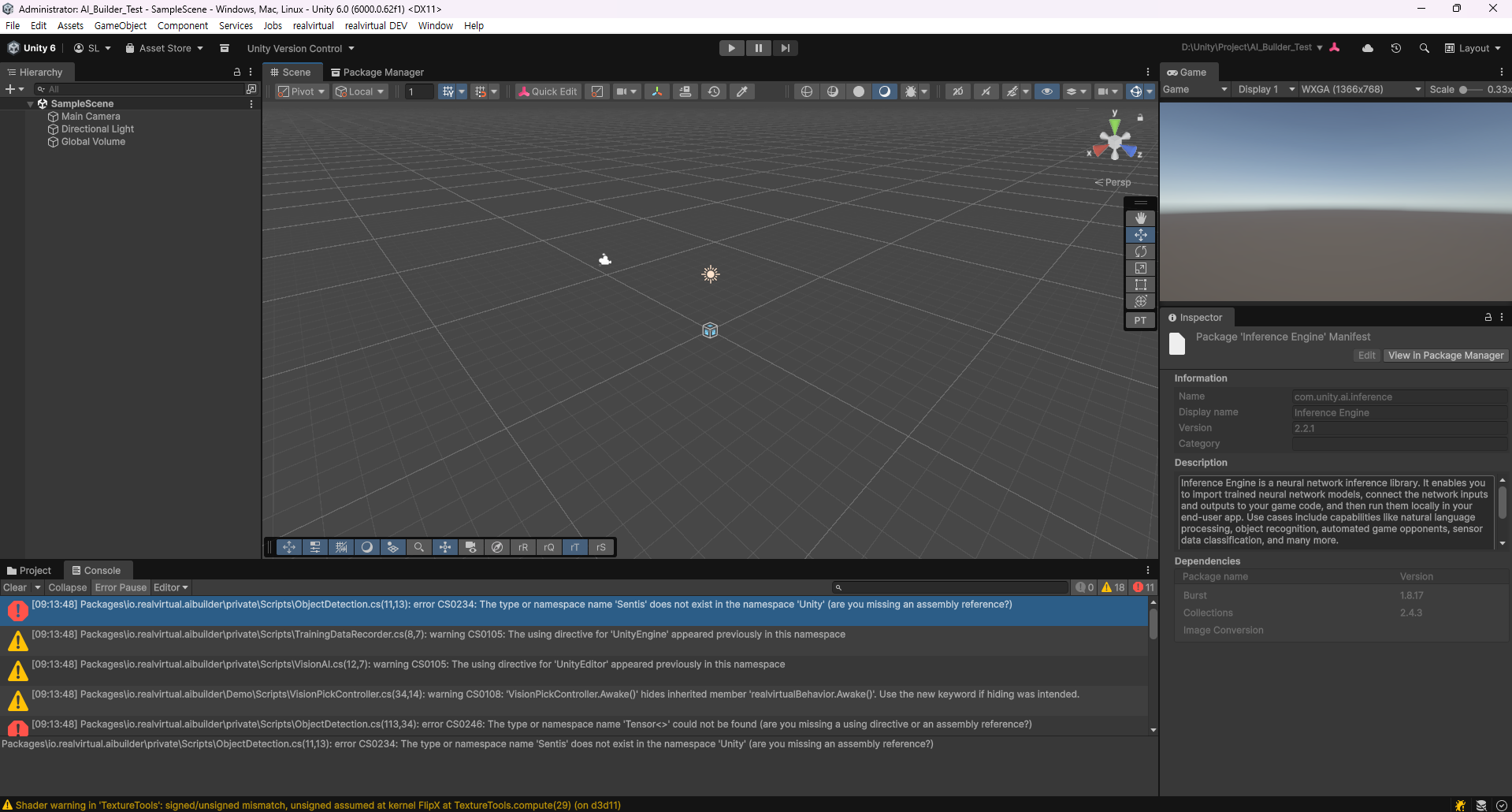
The Sentis or Inference Engine menu bars you mentioned aren't visible separately.
I'll check to see if the AI UI menu is disabled.
3)
As you requested, I will send your full project as a zip to https://realvirtual.io/send/
Please check the compatibility of the Realvirtual.ai Builder package for Sentis and the Inference Engine mentioned above.
Thanks for your feedback.
Best regards,
Seokhyun Lee
Dear,
Sorry But,
The problem is not solved.
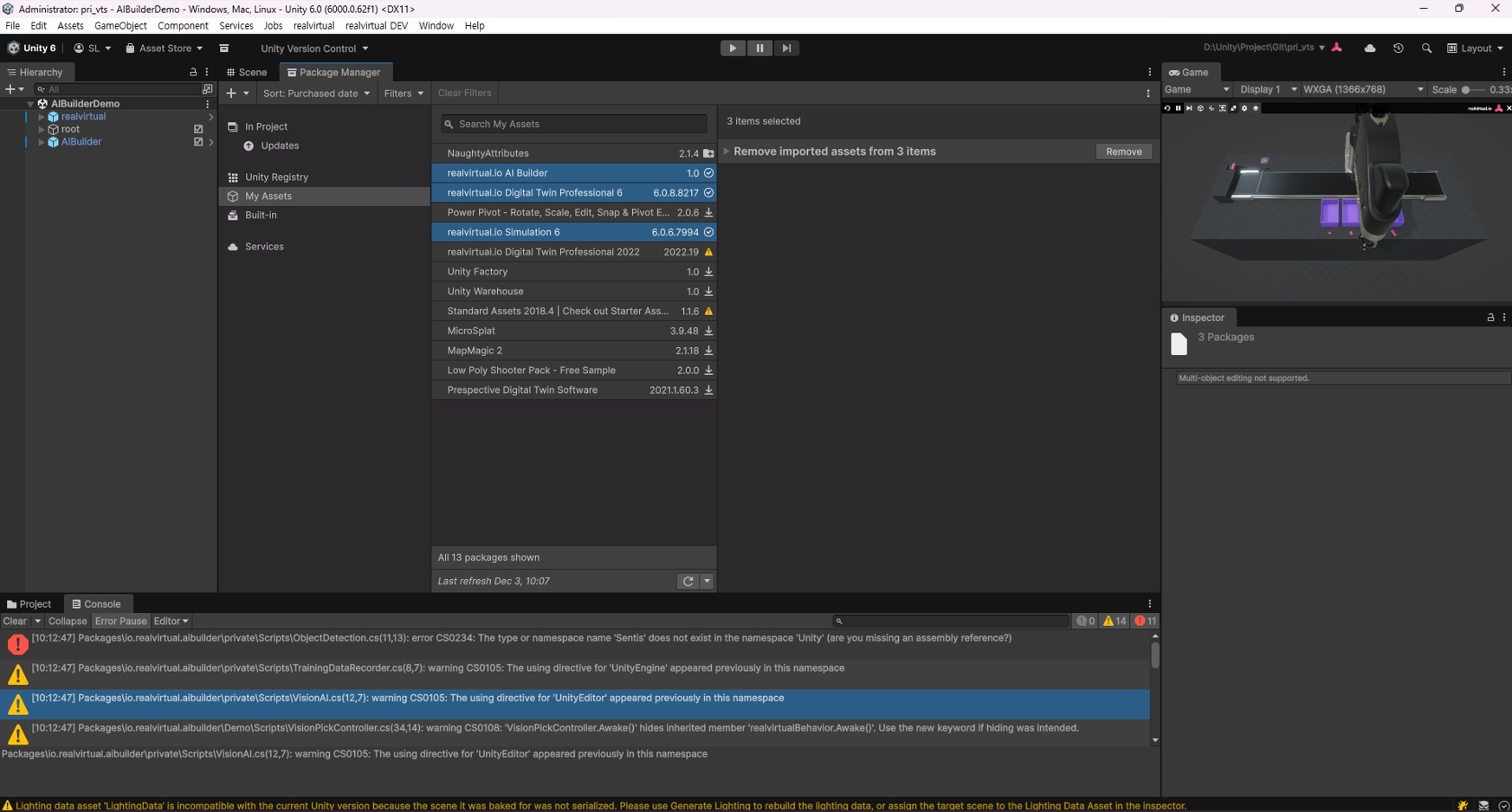
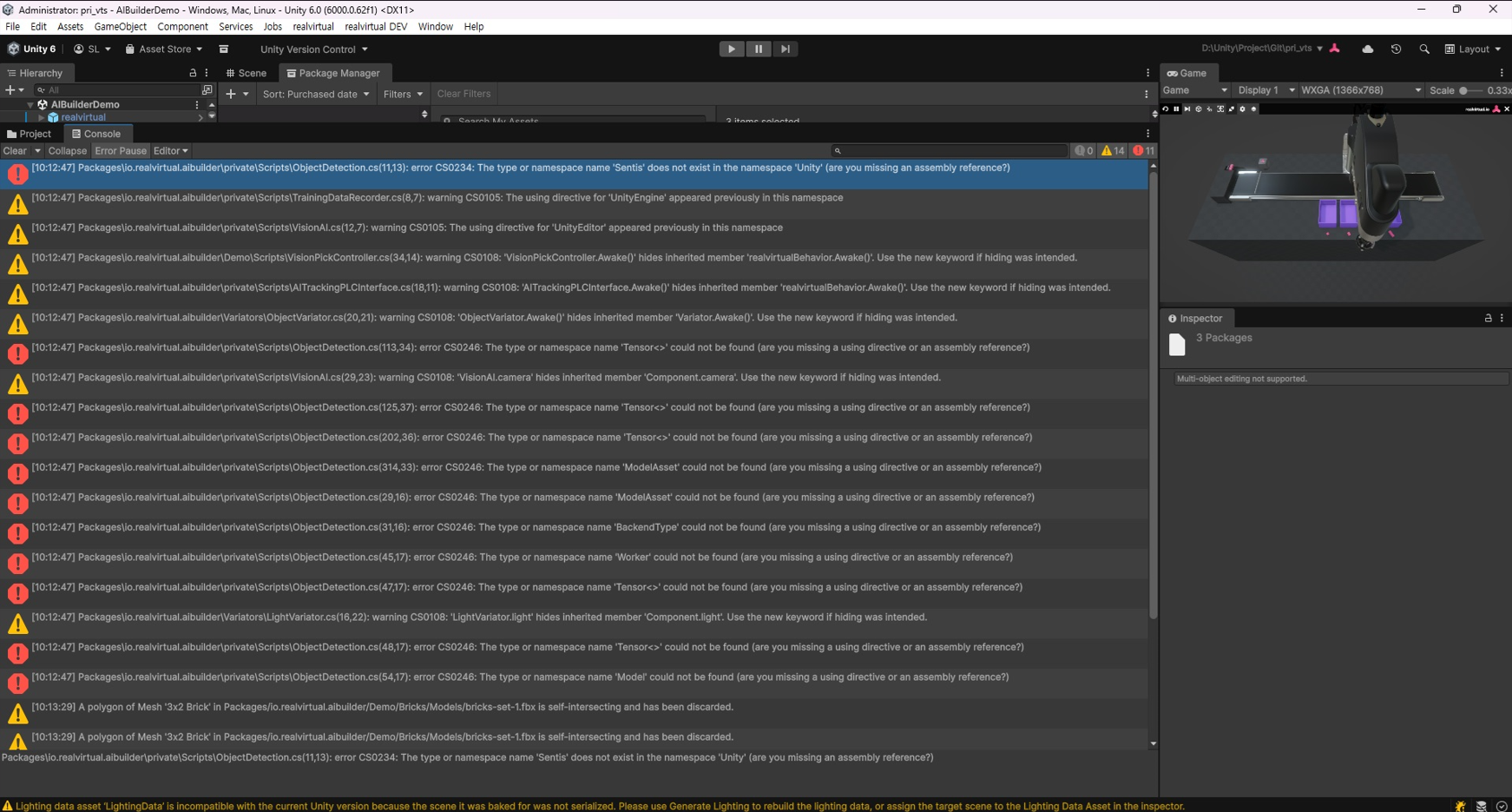
I'm having trouble again with a compile error after installing RealVirtual AI Builder with Unity 6 LTS version.
1) Unity 6 LTS Version (6000.0.62f1)
2) Install RealVirtual IO Digital Twin Professional (6.0.8) & Simulation 6 (6.0.6) → OK
3) Install RealVirtual IO AI Builder 1.0
→ Compile error occurs (see image below)
I would like to request guidance on how to resolve this issue so I can use RealVirtual AI Builder.
Ok. Thanks for your quick reply.
I can resolve the issue with Unity 6 LTS versions (6000.0.30f1) + realvirtual io Digital Twin Professional 6 + realvirtual io AI Builder.

Thanks for your reply. I will check out Unity Robotics Hub first as you mentioned. If you have any guides on how to interface Unity Robotics Hub with Realvirtual IO, please let me know.
Thank you for your reply. These days, 6-axis collaborative robots are widely used in industrial sites, so it seems that a solution that can solve the IK of such robots (Axis 6, 5, 4 are not aligned in a straight line) is required when building a digital twin.
For example, UR robots can be said to be representative.
※ UR16e: https://www.universal-robots.com/products/ur16e/
I would appreciate it if you could let me know the results of the feasibility review.
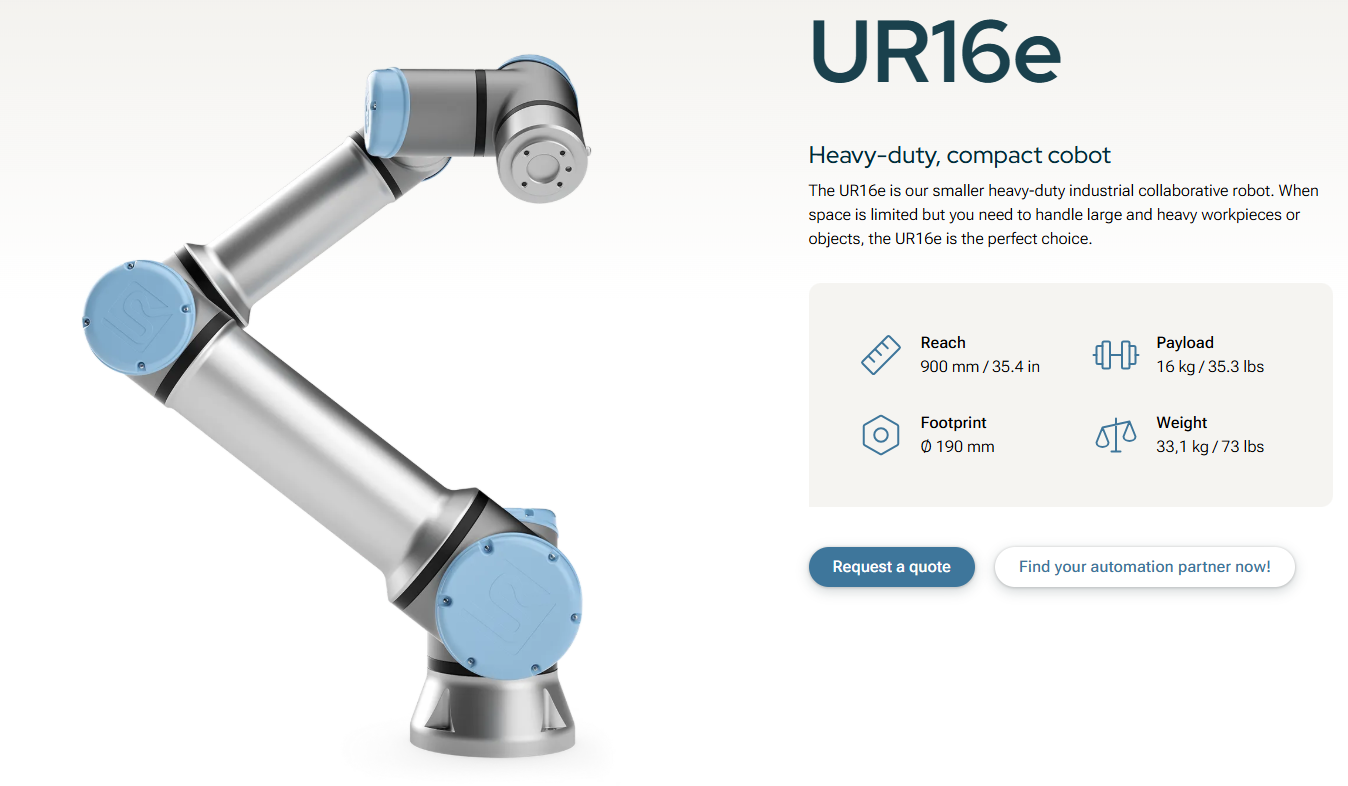
Thanks for reply. If so, could you please share if you know of any other Unity Assets that support IK for a 6-axis collaborative robot (a robot where Axis6, 5, and 4 are not aligned in a straight line)? (Paid or free assets are fine.)
Thank you for your reply.
1)
I applied the axis coordinate system using the empty prefab you mentioned. (Assets/realvirtual/Professional/IK/EmptyRobotKinematic.prefab)
And then, it works normally. :)
2)
I have an additional question.
IK Path generation works differently in the two cases below.
I would like to ask what settings are responsible for the difference.
(In Case 1, the IK works with the TCP facing forward (front of the robot), and in Case 2, the IK works with the TCP facing downward (bottom of the robot).)
Case 1) ABB Robot (6-axis)
- I fine-tuned the axis positions to match the ABB IRB4400 3D model in the IK empty prefab.
(Assets/realvirtual/Professional/IK/EmptyRobotKinematic.prefab)
- Also, the Z-axis direction of the TCP was set to the front of the robot.
※ Case 1 : Robot Setting
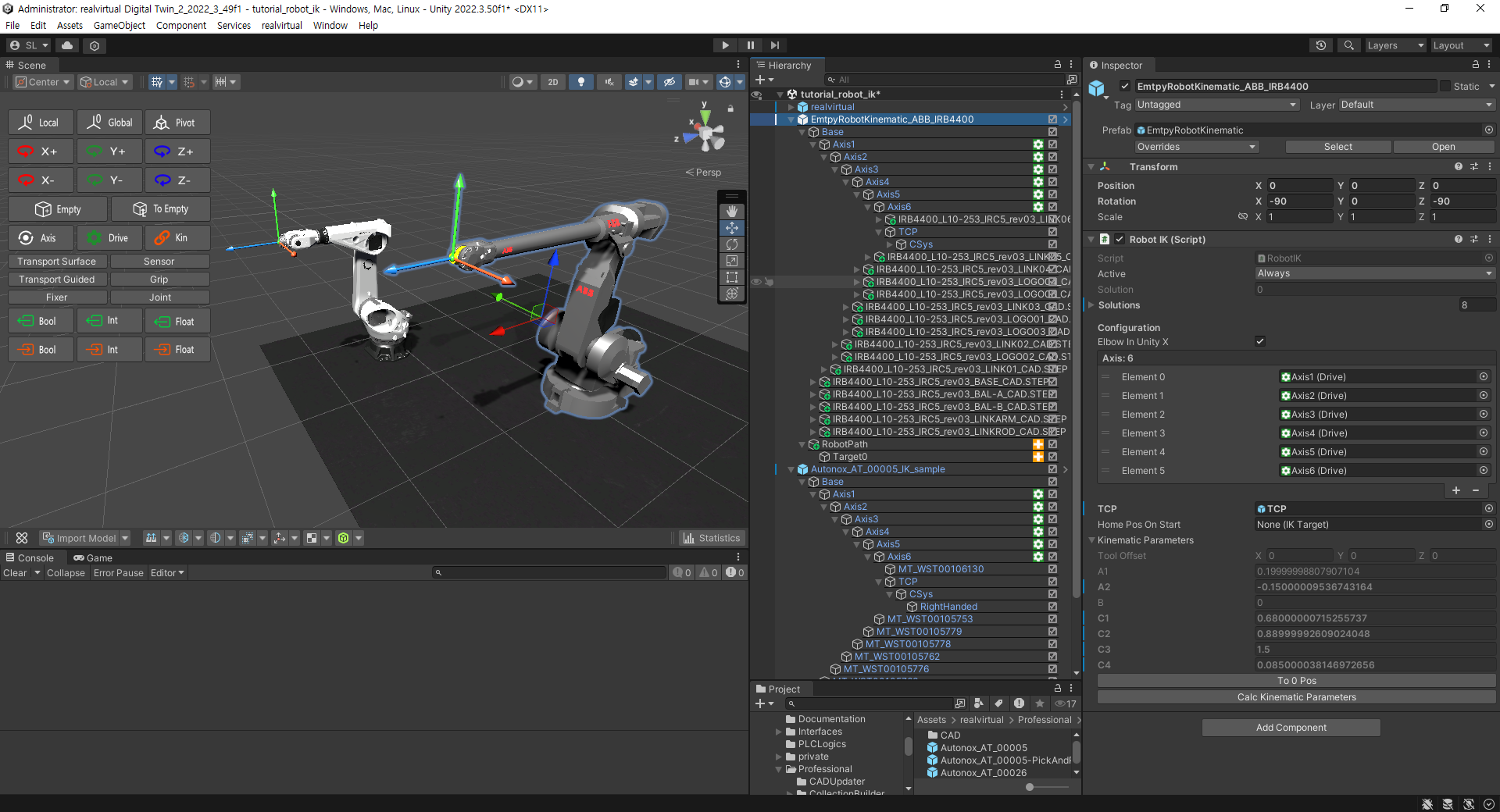
※ Case 1 : IK Path Movement Result
→ IK Path is created with TCP facing forward (front direction of robot).
How should I set it to look down like Case 2?
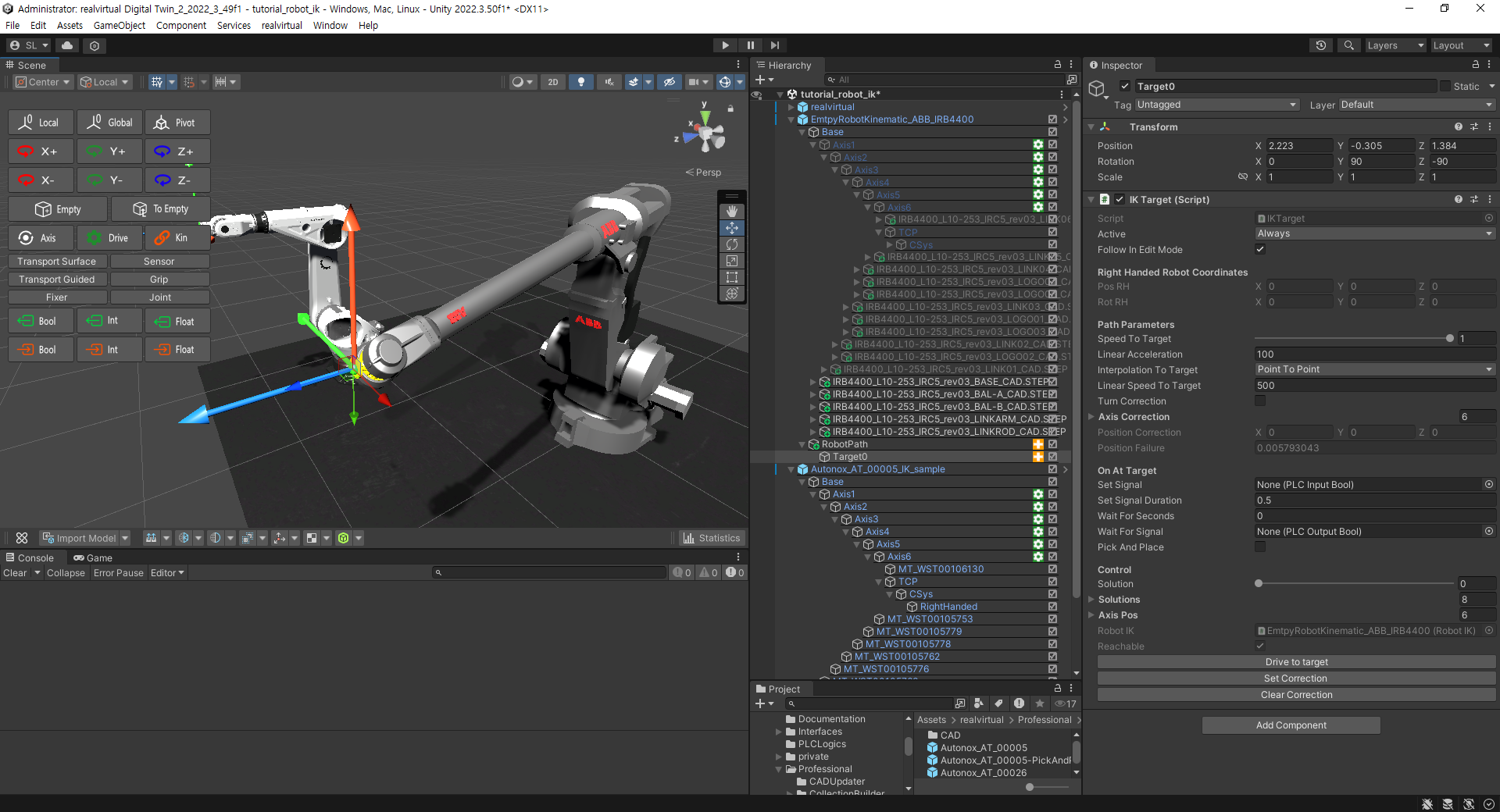
Case 2) Autonox Robot (6-axis)
- IK example prefab. (Assets/realvirtual/Professional/IK/AUTONOX/Autonox_AT_00005.prefab)
※ Case 2 : Robot Setting
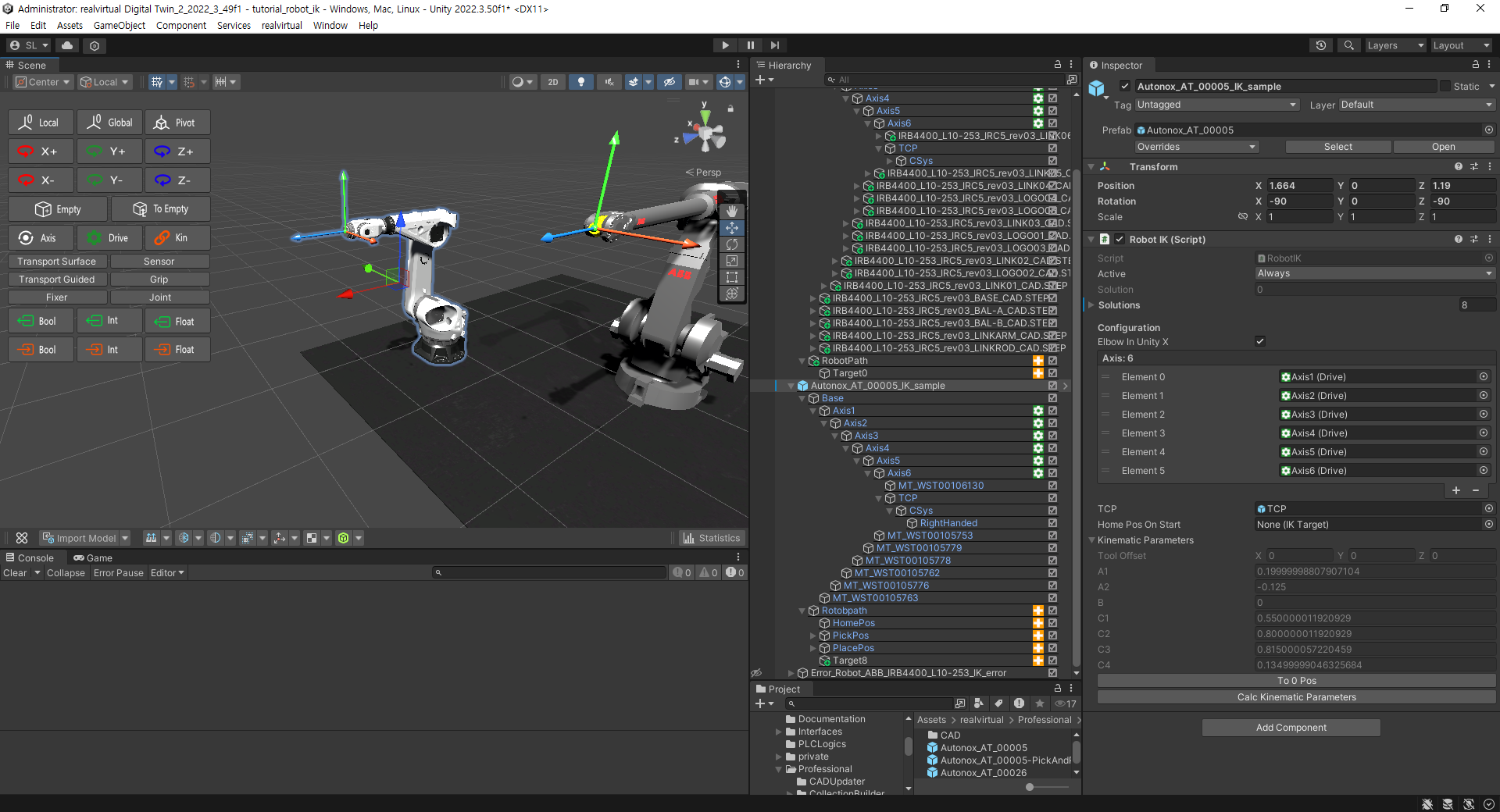
※ Case 2 : IK Path Movement Result
→ IK Path is created with TCP facing down (bottom direction of robot). (Difference from Case 1)
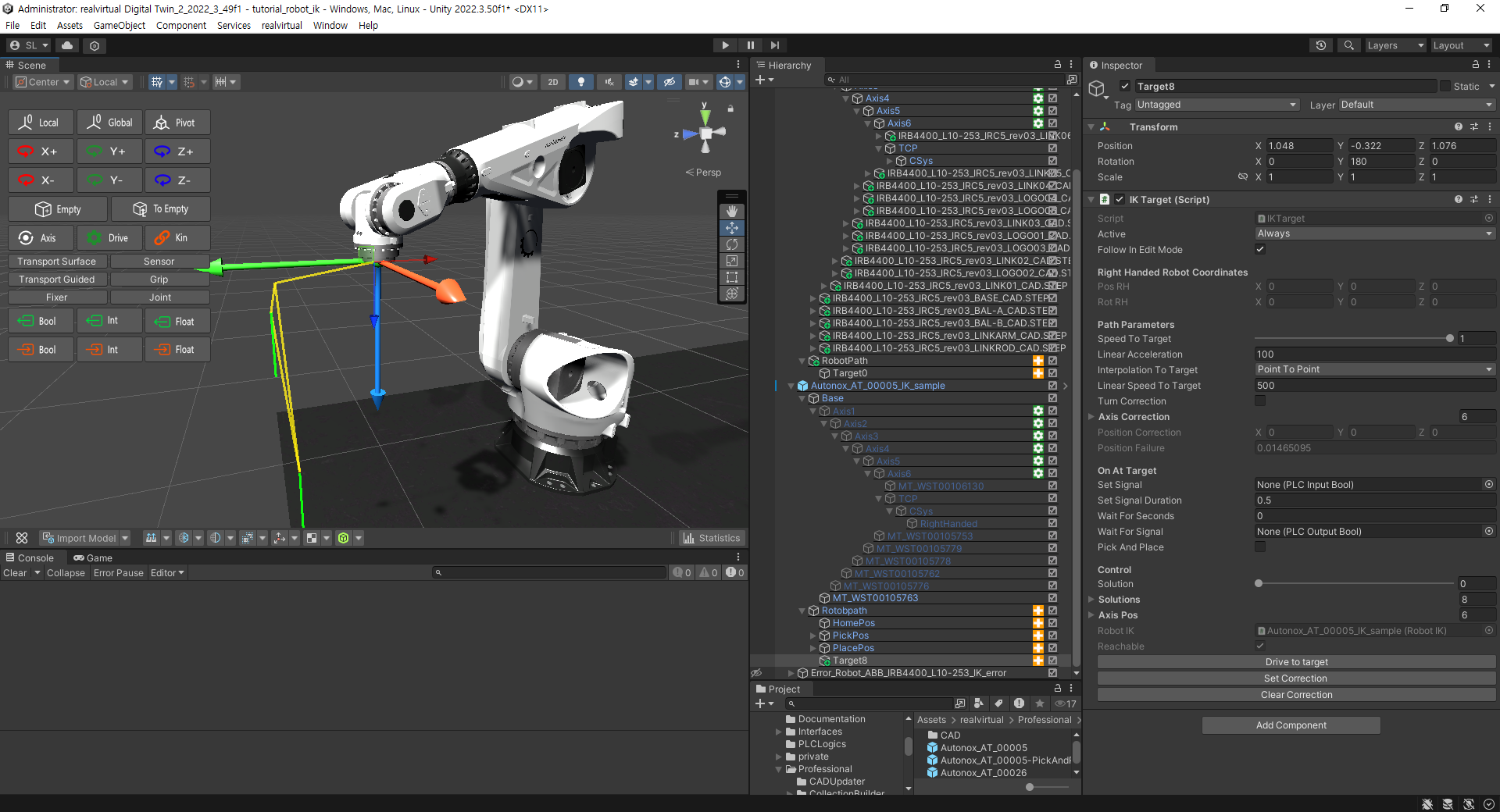
Thanks.
Best regards,
Seokhyun Lee
Customer support service by UserEcho


Thanks for reply. I check the upgrade price (30% of normal price).
Could you please tell me the key feature differences between RealVirtual I.O Digital Twin Professional 6.0 and 6.3?
(This is to determine whether I need to upgrade to 6.3.)