Teilen Sie Ihre Erfahrunge und Wünsche mit uns und anderen Usern!

 game4automation Starter Edition Questions
Hi Thomas, I'm having a problem with game4automation Starter Edition. After I connect to the S7-1200 and import the .sdf file, but the connection icon is gray, not colored as in the video, but I am following the video, is the starter version supporting the communication of the S7-1200? And how do I complete the communication, I have been worried about this for several days.I would very much like to have your help.
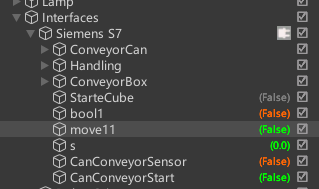
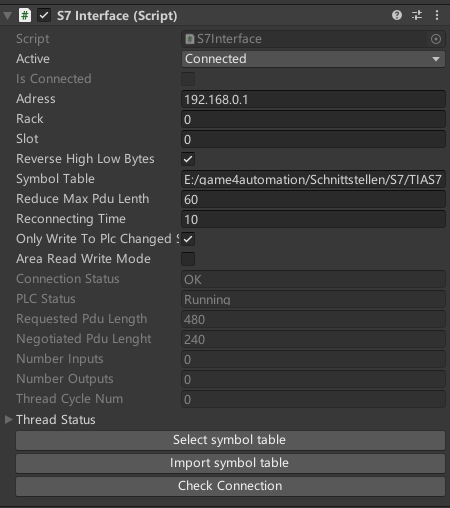

Hard to say what your problem is. Yes for sure, Starter is supporting S7 interface.
Is it an input or an output what you would like to use. Please make sure, that both are well outside the existing hardware IO adresses, otherwise the hardware status could overwrite the signals from the G4A S7 interface. Do you get any error messages in the console log. Please also check that your PLC is configured like described here:
https://game4automation.com/documentation/current/s7tcpip.html#Configuring-the-PLC

Runtime UI
I love this asset, it's awesome, however, I want to show the number range slider in the runtime inspector. I have seen that the Runtime Inspector & Hierarchy has updated and it can show the number range slider in the inspector, so could you update the runtime UI?

Connection Problem
game4automation: Object [Siemens S7] TCP : Connection Error: Siemens S7 (game4automation.S7Interface)
UnityEngine.Logger:LogError (string,object)
game4automation.Game4AutomationBehavior:Error (string,object) (at Assets/game4automation/private/Game4AutomationBehavior.cs:496)
game4automation.S7Interface:ConnectS7 () (at Assets/game4automation/private/Interfaces/S7TCPIP/S7Interface.cs:496)
game4automation.S7Interface:CheckConnection () (at Assets/game4automation/private/Interfaces/S7TCPIP/S7Interface.cs:478)
game4automation.S7InterfaceEditor:OnInspectorGUI () (at Assets/game4automation/private/Interfaces/S7TCPIP/Editor/S7InterfaceEditor.cs:31)
UnityEngine.GUIUtility:ProcessEvent (int,intptr,bool&)
How to solv this Problem?
You could youse PLCSIM Advanced or PLCSIM with NetToPLCSim (https://mirror-networking.com/docs/).
Second solution should work but it is not officially supported.

PLCSIM interface
It is normal that the connection between PLCSIM interface and PLCSIM advanced is hard to connect?
The first connection work each time when I click play in Unity. However the next connection is realy random and most of the time it is not easy to connect. I have to restrat Unity or the PC.
Yes, Just checked the PLCSIM Advanced interface intensively yesterday and I was not able to see any connection problems. If you still have problems, please send us your PLCSIMAdvanced memory card content, the TIA Portal project and the full Unity project and I will check on my computer.

Kinematic script
Hello ,
I´m tryng to integrate a robot Universal Robotic .
I´m follow this tutorial
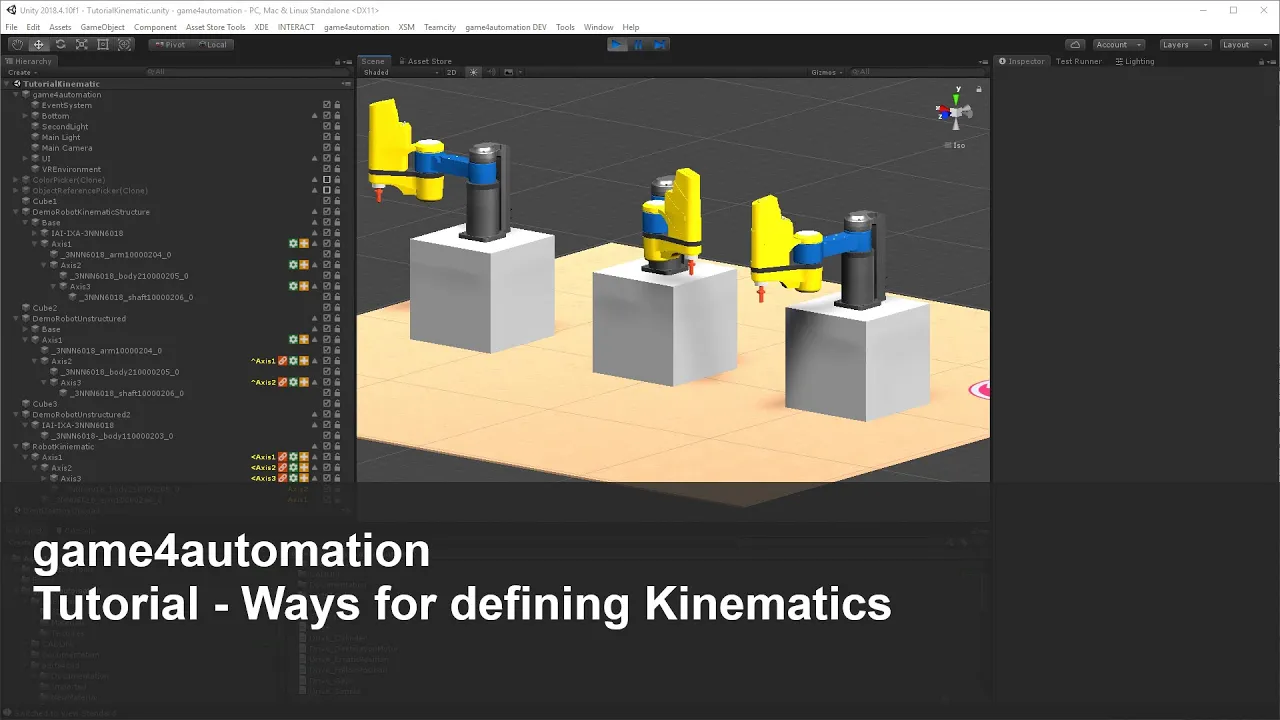
My problem is the when i put one drive on second i can´t move the center to a new position with kinematic
Thanks
Please try to set empty game objects to the correct rotation positions and don't use move center in this case.

 Import Signal TwinCATInterface Array
Sehr geehrte Damen und Herren,
ich möchte gerne Array Variabelen von TwinCAT impotieren (siehe Abbildungen), könnten Sie mir ein paar Tipps geben?
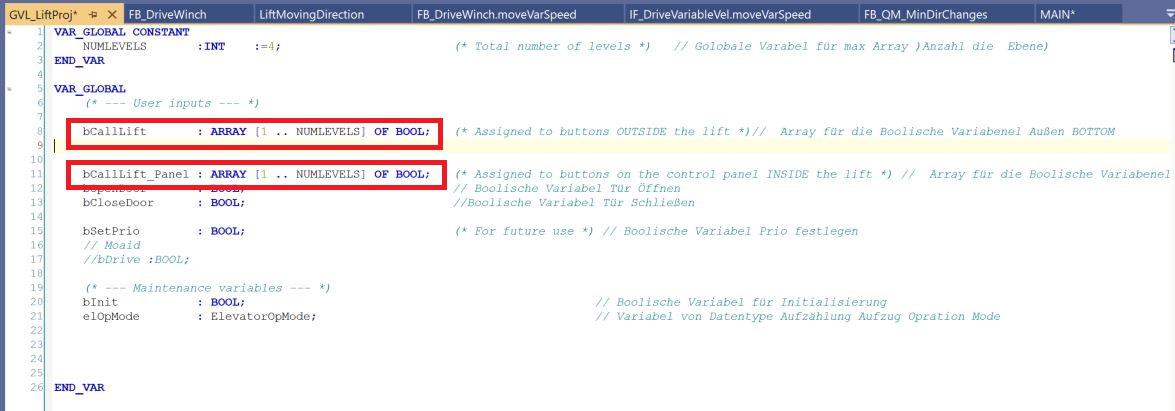
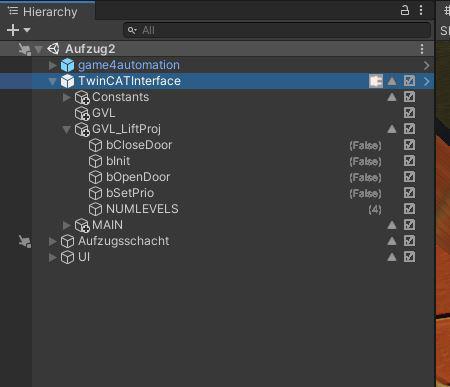
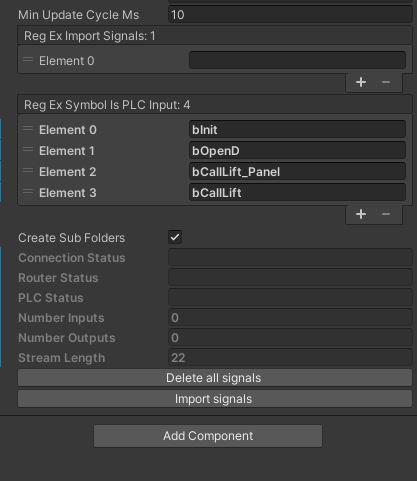
Mit freundlichen Grüßen
Othman


json and value
hi,
i want to start simulation on CMM robot , i use json data
the data like this
{"mc_access": false, "chuck5": false, "unlock_chuck": false}
how to connect value(true/false) with this robot?
can you explaine with game4automation ?
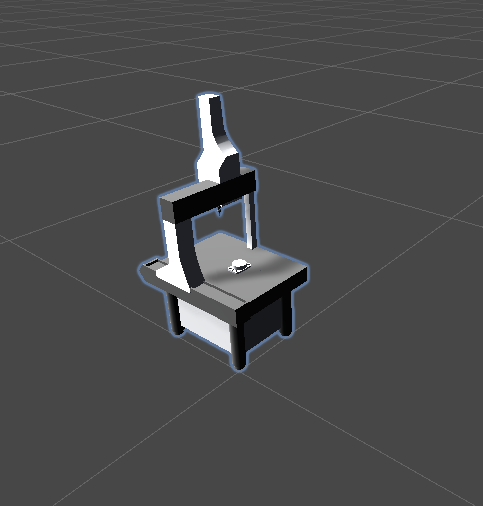
Our product should be enough proof.
With some basic Unity and C# knowledge it should be possible to do what you need. Do you know C# and Unity?
Are you a private person or a company? If you are a private person support needs to be paid in advance per credit card.
Please send me your full contact data for a full offer.
MQTT + game4automation
hi i have a problem with mqtt+game4automation
i buy your asset plugin
i received data from MQTT Broker,and that is json format(like screenshot)
i want to add this coordinat to 3D object(fanuc robot yellow)
can you help me?
so my goal is real robot simulation with robot on unity via MQTT
please reply soon
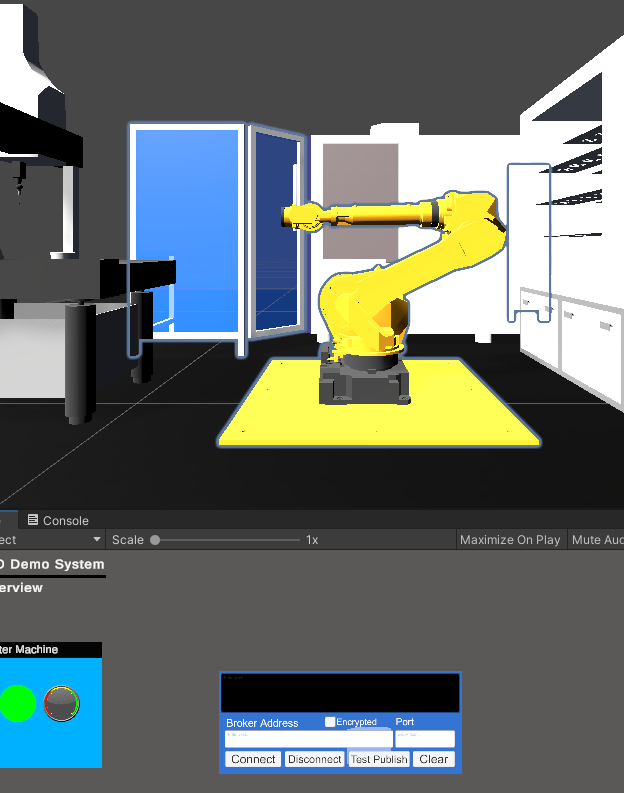
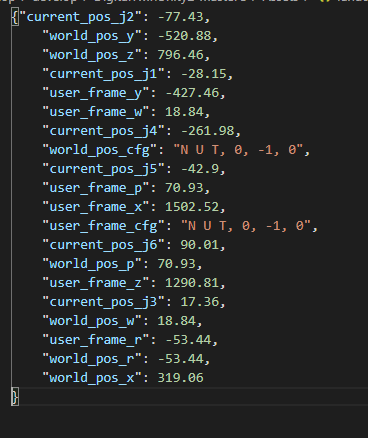
Hi, this is possible. Some programming / scripting is necessary from your side. What kind of MQTT Asst are you using inside Unity?
MQTT interface is planned later on this year. Please understand that we can't provide for free individual support.
You could purchase a support budget and we could do what you need within this budget.

VR in Game4Automation
Hello forum
I bought an Oculus Quest 2 headset last week and I would like to know if its possible to connect it to the demo of Game4Automation.
Is there any resource about how to use VR in Game4Automation?
Thanks in advance and please, try to translate the menu of the forum cause we all arent german :)
Hello Pablo,
G4A is fully compatible with more or less all VR/AR solutions you can find for Unity.
you should follow the Occulus Documentation:
https://developer.oculus.com/documentation/unity/book-unity-dg/
Or you could use Steam - the advantage with Steam is that it works with most VR headsets on the market:
https://valvesoftware.github.io/steamvr_unity_plugin/articles/Quickstart.html
At the end, you need to integrate with all that VR Applications some standard Assets in your project and in your scene some standard components like VR Camera, Teleport and so on. You will need to deactivate or delete the G4A Camera because camera movement will be replaced by the VR application.
Maybe I will do soon an official tutorial about that. But if you follow the VR documentations and tutorials on the web you should be able to do that.
And sorry, did not notice, the forum is now also in English...
Best regards
Thomas
Customer support service by UserEcho