Teilen Sie Ihre Erfahrunge und Wünsche mit uns und anderen Usern!


 Error importing the Package
I get this error when I import the package to Unity:
Assets/game4automation/private/RuntimeUI/SceneMouseNavigation.cs(801,38): error CS0103: The name 'SpaceNavigator' does not exist in the current context

 Circular conveyor belt
Hi
I wanted to achieve a circular conveyordemo effect (Fig1), a reference to radialConveyordemo (Fig2), but the MU transported in a circular conveyordemo is skewed in position, and I froze the XYZ rotation of the MU
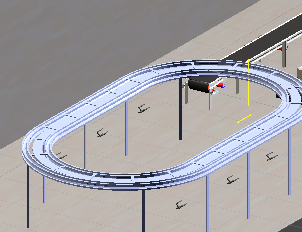
Fig 1
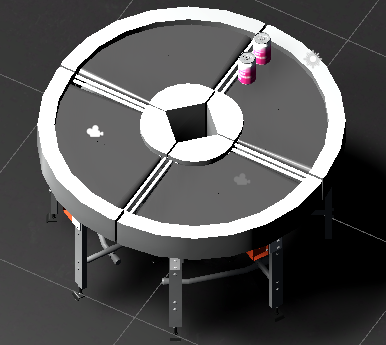
Fig 2


We found the issue with Prosys.
https://forum.realvirtual.io/communities/1/topics/482-import-nodes-remains-importing-for-ever

OPCUA Interface - Error in activating session
Dear all,
I'm having problems to connect to a remote OPC UA server using the OPCUA Interface Component.
I followed the "Connection troubleshouting" guidelines provided in "/game4automation/Documentation/opcua.html".
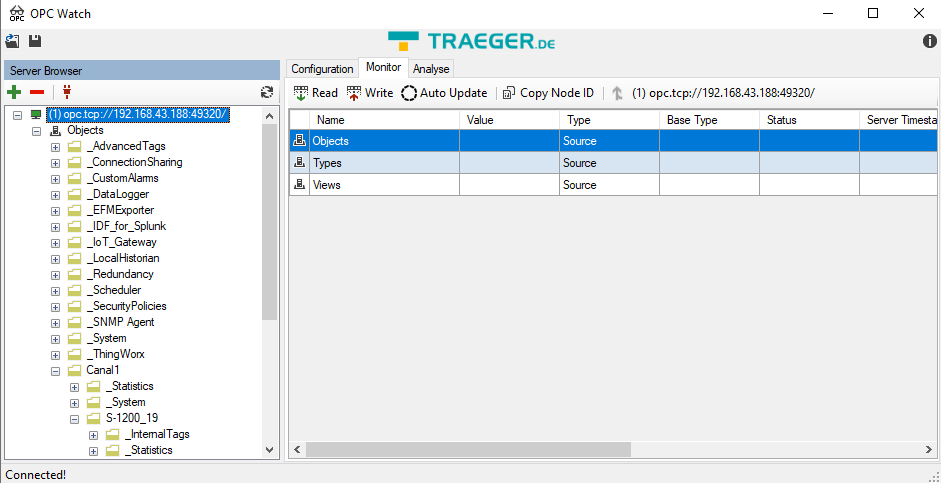
Configuring the OPC Server with "No security certificates and passwords" I could connect OPC Watch with the server (see Image):
However, when I tried connecting through the Unity OPCUA Interface:
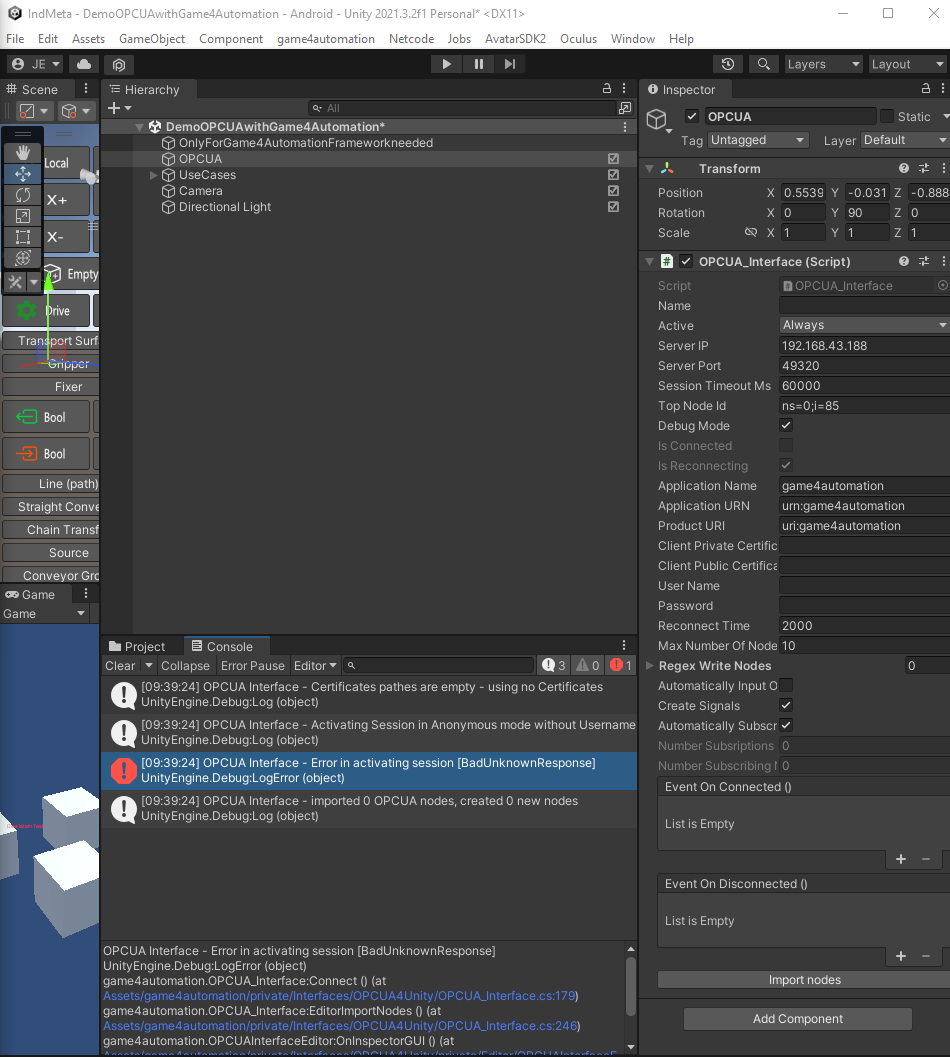
I get the following error message:
OPCUA Interface - Error in activating session [BadUnknownResponse]
UnityEngine.Debug:LogError (object)
game4automation.OPCUA_Interface:Connect () (at Assets/game4automation/private/Interfaces/OPCUA4Unity/OPCUA_Interface.cs:179)
game4automation.OPCUA_Interface:EditorImportNodes () (at Assets/game4automation/private/Interfaces/OPCUA4Unity/OPCUA_Interface.cs:246)
game4automation.OPCUAInterfaceEditor:OnInspectorGUI () (at Assets/game4automation/private/Interfaces/OPCUA4Unity/private/Editor/OPCUAInterfaceEditor.cs:20)
UnityEngine.GUIUtility:ProcessEvent (int,intptr,bool&)
As it can be seen in the last image, I'm using Unity 2021.3.2f1 Editor with Game4Automation Digital Twin Professional 2020.
Any idea of what I'm missing?
Thank you in advanced.
Hi, I checked. I found an issue with reconnection, that is why I am attaching here a new script. This will be included in next release.
The disconnect problem and the PLCOutputBool can't be reproduced here on my computer with Simit.

No Mutex PLCSim Advanced Interface proble
Hello,
we are using the PLCSim Advanced Interface.
We can Import the PLCSignals without any Troubles:
The first time that we start the simulation in Unity everything is working fine (COM OK).
But after we stop the unity editor and try to start again, we get “No Mutex”... so no communication is established between the plc and Unity.
We found out that creating a new PLC Instance and re-importing the signals “fix the error”... but just for the first run. Then we have to repeat the process of creating a new PLC again and again...
Could be some background process blocking the communication? Thank you in advance.

 Robodk version with game4automation professional or game4automation OPC UA
Which version of robodk is compatible with game4automation opc ua or game4automation professional. I ask, because I want to communicate robodk 4.0 with game4automation professional.

When will Unity 2019 be supported?
Hello,
I was wondering when will OPC UA for Unity 2019 will be supported?
With kind regards,
Stan (Developer at Siemens)
Hi, we have no tutorial about that.Even if Unity 2019 is not officially supported yet, you should be able to get it running. What is your problem. What kind of error messages do you have?
PLCSimAdvancedCoupler MissingMethodException – IRemoteRuntimeManager.CreateInterface not found (all API versions tested)
I'm getting a MissingMethodException from the PLCSimAdvancedCoupler when clicking "Import Signals" in Unity. No signals are loaded.
Environment:
- realvirtual.io / game4automation package (older branding, folder in project is still named
game4automation) - PLCSimAdvancedCoupler version: 6.0.7 (Changeset: 8030)
- Unity version: 6000.3.2f1 (Unity 6 LTS)
- S7-PLCSIM Advanced V8 installed
- All API folders from 3.0 up to 8.0 are present under
C:\Program Files (x86)\Common Files\Siemens\PLCSIMADV\API\ - PLC instance name: PLC_1
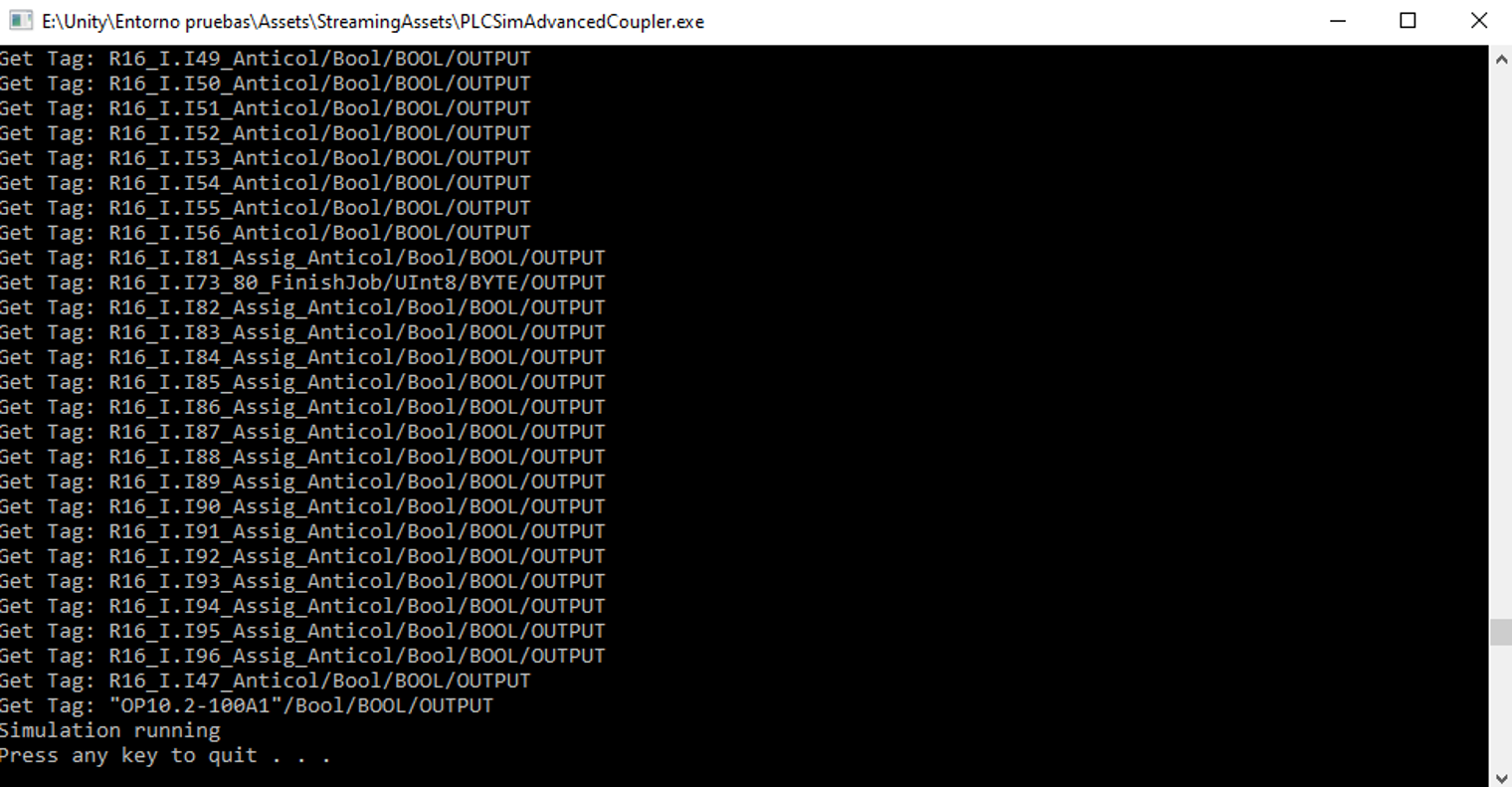
Console output from PLCSimAdvancedCoupler.exe:
=================================================================
PLCSimAdvanced Coupler - 6.0.7 (Changeset: 8030)
Instance: PLC_1 | Cycle: 10 ms
=================================================================

Unhandled exception: System.MissingMethodException: Method not found: 'Siemens.Simatic.Simulation.Runtime.IInstance Siemens.Simatic.Simulation.Runtime.IRemoteRuntimeManager.CreateInterface(System.String)'.
   at PLCSimAdvancedCoupler.PLCSimInterface.OpenInterface(String name, String remote)
   at PLCSimAdvancedCoupler.PLCSimInterface.Connect(String name, Int32 time, String remote, Int32 syncms)
   at PLCSimAdvancedCoupler.Program.Main(String[] args)
What I've already checked/tried (all without success):
- The PLC_1 instance exists and is running in S7-PLCSIM Advanced (verified directly in the Siemens tool, independent of Unity)
- Manually changed the "Siemens DLL" field in the PLCSIMAdvancedInterface Inspector to point to each installed API version one by one (2.0, 3.0, 4.0, 5.0, 6.0, 7.0, 8.0) — same error every time
- Unity Editor run as Administrator
- Antivirus/firewall interference ruled out
- There is no "Remote" field visible in the PLCSIMAdvancedInterface Inspector to check/clear a remote address
- DebugMode was available to enable but I haven't seen additional detail beyond the exception above yet
Question:
Since the error occurs specifically in the IRemoteRuntimeManager.CreateInterface(String) call path (not the local/non-remote path), and happens regardless of which installed API version is referenced, is this a known compatibility issue between Coupler 6.0.7 and current PLCSIM Advanced versions (V6–V8)? Is there an updated/patched PLCSimAdvancedCoupler.exe available, similar to what was provided in this related thread: [Link zum Forumsthread "S7PLCSIM Advance connection problem" hier einfügen]?
I could not find the coupler.log in the following directory Assets\game4automation\private\Interfaces\PLCSimAdvanced\Ressources that'S why i Cannot share it

No automatic ADS reconnection after TwinCAT PLC reboot
Hi,
we use realvirtual's TwinCatAdsInterface to communicate with a TwinCAT PLC.
When the PLC reboots, the ADS connection is lost. We receive the anticipated connection-loss error message and all stages move into their configured default positions. However, once the PLC is available again, our application does not reconnect automatically. Normal operation is restored only after restarting our application.
Another application (C# .NET app which is also using the ADS library) connected to the same PLC is able to reconnect successfully after the PLC reboot.
If we use a simulated PLC, the real-virtual interface can reestablish the connection, the problem only occurs when we work with a real PLC.
Environment:
- Unity: 6000.3.22f1
- realvirtual Professional: 6.3.5
- realvirtual Starter: 6.3.5
- TwinCAT/PLC version: v3.1.4026.14
- ADS port: 851
- Update cycle: 100 ms
Steps to reproduce:
1.Establish communication with a real PLC.
2. Confirm normal operation.
3. Reboot the PLC or restart the TwinCAT runtime.
4. Wait until the PLC is available again.
5. Observe the ADS connection without restarting our application.
Expected result:
The TwinCatAdsInterface reconnects automatically after the PLC becomes available again.
Actual result:
The connection-loss error is reported and the stages move to their default positions, but the ADS connection is not restored. Restarting our application is required.
Could you please advise whether a specific reconnect configuration or API call is required, and whether this behavior is a known issue in realvirtual 6.3.5?
Customer support service by UserEcho