Teilen Sie Ihre Erfahrunge und Wünsche mit uns und anderen Usern!
Teilen Sie Ihre Erfahrunge und Wünsche mit uns und anderen Usern!


 Error importing the Package
I get this error when I import the package to Unity:
Assets/game4automation/private/RuntimeUI/SceneMouseNavigation.cs(801,38): error CS0103: The name 'SpaceNavigator' does not exist in the current context

 Circular conveyor belt
Hi
I wanted to achieve a circular conveyordemo effect (Fig1), a reference to radialConveyordemo (Fig2), but the MU transported in a circular conveyordemo is skewed in position, and I froze the XYZ rotation of the MU
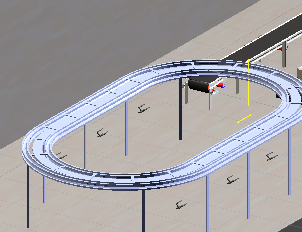
Fig 1
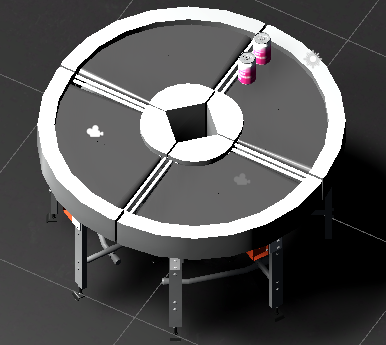
Fig 2


We found the issue with Prosys.
https://forum.realvirtual.io/communities/1/topics/482-import-nodes-remains-importing-for-ever

OPCUA Interface - Error in activating session
Dear all,
I'm having problems to connect to a remote OPC UA server using the OPCUA Interface Component.
I followed the "Connection troubleshouting" guidelines provided in "/game4automation/Documentation/opcua.html".
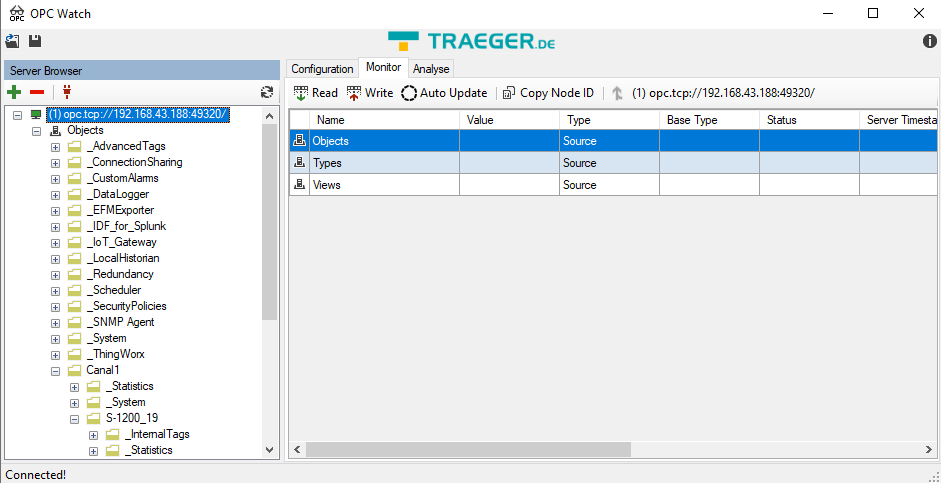
Configuring the OPC Server with "No security certificates and passwords" I could connect OPC Watch with the server (see Image):
However, when I tried connecting through the Unity OPCUA Interface:
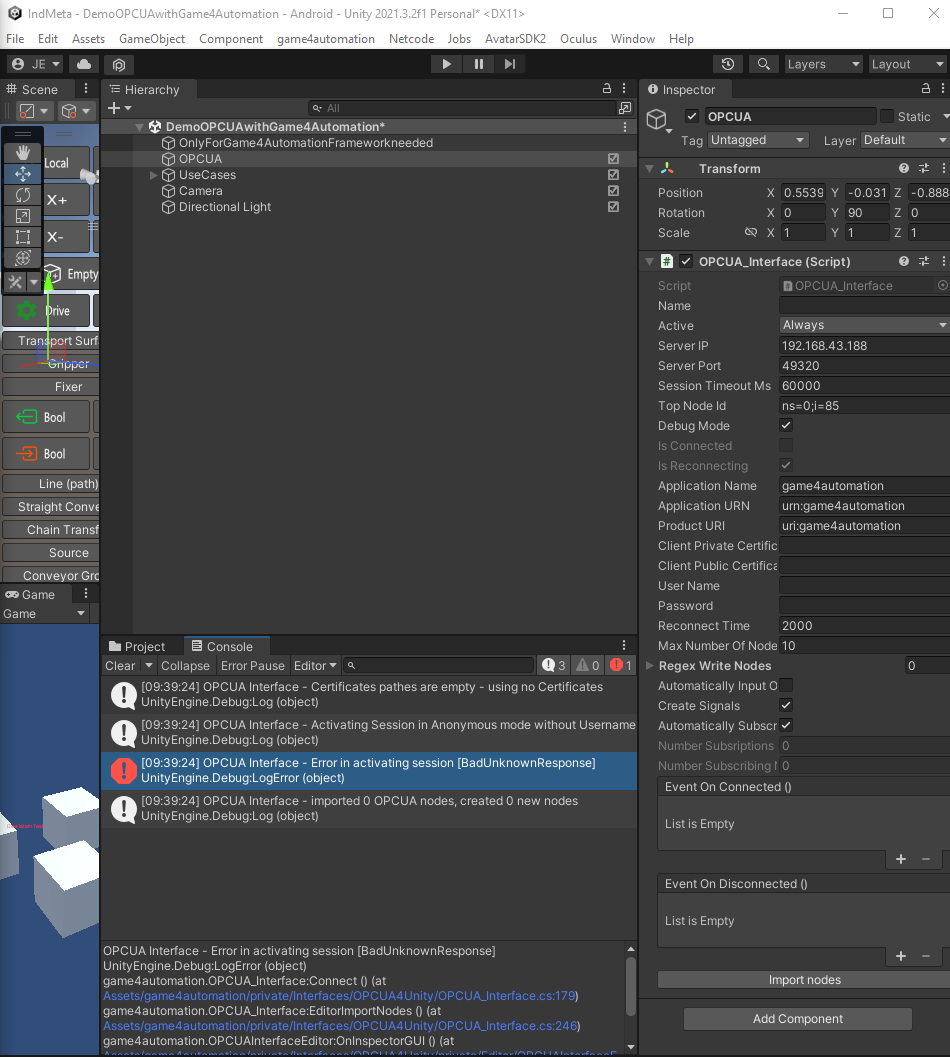
I get the following error message:
OPCUA Interface - Error in activating session [BadUnknownResponse]
UnityEngine.Debug:LogError (object)
game4automation.OPCUA_Interface:Connect () (at Assets/game4automation/private/Interfaces/OPCUA4Unity/OPCUA_Interface.cs:179)
game4automation.OPCUA_Interface:EditorImportNodes () (at Assets/game4automation/private/Interfaces/OPCUA4Unity/OPCUA_Interface.cs:246)
game4automation.OPCUAInterfaceEditor:OnInspectorGUI () (at Assets/game4automation/private/Interfaces/OPCUA4Unity/private/Editor/OPCUAInterfaceEditor.cs:20)
UnityEngine.GUIUtility:ProcessEvent (int,intptr,bool&)
As it can be seen in the last image, I'm using Unity 2021.3.2f1 Editor with Game4Automation Digital Twin Professional 2020.
Any idea of what I'm missing?
Thank you in advanced.
Hi, I checked. I found an issue with reconnection, that is why I am attaching here a new script. This will be included in next release.
The disconnect problem and the PLCOutputBool can't be reproduced here on my computer with Simit.

No Mutex PLCSim Advanced Interface proble
Hello,
we are using the PLCSim Advanced Interface.
We can Import the PLCSignals without any Troubles:
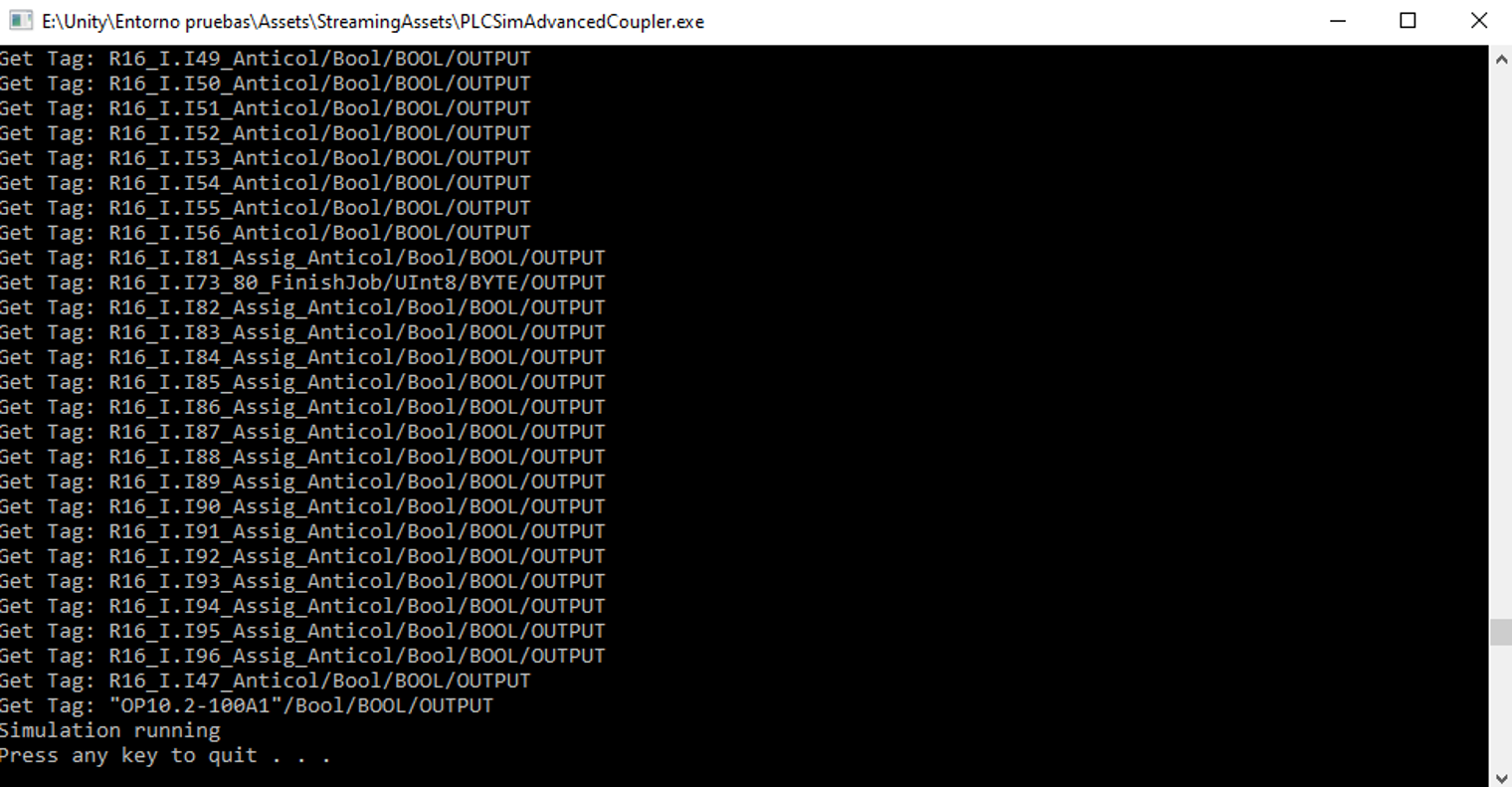
The first time that we start the simulation in Unity everything is working fine (COM OK).
But after we stop the unity editor and try to start again, we get “No Mutex”... so no communication is established between the plc and Unity.
We found out that creating a new PLC Instance and re-importing the signals “fix the error”... but just for the first run. Then we have to repeat the process of creating a new PLC again and again...
Could be some background process blocking the communication? Thank you in advance.

 Robodk version with game4automation professional or game4automation OPC UA
Which version of robodk is compatible with game4automation opc ua or game4automation professional. I ask, because I want to communicate robodk 4.0 with game4automation professional.

When will Unity 2019 be supported?
Hello,
I was wondering when will OPC UA for Unity 2019 will be supported?
With kind regards,
Stan (Developer at Siemens)
Hi, we have no tutorial about that.Even if Unity 2019 is not officially supported yet, you should be able to get it running. What is your problem. What kind of error messages do you have?

How to solve the complie error when realvirtual io package install in HDRP project
Dear,
Thanks for your support.
I have another problem when realvirtual io package install in HDRP project.
1) Unity 6 LTS Version (6000.0.62f1)
2) Create HDRP Project
3) Install Reavirtual IO Digital Twin Professional (6.0.8)
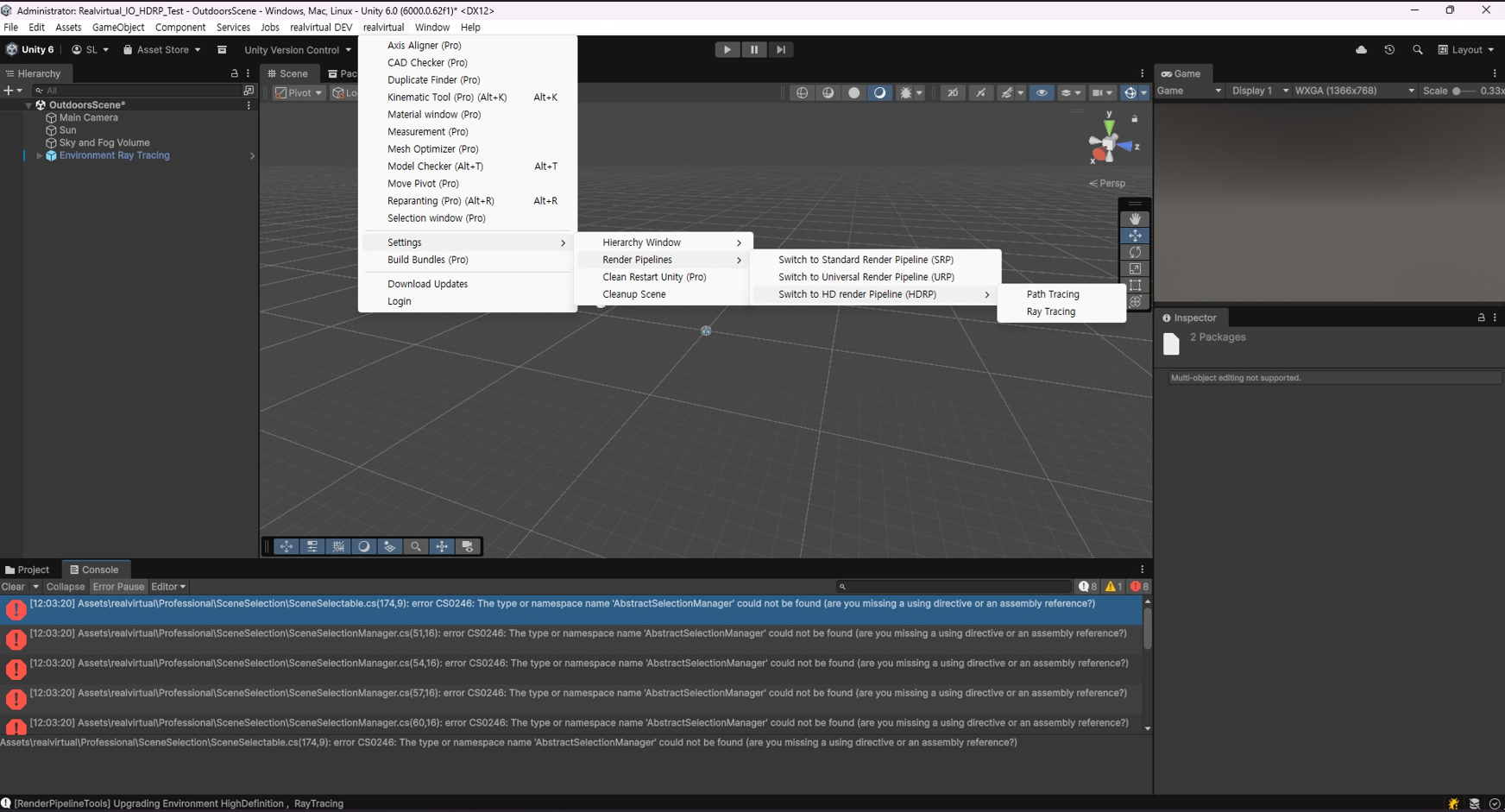
→ Compile error occurs (see image below)
4) Switch to HDRP Menu (in realvirtual menu)
※ Render Pipelines > Switch to HD render Pipeline (HDR) > Path Tracing & Ray Tracing (Both Try)
→ Compile error still occurs (see image below)
I would like to request guidance on how to resolve this issue so I can use realvirtual io in HDRP project.
Best regards,
Seokhyun Lee


Hi,
usually you should not change render pipline. Some special materials for highlighting, the bottom, the fences... wont work in HDRP. If you are working with a totally new scene and taking care about the materials and rederers yourself it is ok. Also switching is a very complicated process.
I am sending you in a private message a beta of next release where the compile errors are gone away. If you are having issues when switching one project from URP to HDRP sometimes closing Unity and deleting the Library folder and restarting helps.
The private message will follow.
Best regards
Thomas

Senden Sie uns Ihr Feedback
Wir hören zu und setzen Ihre Ideen um.
How to solve the complie error when realvirtual io package install in HDRP project



How to build a gantry

Error when importing asses

RV6.0.6 Creating a Build doesn't work

