Teilen Sie Ihre Erfahrunge und Wünsche mit uns und anderen Usern!

 Error importing the Package Ver.2022.6.0
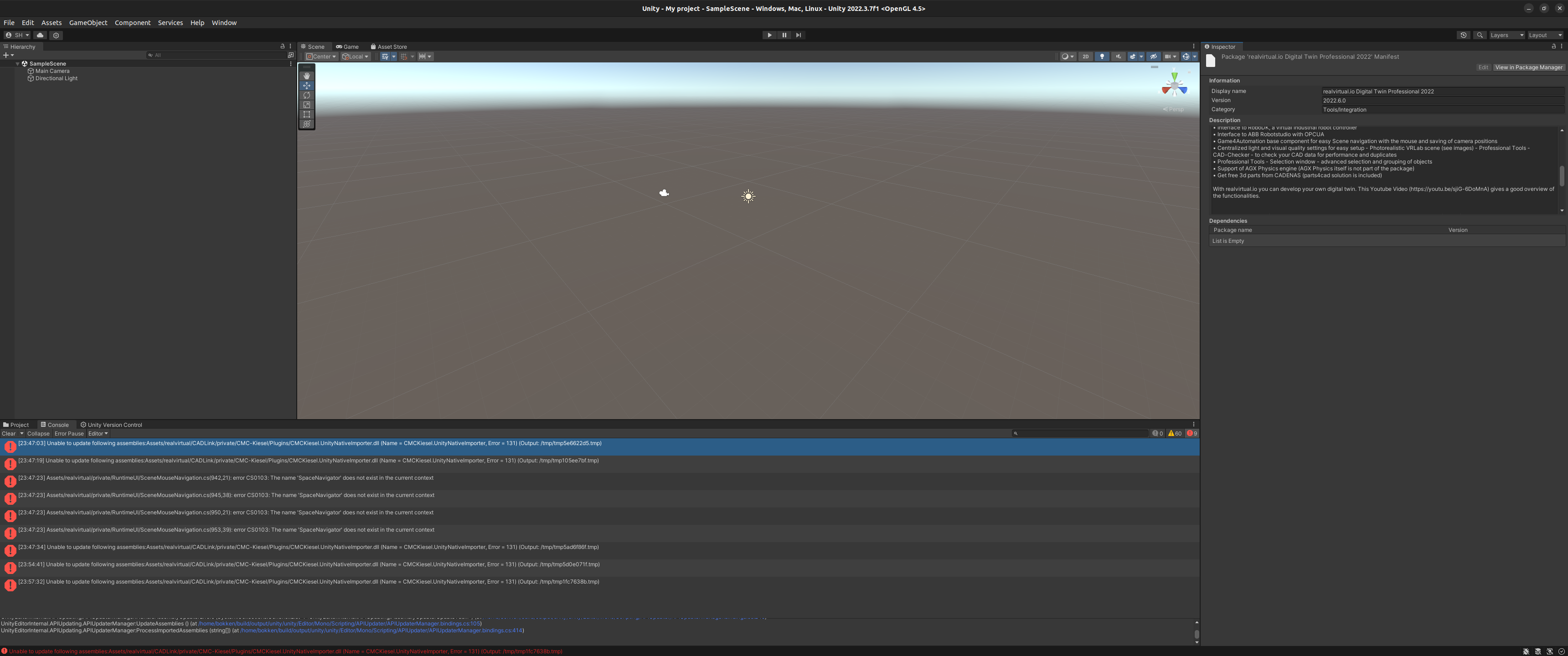
I get this error when I import the package to Unity:
Unable to update following assemblies:Assets/realvirtual/CADLink/private/CMC-Kiesel/Plugins/CMCKiesel.UnityNativeImporter.dll (Name = CMCKiesel.UnityNativeImporter, Error = 131
Ubuntu22.04, Unity 2022.3.7f1, realvirtual.io Digital Twin Professional 2022 Ver.2022.6.0

We changed and adopted all compile switches and Settings to Unity Editor on Linux. It will be in a few hours as a patch on the Unity Asset store. Please note, that SpaceNavigator, some special Interfaces (like SHM based for Simit) and CAD Step Import won't be available on Linux.

 Connection with hololens 2
is it possible to use the hololens 2, robo dk and realvirtual.io, so that I can manipulate the robot in augmented reality using the glasses (using my hands to move the robot or use gestures)?

Interface Siemens SIMIT (PRO) to UNITY
Hello Thomas,
I would like to set up a connection from Unity to Simit via the "Siemens Simit (PRO)" interface. I downloaded the files from Siemens and installed according to the documentation. Then I tried to connect the whole thing to the realvirtual.io interface. The connection was also successful. According to the realvirtual.io documentation, the signals to be exchanged should be attached to the interface as "children". Now to the problem: Simit does not get the signals from Unity i have attached. Could you see where the Problem is?
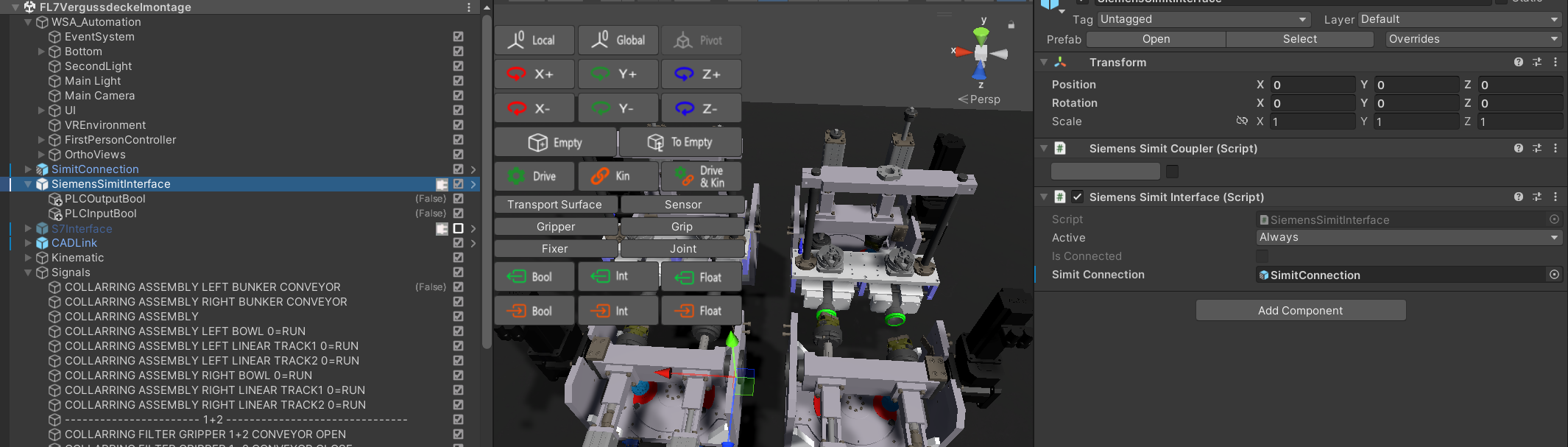
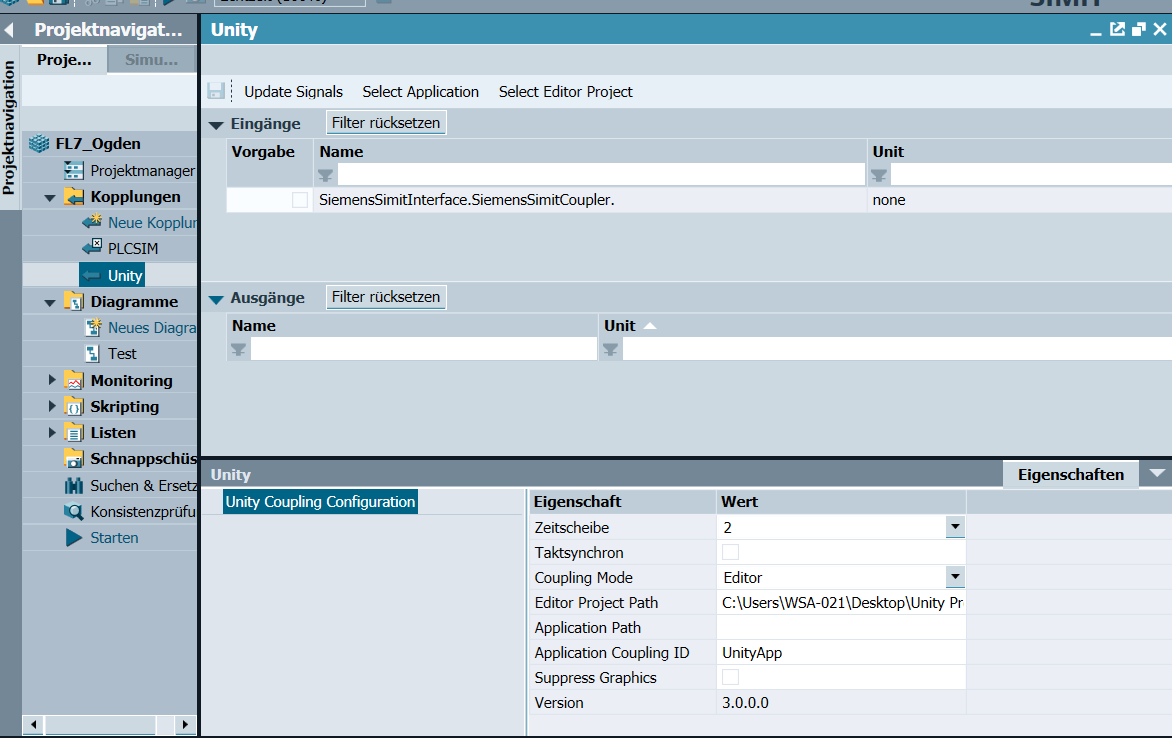
Thanks a lot for your help
It is fixed in realvirtual Professional 2021.19 and 2022.02 and above.

Postprocessing works only in the editor
Good morning,
Using the professional version and building for windows the postprocessing works only in the editor and not in the build, what can depend on?
Thank you,
G.D.
Hello,
I have checked your project and solved the problem:
- I added an empty game object to the hierarchy
- add to the layer "rvSelection"
- moved the post process volume from the main camera to the empty game object.
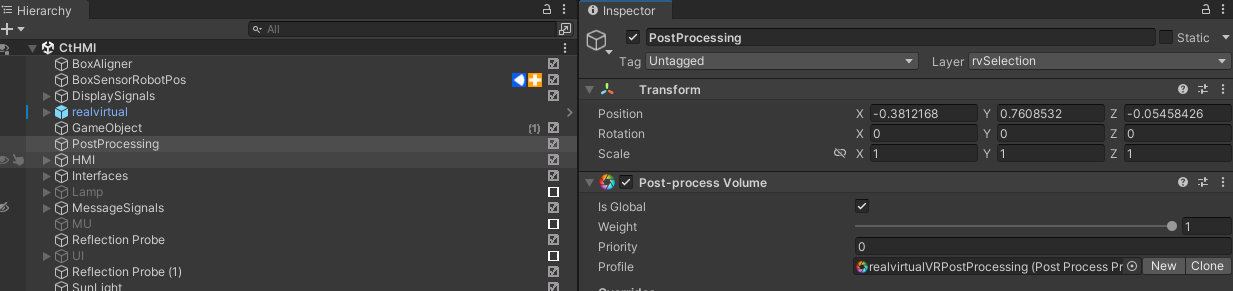
- added the scene in the build settings
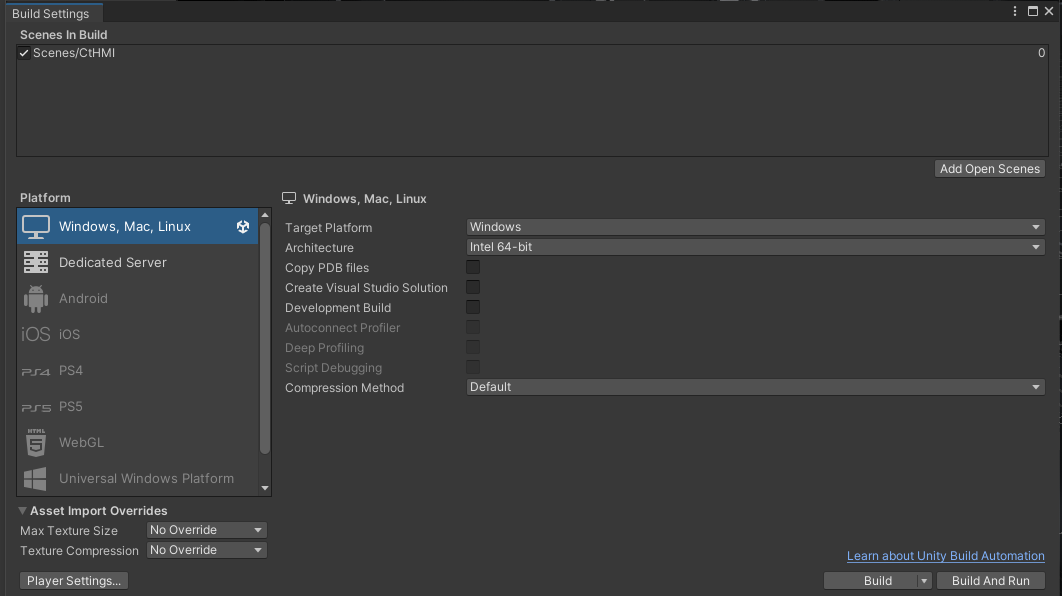
With this the build was successful. Please evaluate this on your version and let me if it works.
Kind regards
Christin
il2cpp error
Good morning,
We purchased the professional package but we can't run the builds in webgl, we have the following error.
How can we solve it?
We have tried various versions of unity, currently we use 2021.3.24f1.
Thank you,
G.D.
C:\Program Files\Unity\Hub\Editor\2021.3.24f1\Editor\Data\il2cpp\build\deploy\il2cpp.exe --convert-to-cpp --assembly=Library/Bee/artifacts/WebGL/ManagedStripped/EasyModbus.dll --assembly=Library/Bee/artifacts/WebGL/ManagedStripped/endel.nativewebsocket.dll --assembly=Library/Bee/artifacts/WebGL/ManagedStripped/game4automation.base.dll --assembly=Library/Bee/artifacts/WebGL/ManagedStripped/game4automation.cadlink.dll --assembly=Library/Bee/artifacts/WebGL/ManagedStripped/game4automation.ik.dll --assembly=Library/Bee/artifacts/WebGL/ManagedStripped/game4automation.interfaces.abbrobotstudio.dll --assembly=Library/Bee/artifacts/WebGL/ManagedStripped/game4automation.interfaces.mqtt.dll --assembly=Library/Bee/artifacts/WebGL/ManagedStripped/game4automation.interfaces.opocua.dll --assembly=Library/Bee/artifacts/WebGL/ManagedStripped/game4automation.interfaces.plcsimadvanced.dll --assembly=Library/Bee/artifacts/WebGL/ManagedStripped/game4automation.interfaces.s7tcpip.dll --assembly=Library/Bee/artifacts/WebGL/ManagedStripped/game4automation.interfaces.sharedmemory.dll --assembly=Library/Bee/artifacts/WebGL/ManagedStripped/game4automation.interfaces.twincatads.dll --assembly=Library/Bee/artifacts/WebGL/ManagedStripped/game4automation.parts4cad.dll --assembly=Library/Bee/artifacts/WebGL/ManagedStripped/game4automation.spacenavigator.dll --assembly=Library/Bee/artifacts/WebGL/ManagedStripped/game4automation.TwinCATHMIClient.dll --assembly=Library/Bee/artifacts/WebGL/ManagedStripped/game4automation.visualscripting.dll --assembly=Library/Bee/artifacts/WebGL/ManagedStripped/I18N.dll --assembly=Library/Bee/artifacts/WebGL/ManagedStripped/I18N.West.dll --assembly=Library/Bee/artifacts/WebGL/ManagedStripped/ikcalculator.dll --assembly=Library/Bee/artifacts/WebGL/ManagedStripped/Ionic.Zip.dll --assembly=Library/Bee/artifacts/WebGL/ManagedStripped/MathNet.Numerics.dll --assembly=Library/Bee/artifacts/WebGL/ManagedStripped/Mono.Security.dll --assembly=Library/Bee/artifacts/WebGL/ManagedStripped/mscorlib.dll --assembly=Library/Bee/artifacts/WebGL/ManagedStripped/NaughtyAttributes.Core.dll --assembly=Library/Bee/artifacts/WebGL/ManagedStripped/Sharp7.dll --assembly=Library/Bee/artifacts/WebGL/ManagedStripped/System.Configuration.dll --assembly=Library/Bee/artifacts/WebGL/ManagedStripped/System.Core.dll --assembly=Library/Bee/artifacts/WebGL/ManagedStripped/System.dll --assembly=Library/Bee/artifacts/WebGL/ManagedStripped/System.Numerics.dll --assembly=Library/Bee/artifacts/WebGL/ManagedStripped/System.Runtime.Serialization.dll --assembly=Library/Bee/artifacts/WebGL/ManagedStripped/System.Windows.Forms.dll --assembly=Library/Bee/artifacts/WebGL/ManagedStripped/System.Xml.dll --assembly=Library/Bee/artifacts/WebGL/ManagedStripped/System.Xml.Linq.dll --assembly=Library/Bee/artifacts/WebGL/ManagedStripped/TwinCAT.Ads.dll --assembly=Library/Bee/artifacts/WebGL/ManagedStripped/UnityEngine.AnimationModule.dll --assembly=Library/Bee/artifacts/WebGL/ManagedStripped/UnityEngine.AudioModule.dll --assembly=Library/Bee/artifacts/WebGL/ManagedStripped/UnityEngine.CoreModule.dll --assembly=Library/Bee/artifacts/WebGL/ManagedStripped/UnityEngine.dll --assembly=Library/Bee/artifacts/WebGL/ManagedStripped/UnityEngine.GridModule.dll --assembly=Library/Bee/artifacts/WebGL/ManagedStripped/UnityEngine.IMGUIModule.dll --assembly=Library/Bee/artifacts/WebGL/ManagedStripped/UnityEngine.InputLegacyModule.dll --assembly=Library/Bee/artifacts/WebGL/ManagedStripped/UnityEngine.ParticleSystemModule.dll --assembly=Library/Bee/artifacts/WebGL/ManagedStripped/UnityEngine.Physics2DModule.dll --assembly=Library/Bee/artifacts/WebGL/ManagedStripped/UnityEngine.PhysicsModule.dll --assembly=Library/Bee/artifacts/WebGL/ManagedStripped/UnityEngine.SharedInternalsModule.dll --assembly=Library/Bee/artifacts/WebGL/ManagedStripped/UnityEngine.SpriteShapeModule.dll --assembly=Library/Bee/artifacts/WebGL/ManagedStripped/UnityEngine.TerrainModule.dll --assembly=Library/Bee/artifacts/WebGL/ManagedStripped/UnityEngine.TextCoreFontEngineModule.dll --assembly=Library/Bee/artifacts/WebGL/ManagedStripped/UnityEngine.TextCoreTextEngineModule.dll --assembly=Library/Bee/artifacts/WebGL/ManagedStripped/UnityEngine.TextRenderingModule.dll --assembly=Library/Bee/artifacts/WebGL/ManagedStripped/UnityEngine.TilemapModule.dll --assembly=Library/Bee/artifacts/WebGL/ManagedStripped/UnityEngine.UI.dll --assembly=Library/Bee/artifacts/WebGL/ManagedStripped/UnityEngine.UIElementsModule.dll --assembly=Library/Bee/artifacts/WebGL/ManagedStripped/UnityEngine.UIElementsNativeModule.dll --assembly=Library/Bee/artifacts/WebGL/ManagedStripped/UnityEngine.UIModule.dll --assembly=Library/Bee/artifacts/WebGL/ManagedStripped/UnityEngine.WindModule.dll --data-folder=C:/Users/GD/tre/Library/Bee/artifacts/WebGL/il2cppOutput/data --generatedcppdir=C:/Users/GD/tre/Library/Bee/artifacts/WebGL/il2cppOutput/cpp --enable-analytics --emit-method-map --dotnetprofile=unityaot-linux --profiler-report --profiler-output-file=C:/Users/GD/tre/Library/Bee/artifacts/il2cpp_conv_bs0c.traceevents --print-command-line
Error: IL2CPP error (no further information about what managed code was being converted is available)
System.AggregateException: One or more errors occurred. (The given key 'nop' was not present in the dictionary.)
---> System.Collections.Generic.KeyNotFoundException: The given key 'nop' was not present in the dictionary.
at System.Collections.Generic.Dictionary`2.get_Item(TKey key)
at Unity.IL2CPP.DataModel.Instruction..ctor(Instruction instruction)
at Unity.IL2CPP.DataModel.BuildLogic.Populaters.MethodBodyPopulator.CreateInstructions(CecilSourcedAssemblyData assemblyDef, MethodDefinition method, MethodDefinition source, ReadOnlyCollection`1 variables, Dictionary`2& instructionMap)
at Unity.IL2CPP.DataModel.BuildLogic.Populaters.MethodBodyPopulator.PopulateMethodBody(CecilSourcedAssemblyData assemblyData, MethodDefinition method, MethodDefinition source)
at Unity.IL2CPP.DataModel.BuildLogic.Populaters.DefinitionPopulater.PopulateMethodDefs(CecilSourcedAssemblyData assemblyData, TypeDefinition typeDef)
at Unity.IL2CPP.DataModel.BuildLogic.Populaters.DefinitionPopulater.PopulateTypeDef(TypeContext context, UnderConstructionMember`2 type)
at Unity.IL2CPP.DataModel.BuildLogic.DataModelBuilder.<PopulateCecilSourcedDefinitions>b__13_1(UnderConstructionMember`2 typeDef)
at System.Threading.Tasks.Parallel.<>c__DisplayClass44_0`2.<PartitionerForEachWorker>b__1(IEnumerator& partitionState, Int32 timeout, Boolean& replicationDelegateYieldedBeforeCompletion)
--- End of stack trace from previous location ---
at System.Threading.Tasks.Parallel.<>c__DisplayClass44_0`2.<PartitionerForEachWorker>b__1(IEnumerator& partitionState, Int32 timeout, Boolean& replicationDelegateYieldedBeforeCompletion)
at System.Threading.Tasks.TaskReplicator.Replica`1.ExecuteAction(Boolean& yieldedBeforeCompletion)
at System.Threading.Tasks.TaskReplicator.Replica.Execute()
--- End of inner exception stack trace ---
at System.Threading.Tasks.TaskReplicator.Run[TState](ReplicatableUserAction`1 action, ParallelOptions options, Boolean stopOnFirstFailure)
at System.Threading.Tasks.Parallel.PartitionerForEachWorker[TSource,TLocal](Partitioner`1 source, ParallelOptions parallelOptions, Action`1 simpleBody, Action`2 bodyWithState, Action`3 bodyWithStateAndIndex, Func`4 bodyWithStateAndLocal, Func`5 bodyWithEverything, Func`1 localInit, Action`1 localFinally)
--- End of stack trace from previous location ---
at System.Threading.Tasks.Parallel.ThrowSingleCancellationExceptionOrOtherException(ICollection exceptions, CancellationToken cancelToken, Exception otherException)
at System.Threading.Tasks.Parallel.PartitionerForEachWorker[TSource,TLocal](Partitioner`1 source, ParallelOptions parallelOptions, Action`1 simpleBody, Action`2 bodyWithState, Action`3 bodyWithStateAndIndex, Func`4 bodyWithStateAndLocal, Func`5 bodyWithEverything, Func`1 localInit, Action`1 localFinally)
at System.Threading.Tasks.Parallel.ForEachWorker[TSource,TLocal](IEnumerable`1 source, ParallelOptions parallelOptions, Action`1 body, Action`2 bodyWithState, Action`3 bodyWithStateAndIndex, Func`4 bodyWithStateAndLocal, Func`5 bodyWithEverything, Func`1 localInit, Action`1 localFinally)
at System.Threading.Tasks.Parallel.ForEach[TSource](IEnumerable`1 source, Action`1 body)
at Unity.IL2CPP.DataModel.BuildLogic.Utils.ParallelHelpers.ForEach[TSource](IEnumerable`1 source, Action`1 func, Boolean enableSerial)
at Unity.IL2CPP.DataModel.BuildLogic.DataModelBuilder.PopulateCecilSourcedDefinitions(ReadOnlyCollection`1 assemblyData)
at Unity.IL2CPP.DataModel.BuildLogic.DataModelBuilder.Build()
For the moment not but we are working on a solution to manage this via assembly definitions - we think this should do the job. But it will take 3-4 weeks until we will release that.

Install Assets (realvirtual.io Digital Twin) doesn't work
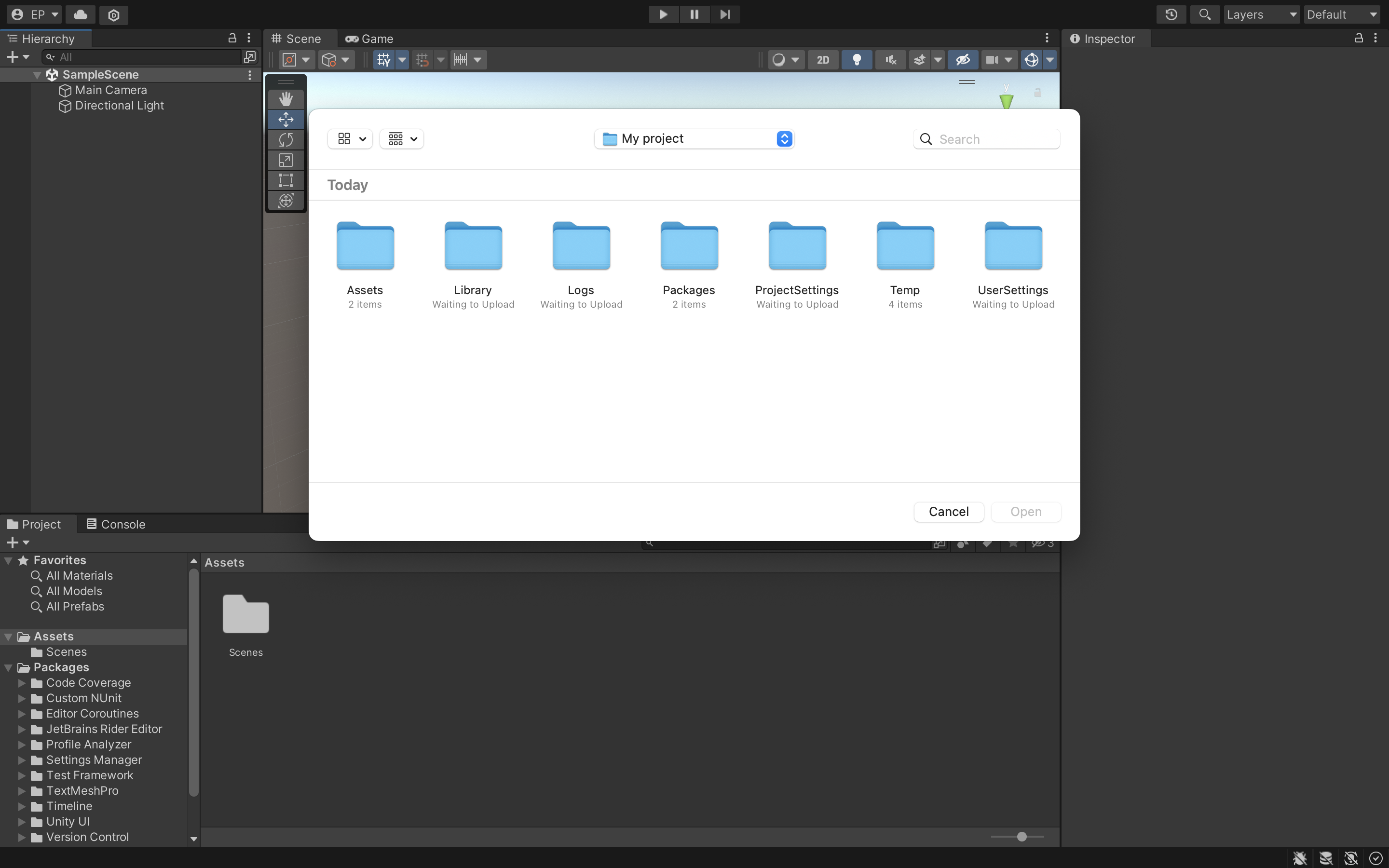
I bought the 'realvirtual.io Digital Twin Asset', I think there are 2 options to get it running:
1) Via the Asset Store -> click on 'open in Unity' (After clicking there are no extra asset visible, see image).
2) Via 'import custom package' (I don't know which file to open, see image).

 Animation Export?
Is it possible to export an animation of a certain duration using realvirtual.io and unity?
The animation would be fixed (the same every time) so you can use a speed multiplier, fast-forward, rewind, and choose the time using a scroll bar also while being able to navigate around the 3D scene.
Perhaps an FBX animation?
Any help would be greatly appreciated.
Hi,
this currently not possible within a build using realvirtual. You have this possibility only within unity by using the DriveRecorder. Within such a recording you can jump to certain frames. A speed multiplier is available when you start your scene in unity game mode. Using the speed multiplier within a replay of the recordering is currently not possible.
You could implement this on your own because our code is open to do so.
Regards Christin

stopping conveyors and having multiple transport surfaces
Hey I started working on this university project of creating a digital twin of physical model in lab. But I have run into some problems so the idea here is that the MU has to move to the position in front of gantry drive and then has to comeback on the same conveyor. While coming back, the turn table which is between two conveyors has to turn while also stoping TS which it has. My problems are...
1) Stopping the conveyor with drive sequence at a specific destination and for a chosen conveyor is not working.(professional licence not available for us yet!) I have used PLC signals and sensors, I can start the conveyor drives but cannot stop them.
2) Giving kinematic to conveyors is not working for me hence I have given all drive behaviours directly on CAD. Is there something I have missed for this not working?
3) And I still do not understand the movement of rotating turn table while two separate transport surfaces moving and stopping MU whenever needed. I cannot seem to be able to do them simultaneously. I have seen and tried to use parent drive but it did not work. I have also seen many videos and read manual in website multiple times but giving multiple(linear & rotational) drives and stopping them is still not possible for me.
4) is it possible to rotate the turn table only when coming back and not while moving forward? if yes, any hints to how would be great.
Thank you in advance! Moving MU

Help with model setup
Hello,
I'm trying this simple setup of pushing a MU off a conveyor belt with a pusher or deflector. However, as seen in the video, the pusher moves right through the MU. Please help me to change the settings and understand the reasoning behind the same. I'm using the starter pack and have followed the procedures as per the tutorials to date. So all the settings are set to default, or as suggested in the videos. Thanks for your help!
Hello,
Please make sure that the MUs and the pusher have sufficient colliders. Nevertheless, the elements must be on certain layers: MU --> g4aMU; Pusher --> g4aTransport.(set in the inspector) The current parameter of the collider interaction you'll find here: Edit/Projectsettings/Physics.
Let me know if this solves the issue.
Import nodes remains importing for ever
Hello all,
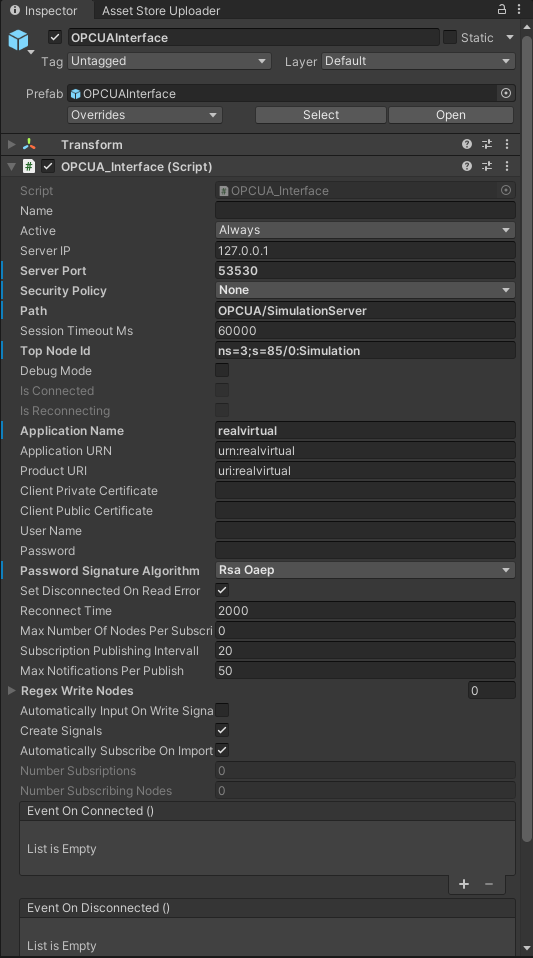
My application gets stuck when trying to import nodes in Unity3D from the Prosys OPC UA Simulation Server. It shows a window saying "Hold on... Importing assets", but it never ends. Here is a capture from Wireshark showing the messages exchanged. Any ideas?
Hi, we have found a solution for Prosys. It was a problem with the underlying OPCUA library. With this setting we are now able to import (you need to select a topnode). It will be included in the next release (2022.11). Please get in contact with us if you need a beta earlier.
Customer support service by UserEcho