Teilen Sie Ihre Erfahrunge und Wünsche mit uns und anderen Usern!

 S7 connection
Hello,
I have started to use S7 TCP-IP to connect to TIA Portal with PLCSIM advanced. When I think they are connected and I tried to force a signal at true, in the TIA program I see the corresponding signal blinking irregulary.
Do someone have this problem or how to resolve it?

It depends what you want to do. Because of Limitations in Unity PLCSim Advanced is a little bit more complicated (external coupling exe needs to be started). S7 Interface is easier and works on all Platforms. But with S7 interface you can't write to inputs where also a hardware is configured to.

I can't read the plc input signals
Dear Thomas.I connect S7-1200 PLC to unity,but when I import Outputs it is OK,when I import Inputs it doesn't work,I want to make a digital twin project.Can I just read the inputs and I can change the models depend the inputs status,I don't write it or change it.If my unity models want to know the inputs status,what should I do?
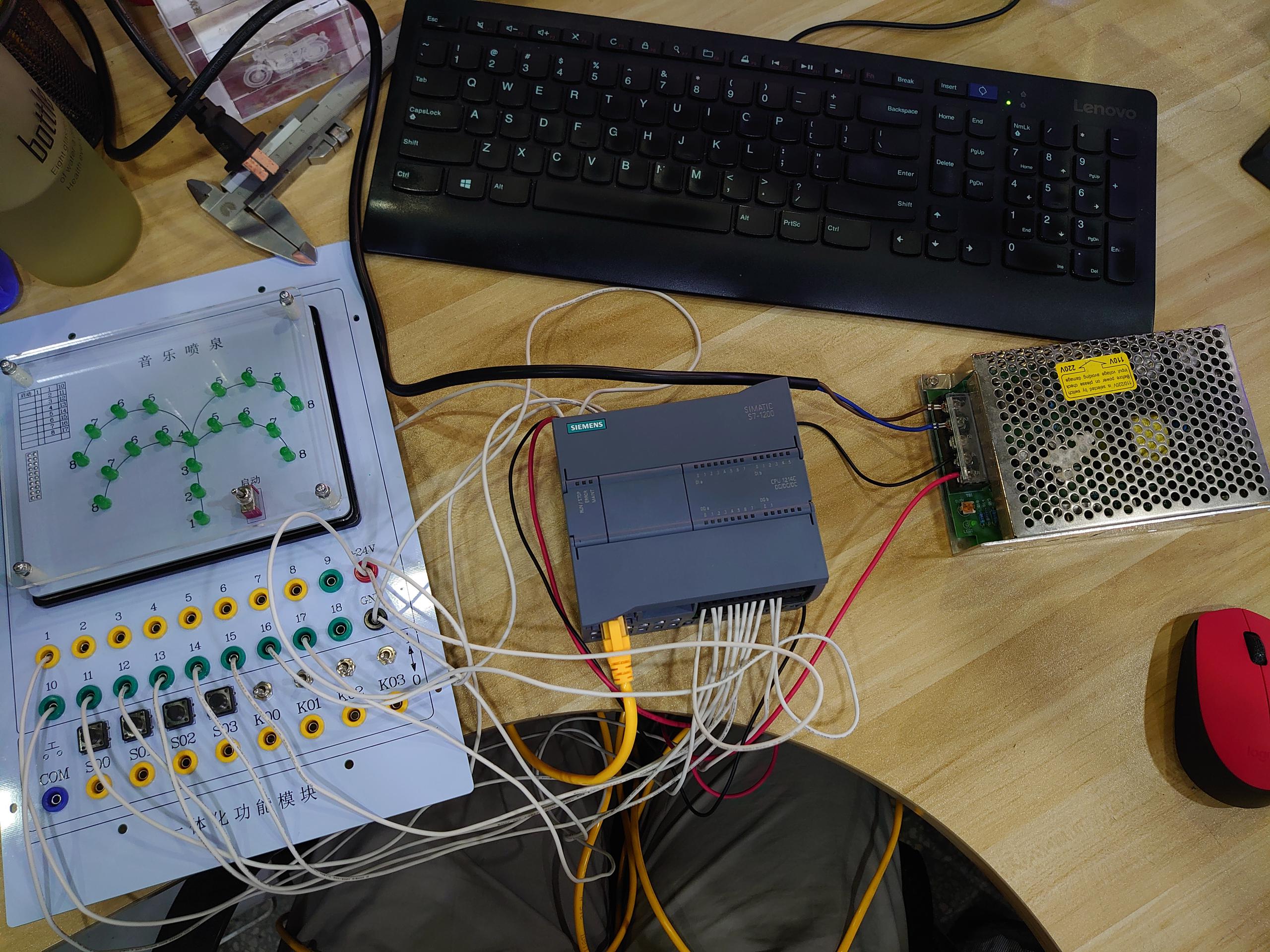
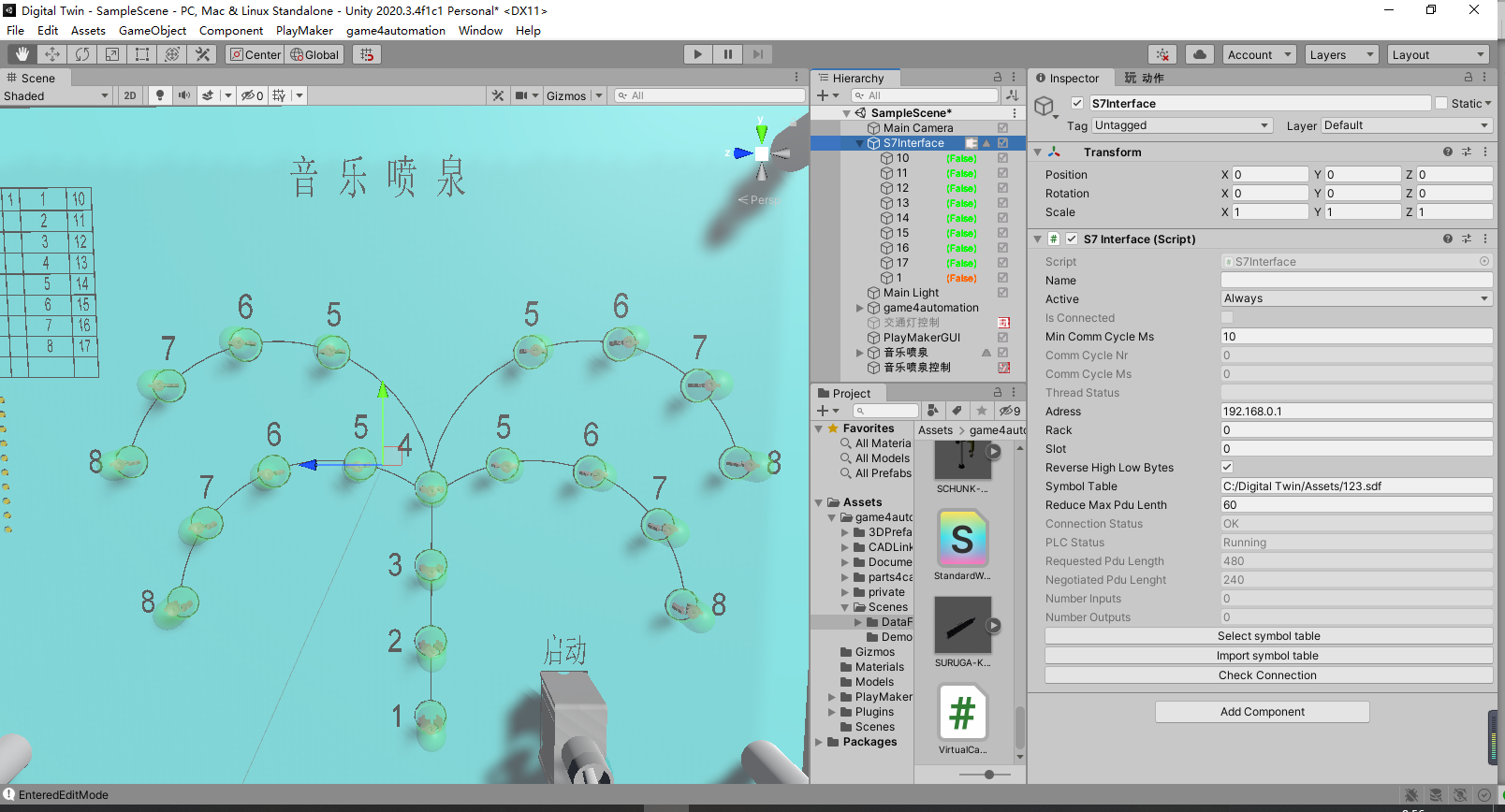
Hard to say where your problem is. But Input and Outputs are working if the inputs don't collide with a real hardware input. If you problem still exists please create a very simple example (S7 project and Unity project) and send it to us.
I can't find the component(Xde Rigid Body)
Hello!Dear Thomas!
When I Enable Interact,it shows:
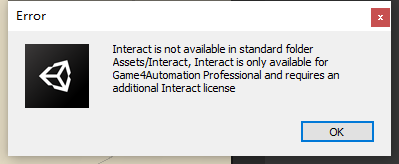
But I have buy it and I can't add component like the video(
Accurate Physics with Game4Automation
)My unity is 2020.3.4 and game4automation professional is running well.

How to install
Hello ,
I just buy Game4automation pro and conveyor but i can´t install .
My instalation fail . I try to follow the manual but without sucess.
According the manual new menu should appears but on my case it dont appears :
https://game4automation.com/documentation/current/installation.html#Check-if-a-new-menu-is-available
I can import the package from the store but not like the same procedure that is on the manual .
I just press on the bottom import on the store.
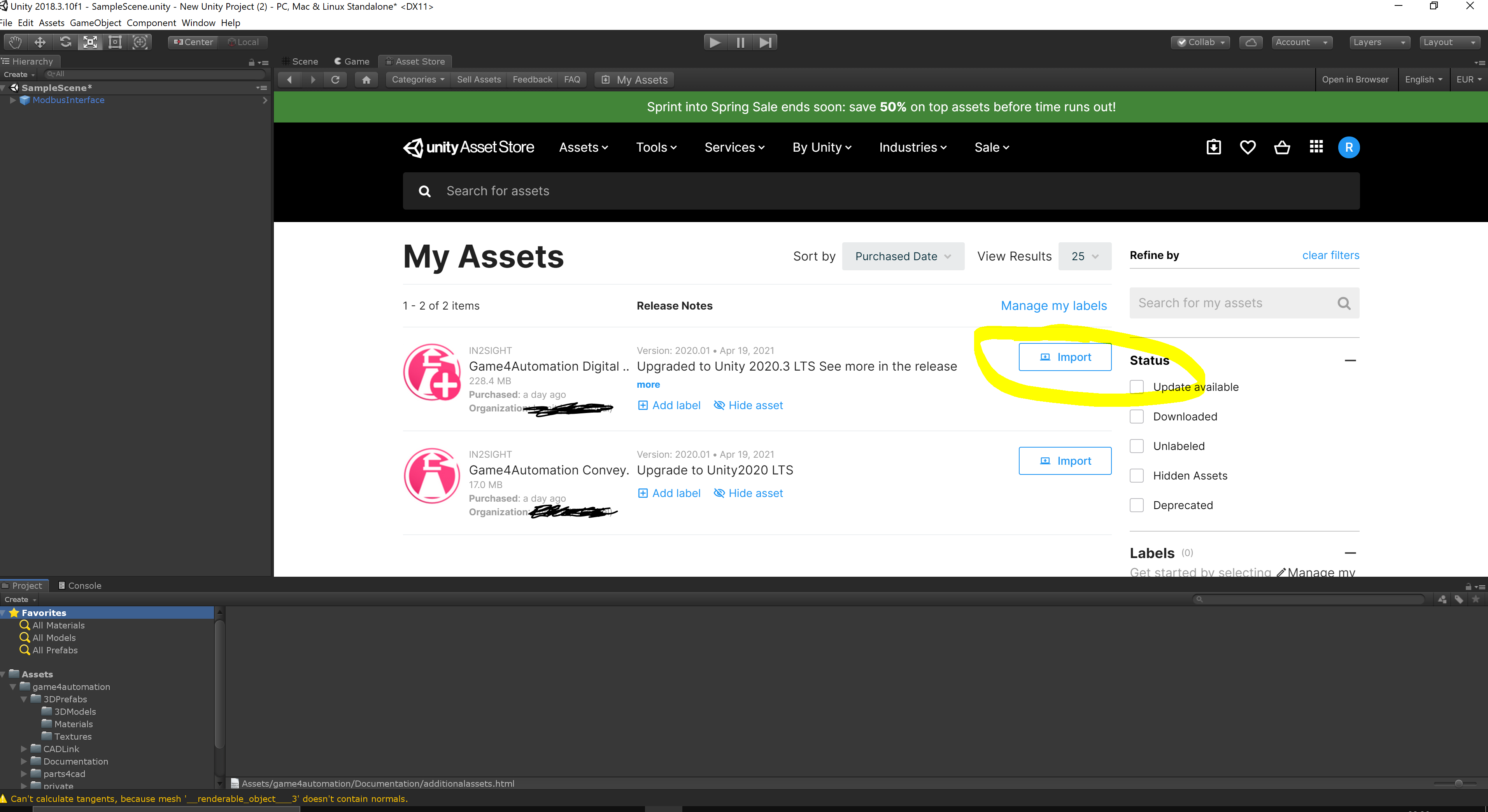
You should have any kind of error in the console log which should point you in the right direction.
Please always check and send us the log in case of problems.

 Share-Space for custom Behavior Scripts
Hi,
is it possible to implement some kind of share space into the forum or website, where users can upload their custom made scripts to extend the functionality of the implemented behavior scripts?

 S7 interface DB write bug
I write in S7 interface in DB1.DBX1.0 but on PLC it is writing in DB1.DBX1.1
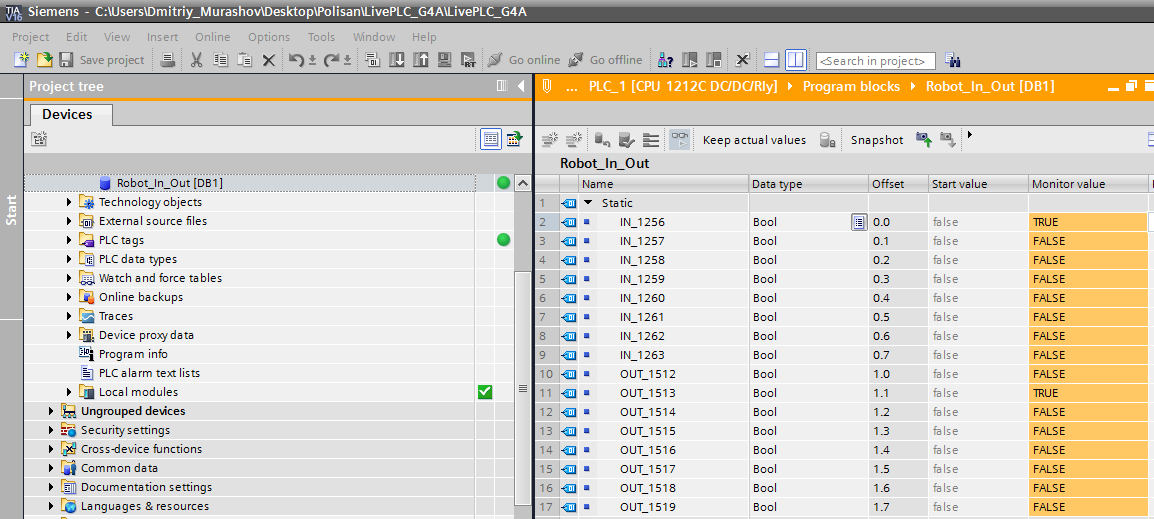
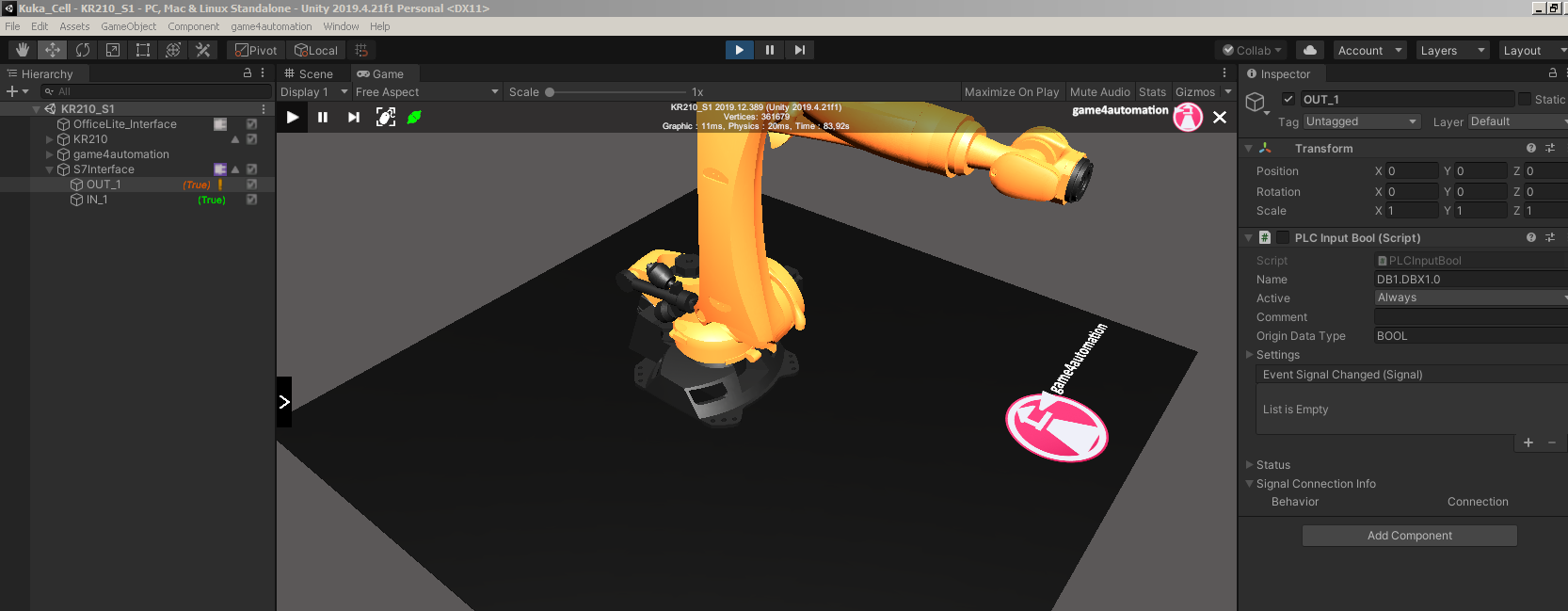

s7
Hello
I played a little bit with the conveyor and the sensor form the starter tutorial. I noticed that if a MU is occupying the sensor and then I delete the MU either manually or with a think, the sensor continues to be occupied. In order for the sensor to be free, I first need to move the MU out of the sensor collision box and then I can delete it. In my opinion the senor shouldn't remain occupied if the MU that occupies the sensor is deleted.
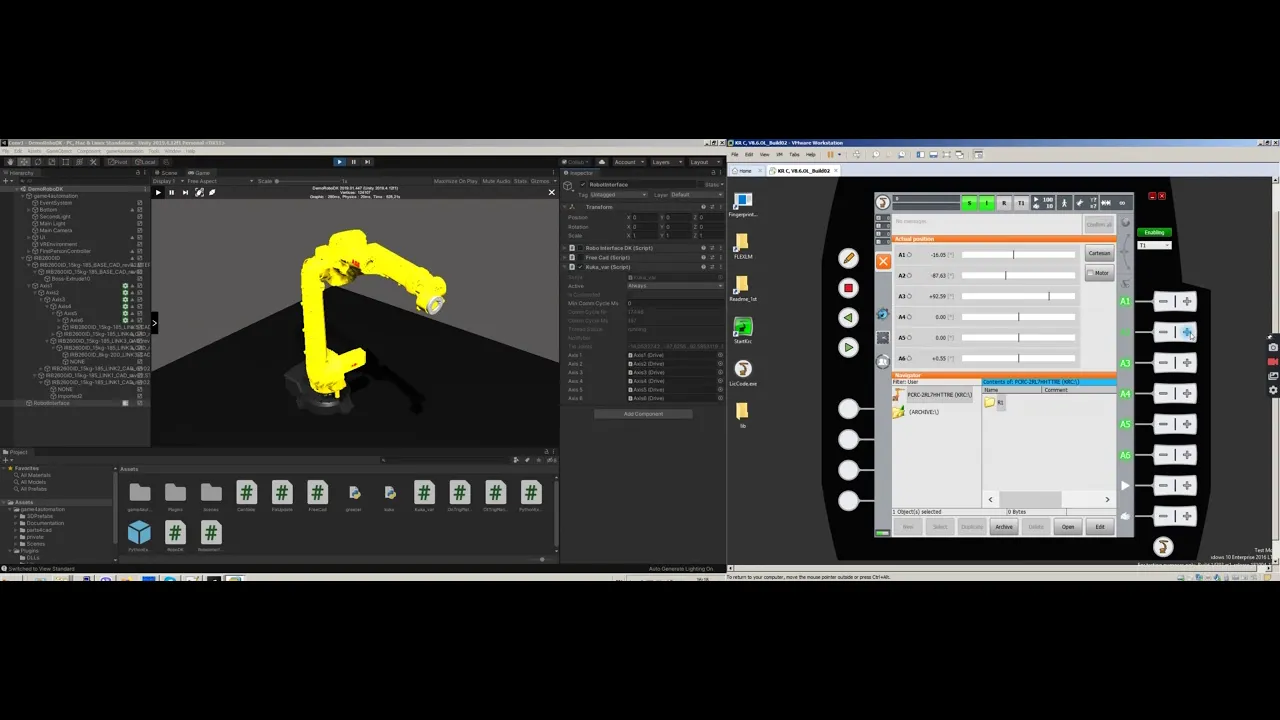
Hi,
nice work. How did you connected to KUKA.
There seems to be still a cycle time problem. If you would like I could support you, if you support me for getting it into the Professional version ;-)
Best regards
Thomas
RobotDK jitter
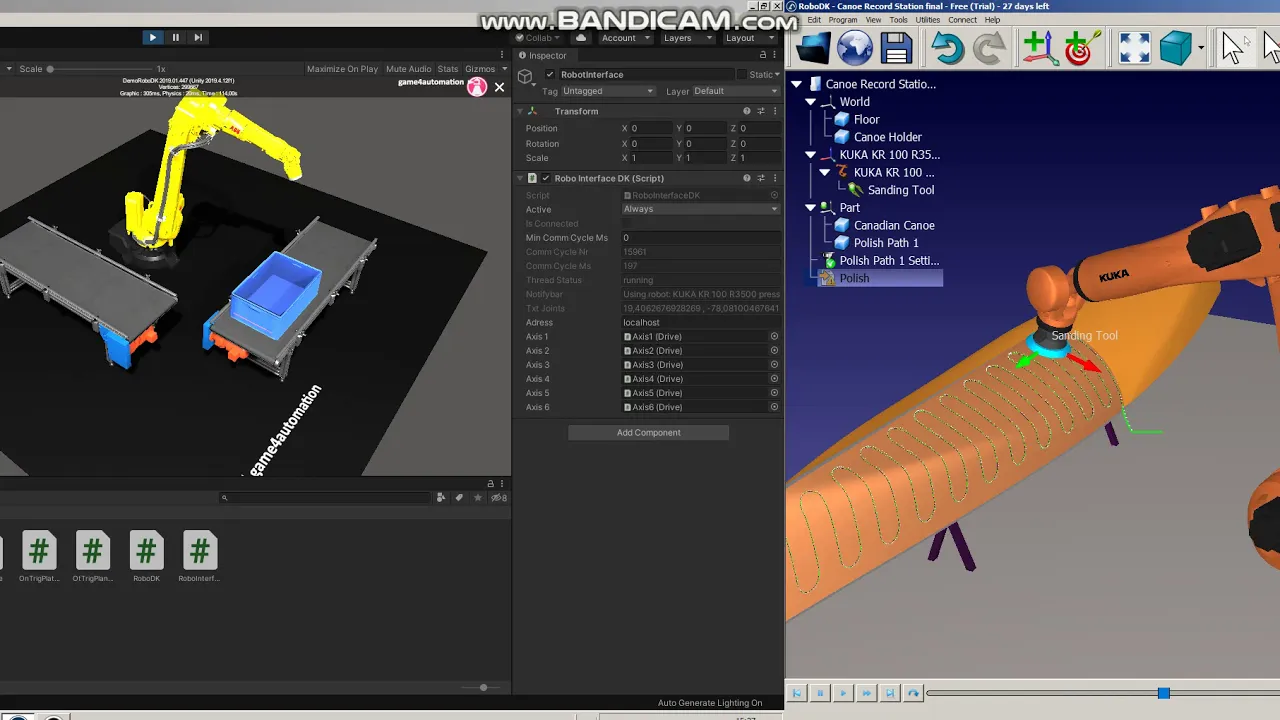
Here is code od RobotDK script.
using System;
using UnityEngine;
using Sharp7;
using System.IO;
using System.Collections.Generic;
using System.Linq;
using System.Linq.Expressions;
namespace game4automation
{
public class RoboInterfaceDK : InterfaceThreadedBaseClass
{
[ReadOnly] public string notifybar;
[ReadOnly] public string txtJoints;
public string Adress = "localhost"; //!< The ip adress of the PLC
public Drive Axis1;
public Drive Axis2;
public Drive Axis3;
public Drive Axis4;
public Drive Axis5;
public Drive Axis6;
private RoboDK RDK = null;
private bool starting = true;
// Keep the ROBOT item as a global variable
private RoboDK.Item ROBOT = null;
public bool Check_RDK()
{
// check if the RDK object has been initialised:
if (RDK == null)
{
notifybar = "RoboDK has not been started";
return false;
}
// Check if the RDK API is connected
if (!RDK.Connected())
{
notifybar = "Connecting to RoboDK OK!";
// Attempt to connect to the RDK API
if (!RDK.Connect())
{
notifybar = "Problems using the RoboDK API. The RoboDK API is not available...";
return false;
}
}
return true;
}
public string Values_2_String(double[] dvalues)
{
if (dvalues == null || dvalues.Length < 1)
{
return "Invalid values";
}
// Not supported on .NET Framework 2.0:
//string strvalues = String.Join(" , ", dvalues.Select(p => p.ToString("0.0")).ToArray());
string strvalues = dvalues[0].ToString();
for (int i = 1; i < dvalues.Length; i++)
{
strvalues += " , " + dvalues[i].ToString();
}
return strvalues;
//return "";
}
public void SelectRobot()
{
notifybar = "Selecting robot...";
if (!Check_RDK())
{
ROBOT = null;
return;
}
ROBOT = RDK.ItemUserPick("Select a robot", RoboDK.ITEM_TYPE_ROBOT); // select robot among available robots
//ROBOT = RL.getItem("ABB IRB120", ITEM_TYPE_ROBOT); // select by name
//ITEM = RL.ItemUserPick("Select an item"); // Select any item in the station
if (ROBOT.Valid())
{
ROBOT.NewLink(); // This will create a new communication link (another instance of the RoboDK API), this is useful if we are moving 2 robots at the same time.
notifybar = "Using robot: " + ROBOT.Name();
}
else
{
notifybar = "Robot not available. Load a file first";
}
}
public bool Check_ROBOT(bool ignore_busy_status = false)
{
if (!Check_RDK())
{
return false;
}
if (ROBOT == null || !ROBOT.Valid())
{
notifybar = "A robot has not been selected. Load a station or a robot file first.";
SelectRobot();
return false;
}
try
{
notifybar = "Using robot: " + ROBOT.Name();
}
catch (RoboDK.RDKException rdkex)
{
notifybar = "The robot has been deleted: " + rdkex.Message;
return false;
}
// Safe check: If we are doing non blocking movements, we can check if the robot is doing other movements with the Busy command
/*if (!MOVE_BLOCKING && (!ignore_busy_status && ROBOT.Busy()))
{
notifybar = "The robot is busy!! Try later...";
return false;
}*/
return true;
}
//! Updates all signals in the parallel communication thread
protected override void CommunicationThreadUpdate()
{
if (!Check_ROBOT(true)) { return; }
double[] joints = ROBOT.Joints();
//Mat pose = ROBOT.Pose();
// update the joints
Axis1.TargetStartMove = !Axis1.TargetStartMove;
Axis1.TargetPosition = (float)joints[0];
Axis2.TargetStartMove = !Axis2.TargetStartMove;
Axis2.TargetPosition = (float)joints[1] + 90;
Axis3.TargetStartMove = !Axis3.TargetStartMove;
Axis3.TargetPosition = (float)joints[2] - 90;
Axis4.TargetStartMove = !Axis4.TargetStartMove;
Axis4.TargetPosition = (float)joints[3];
Axis5.TargetStartMove = !Axis5.TargetStartMove;
Axis5.TargetPosition = (float)joints[4];
Axis6.TargetStartMove = !Axis6.TargetStartMove;
Axis6.TargetPosition = (float)joints[5];
string strjoints = Values_2_String(joints);
txtJoints = strjoints;
}
public override void OpenInterface()
{
if (RDK == null) { RDK = new RoboDK(); }
base.OpenInterface();
}
public override void CloseInterface()
{
//if (!Check_RDK()) { ;}
// Force to stop and close RoboDK (optional)
// RDK.CloseAllStations(); // close all stations
// RDK.Save("path_to_save.rdk"); // save the project if desired
//RDK.CloseRoboDK();
RDK = null;
base.CloseInterface();
}
private void Update()
{
//Check_RDK();
/*if (Check_RDK()) { starting = false; }
if (!Check_RDK() && !starting)
{
RDK = new RoboDK();
}*/
}
}
}
Hi, I checked your example on my computer. It moves smoothly on my side´(RoboDK and G4A),
I think your started to implement your own RoboDK Interface because you did not purchased professional version - right?
It could save you some time to use G4A Professional. Please get in contact with me if you need an offer.
S7PLC to PLCSIM Compact
Here is solution for S7PLC connect to PLCSIM Compact, comment in S7Interface disconection timeout.
SetPDU to 10 (working not stable and max 5 byte in, 5 byte out)
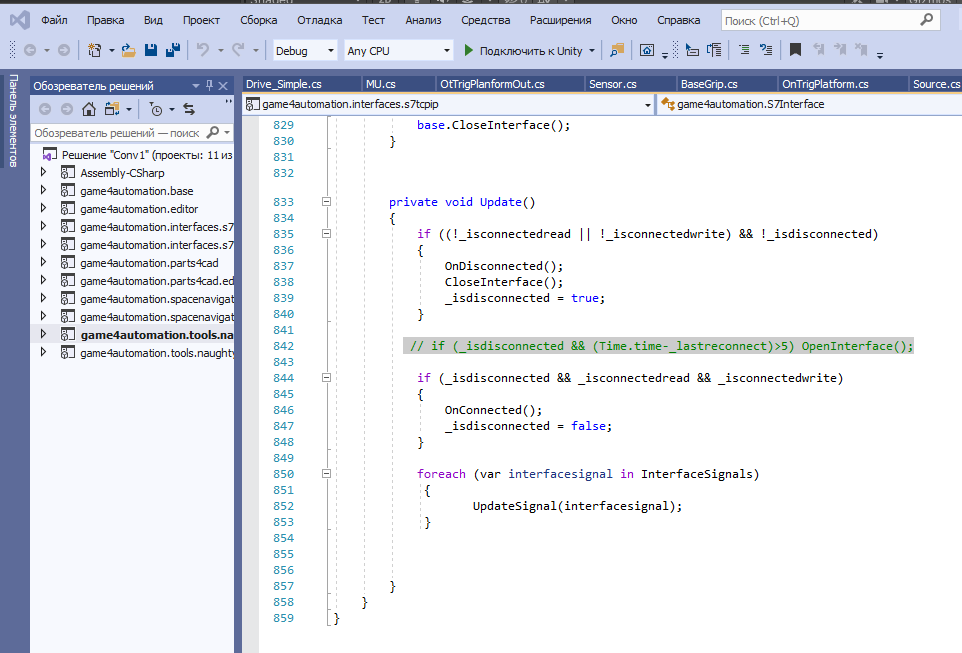
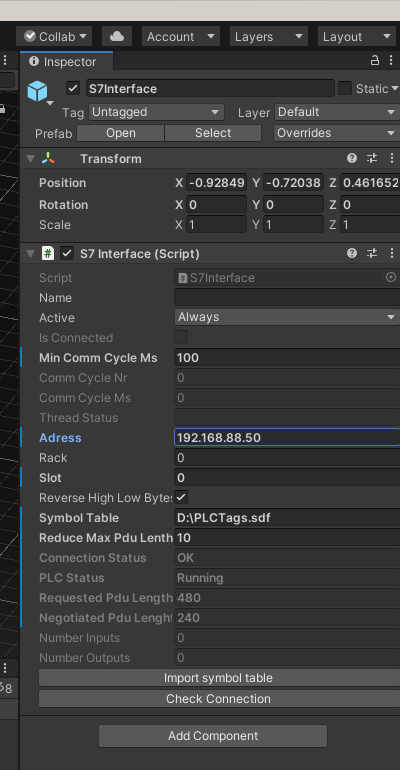
And using Nettoplcsim-S7o-v-1-2-4-0 program
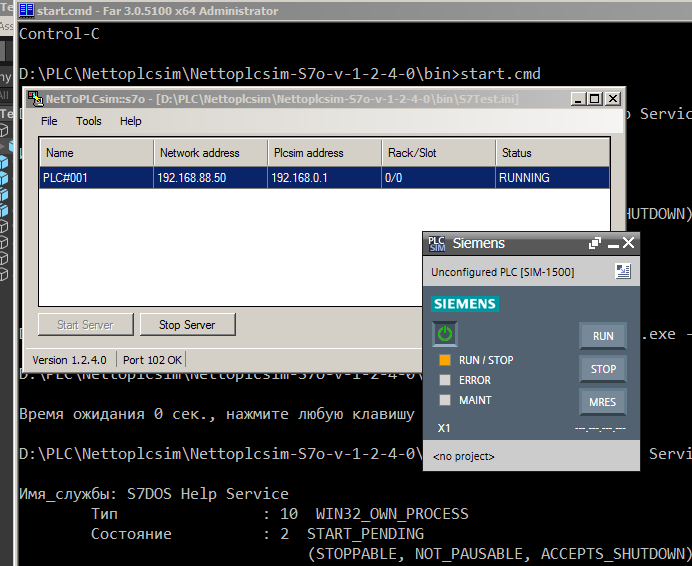
Some features in configs NetToPlcsim
start.cmd
//
sc stop "S7DOS Help Service"
START /B NetToPLCSim.exe -f=S7Test.ini -s=NO -autostart
TIMEOUT /T 4
sc start "S7DOS Help Service"
TIMEOUT /T 4
"D:\Program Files\Siemens\Automation\S7-PLCSIM V15_1\Bin\Siemens.Simatic.PlcSim.Compact.exe"
S7Test.ini
//
[Station_1]
Name=PLC#001
NetworkIpAddress=192.168.88.50 //External IP of PLCSIM , adress of Ethernet board
PlcsimIpAddress=192.168.0.1 //internal IP of PLCSIM , not change this one
PlcsimRackNumber=0
PlcsimSlotNumber=0
TsapCheckEnabled=False
And now can connect to PLCSIM
Customer support service by UserEcho