Teilen Sie Ihre Erfahrunge und Wünsche mit uns und anderen Usern!
Teilen Sie Ihre Erfahrunge und Wünsche mit uns und anderen Usern!

 SnapPoint.OnStart()': no suitable method found to override
Assets\realvirtual\Professional\SnapPoints\private\SnapPoint.cs(37,33): Assets\realvirtual\ professional \ snappoints \private\ snappoint.cs error CS0115: 'SnapPoint.OnStart()': no suitable method found to override

Issue is solved with newest 2022.16 release. Please use 2022.16 Professional and 2022.16 Simulation together. On Problems when updating please also consider this:

 plugin disappeared.
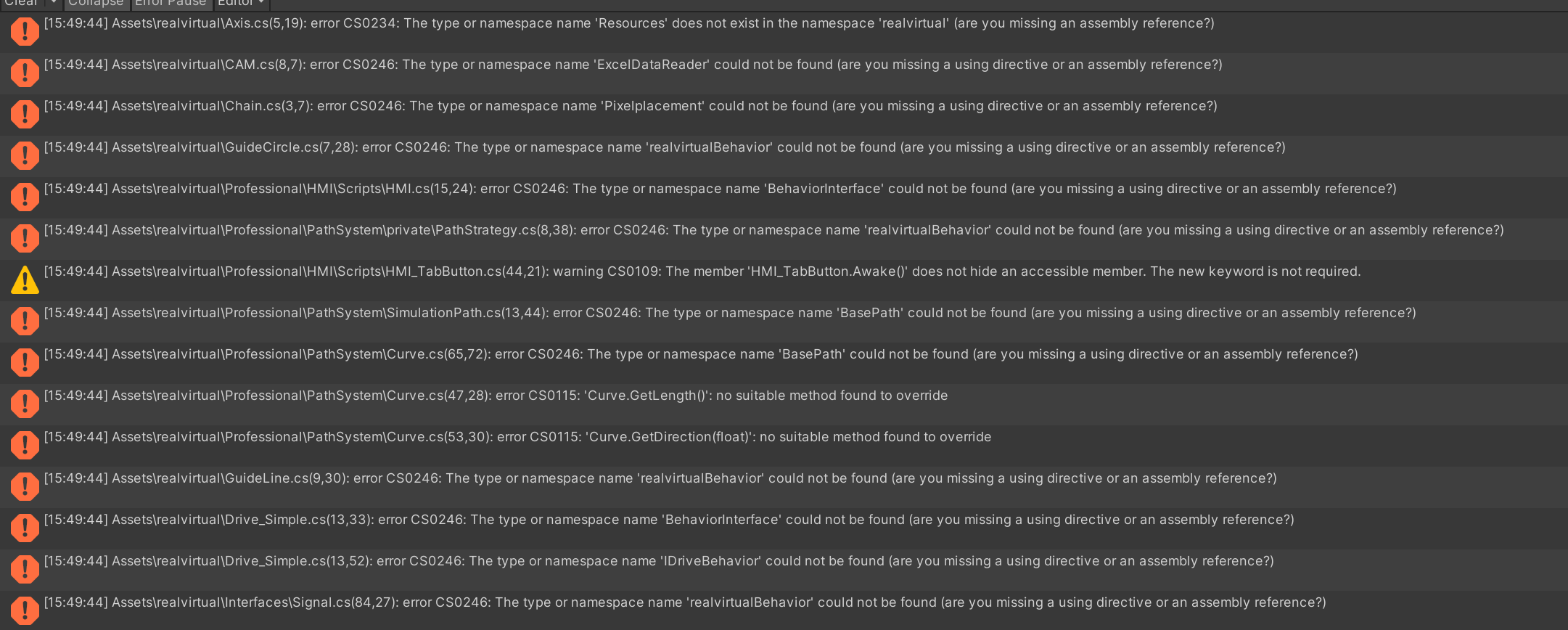
I purchased and installed the realvirtual.io plugin in Unity. Initially, everything worked fine, but after a few days, when I restarted Unity, all content related to realvirtual.io reported errors, and the toolbar options related to the plugin disappeared.

S7PLCSIM Advance connection problem
Hello Sir,
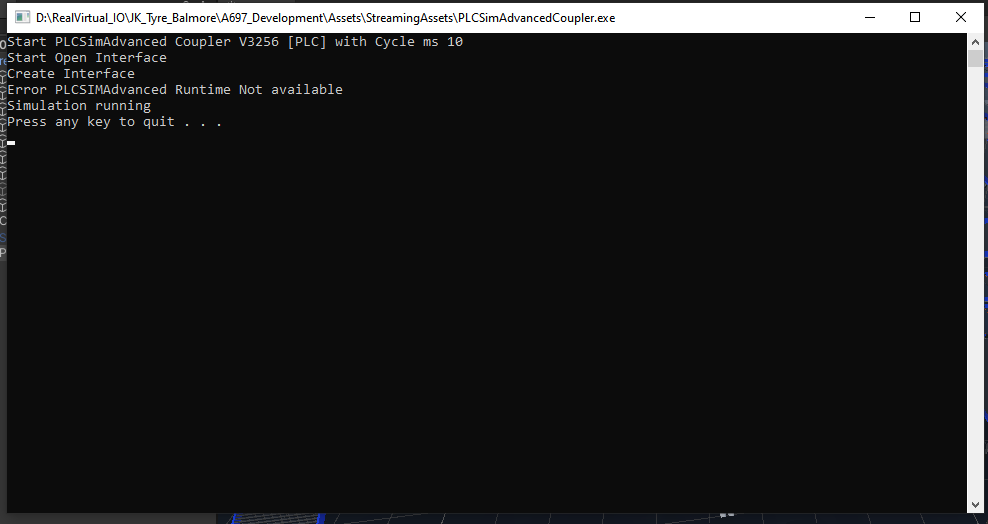
Currently I have added the PLC Advance interface to my project. Also successfully to run the PLCSim advancedCoupler.exe. But after that, it shows that PLCSIMAdvance runtime not available. Can you please help on this

realvirtual.io Digital Twin Assistant update
Hi, thomos, please update assistant when i try to fix some problems its not using recent knowdge.
thanks

 combining MUs
Hello,
is there a way to combine two or more MUs ?
for example: MU1 (main part) is on a transport surface. At some point it stops and MU2 (smaller part) should be fixed onto MU1. They continue moving on transport surface together without falling apart. I tried to do this by attaching the fixer script to MU1 and unset the gravity of MU2. But with the fixer script MU1 is not moving anymore.
best regards
Carsten

Bug in Sensor (Script) when disabling display status
Hi Thomas,
there seems to be a bug in Sensor (Script).
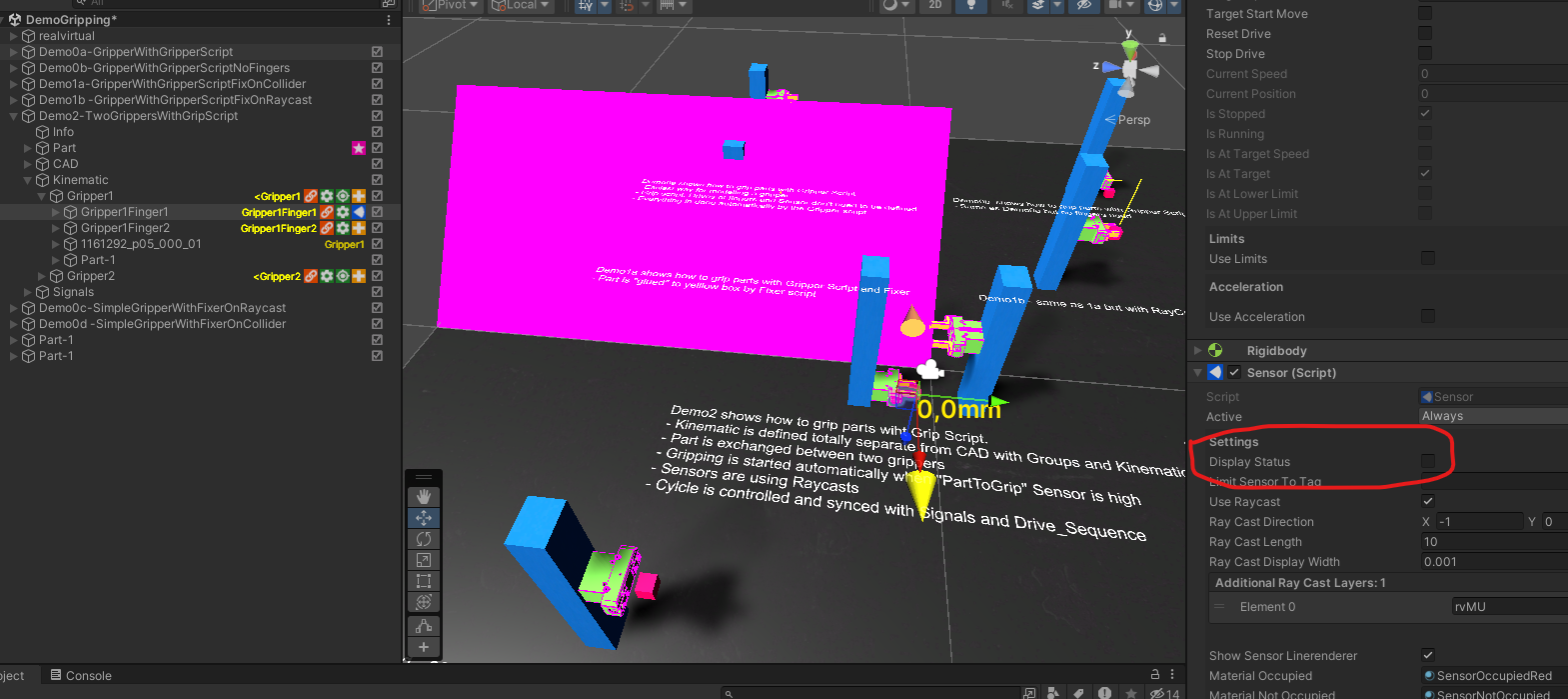
If I disable "Display Status" I see a purple graphical error only in game mode.
I tested this in "DemoGripping" version 2022.13.

Webgl Export wird in WinCC Unified nicht angezeigt
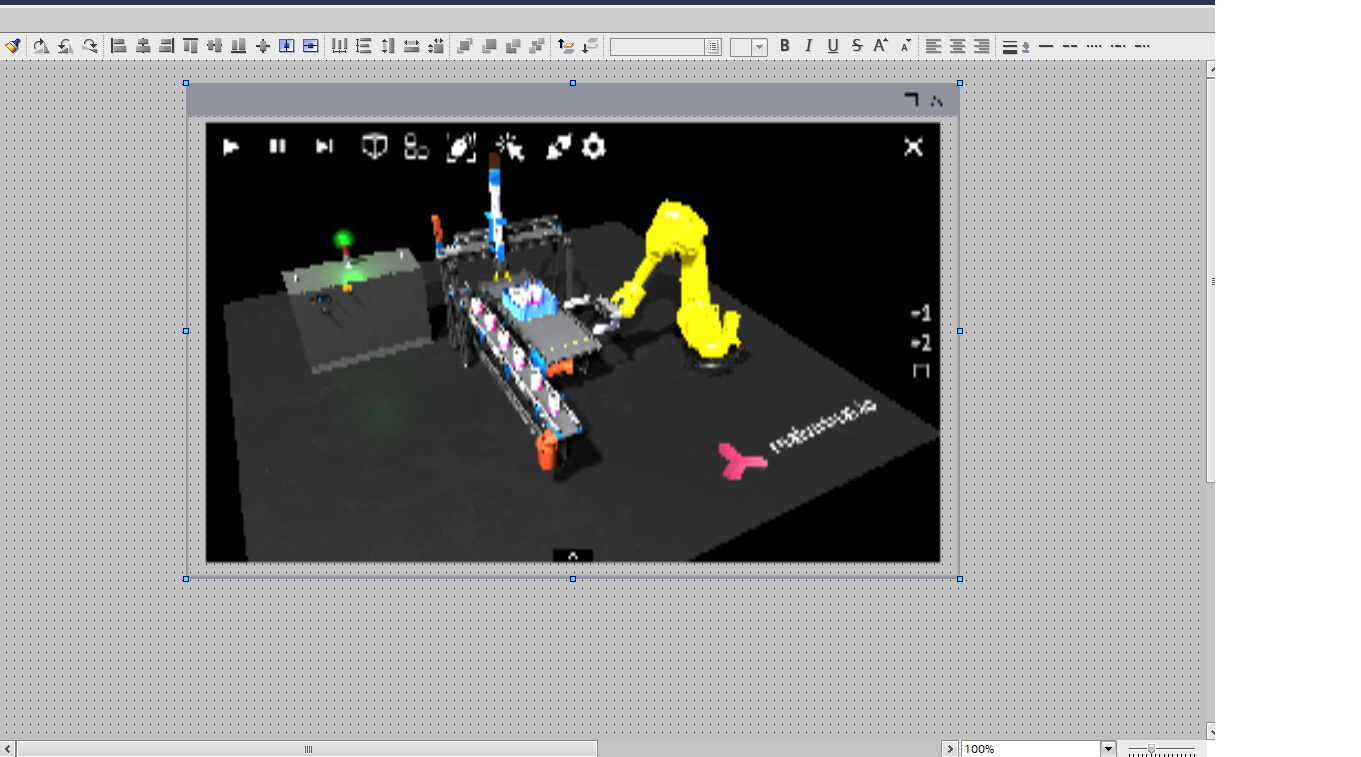
Hallo, ich habe das Demoprojekt von Realvirtual.io als Webgl 1 exportiert und möchte es als Custom Web Control in WinCC Unified einbinden. Die Schnittstelle ist erstmal egal, weil es im DemoModus läuft.
In Projektierungsmodus kann ich das Modell auch sehen. In der Runtime kommt leider ein weißes Fenster mit einem kleinen "Sorry" Icon oben links in der Ecke
S7 Connection with TIA V19
Hi team please update S7 Connection Tutorial in youtube with new TIA19 and if possible update on PLCSIMAdvance v6 too

An error message occurred during WebGL packaging
Hello,
I'm trying to package the webgl project now, but after I deleted the relevant folder as required, the build still gets the error, please how can I fix it.

Building Library\Bee\artifacts\WebGL\build\debug_WebGL_wasm\build.js failed with output:
emcc2: error: '"D:/Program Files/2021.3.32f1c1/Editor/Data/PlaybackEngines/WebGLSupport/BuildTools/Emscripten/binaryen\bin\wasm-opt" --strip-dwarf --post-emscripten --no-exit-runtime -O3 --low-memory-unused --zero-filled-memory --strip-debug --strip-producers Library/Bee/artifacts/WebGL/build/debug_WebGL_wasm/build.wasm -o Library/Bee/artifacts/WebGL/build/debug_WebGL_wasm/build.wasm --mvp-features' failed (3221226505)
UnityEngine.GUIUtility:ProcessEvent (int,intptr,bool&)
BuildFailedException: Incremental Player build failed!
UnityEditor.Modules.BeeBuildPostprocessor.PostProcess (UnityEditor.Modules.BuildPostProcessArgs args) (at :0)
UnityEditor.WebGL.WebGlBuildPostprocessor.PostProcess (UnityEditor.Modules.BuildPostProcessArgs args) (at /Volumes/jenkins1/sharedspace/ra_2021.3/PlatformDependent/WebGL/Extensions/Unity.WebGL.extensions/BuildPostprocessor.cs:179)
UnityEditor.Modules.DefaultBuildPostprocessor.PostProcess (UnityEditor.Modules.BuildPostProcessArgs args, UnityEditor.BuildProperties& outProperties) (at :0)
UnityEditor.PostprocessBuildPlayer.Postprocess (UnityEditor.BuildTargetGroup targetGroup, UnityEditor.BuildTarget target, System.Int32 subtarget, System.String installPath, System.String companyName, System.String productName, System.Int32 width, System.Int32 height, UnityEditor.BuildOptions options, UnityEditor.RuntimeClassRegistry usedClassRegistry, UnityEditor.Build.Reporting.BuildReport report) (at :0)
UnityEngine.GUIUtility:ProcessEvent(Int32, IntPtr, Boolean&)

Unity Physics and Kinematics
I've been using realvirtual.io for a week. But I'm struggling with kinematics links modeling.
As I see in your documentation, you are using either parenting or dynamics on game objects.
The thing is, for certain kinematics chains, neither technique worked...
There is futher example of mechanism i need to model :
There is a way to model complex kinematics chains (Without using mass and force)?
Hi Michael,
There are several approaches you can take to achieve this:
- Position Control via End Element: You can manage the positioning by moving only the endpoint. Although this endpoint is not a real drive, you can connect it to the actual drive using Unity Physics joints. This setup ensures precise endpoint control. While the joints in between might exhibit some shaking, this should not affect the overall functionality.
- Integrated Drives with Gears or CAMS: Another method involves equipping all joints with drives and synchronizing them through the use of gears or CAMs. This setup mimics the movement based on a "Master" Drive, which aligns with the position of the actual drive. For more details, you might find these resources helpful:
- Defining CAMs: Defining CAMs Documentation
- Drive Behavior: Drive Behavior Documentation
- Using Unity Physics for Kinematics: Employ Unity Physics and Unity Joints (details at Unity Joints Documentation) to handle forward kinematics. In cases requiring purely linear movements, consider using Articulation Bodies (Articulation Body Documentation). Be aware that Unity Physics can be somewhat unstable or jittery, which can be mitigated by reducing the Physics fixed timestep at the cost of performance.
For complex scenarios not involving parallel kinematics, which are typically challenging and unstable with Unity Physics, you might explore using AGX from Algoryx (see https://doc.realvirtual.io/extensions/agx-physics9. This is a more robust solution for accurately simulating complex physics interactions, although it is not free and the definition of kinematics is on my point of view more complicated).
In general, whenever feasible, we prefer to resolve these issues using non-physical forward kinematics, whether it’s a straightforward kinematic chain of a robot or something that can be easily managed with defined cams or gears.
I hope this helps! Let me know if you need further assistance.
Best,
Thomas
Senden Sie uns Ihr Feedback
Wir hören zu und setzen Ihre Ideen um.
Robot Inverse Kinematics Only Available in PRO version Message?


Adding kinematics on pendulum like Object


PLCSimAdvancedCoupler startet bei Simulation nicht

