Teilen Sie Ihre Erfahrunge und Wünsche mit uns und anderen Usern!
Teilen Sie Ihre Erfahrunge und Wünsche mit uns und anderen Usern!

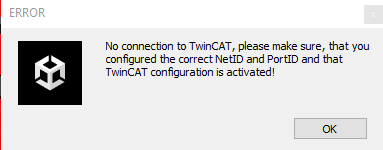
 Twincat Verbindung erst im Build herstellen
Guten Morgen und frohes Neues!
Ich habe einen fertigen Build, die das Twin Cat Ads Interface nutzt. Ist es möglich, die PLC Net Id und Port Eingabe so zu konfigurieren, sodass man erst im Build selbst diese Daten wie eine Art Login angibt? Das Ziel ist hierbei, dass jemand mit dem Build allein und der Beckhoff Steuerung die Verbindung aufbauen kann ohne Zugriff auf Unity selber.

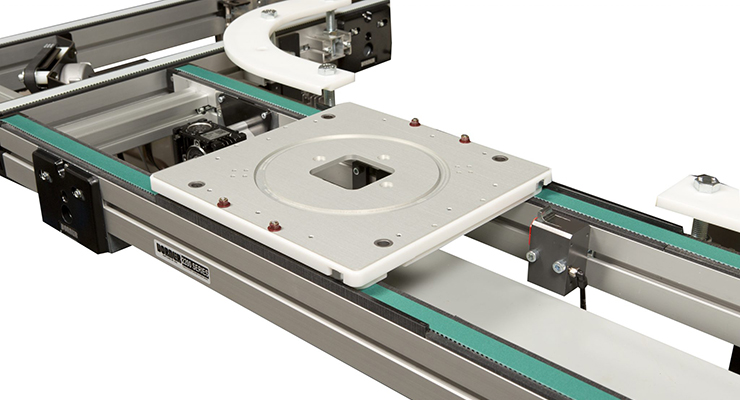
 Conveyor Belt
Can real virtual be able to support a curved timing conveyor belt? How should I proceed with setting it up?
It has plates that go around the whole conveyor.

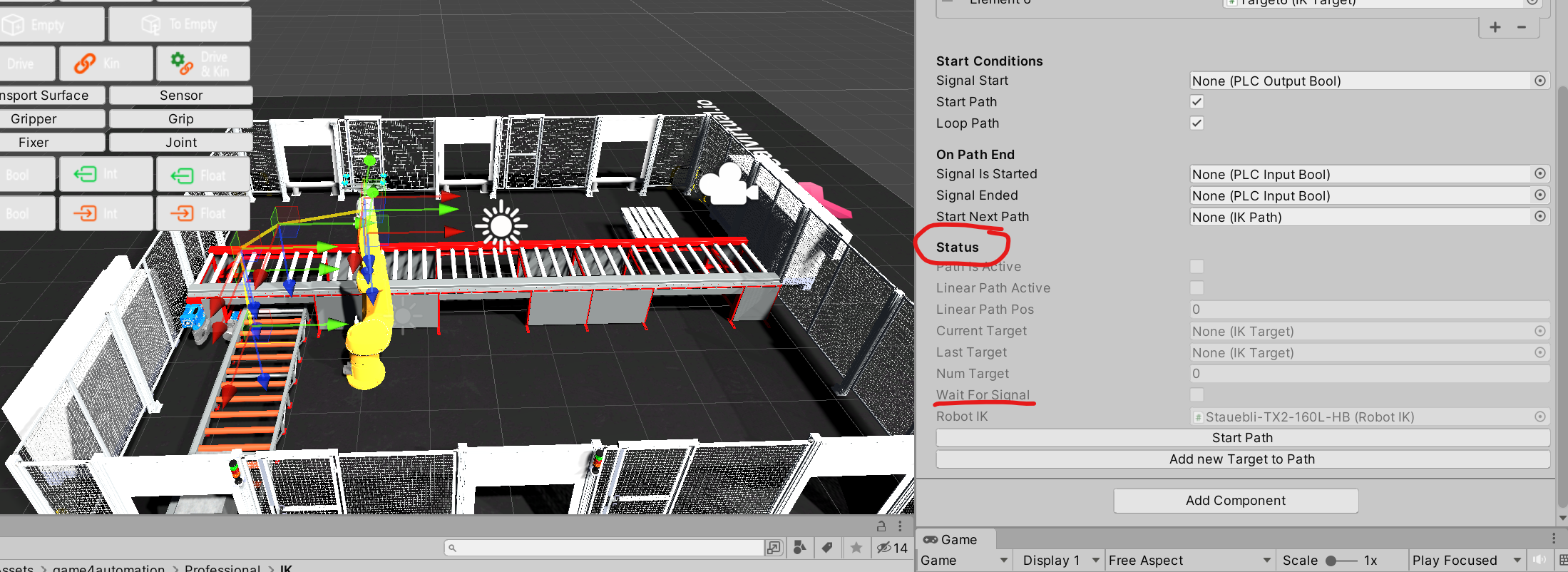
Suspend the use of paths built by IK
Hi,
I created the path after building the robot using the IK component.
When I select the loop, it works the way I want it to.
But now my requirement is that I want it to be able to pause the movement after receiving a certain pause signal value and continue the movement after receiving a move signal value.
May I know how can I implement that functionality.
I see that there is a WaitForSignal property in the Script but it is read only, can I use this property? How can I use this property?
IKPath in a webgl build
Hello,
After deleting all the folders listed in the documentation(except RobotIK which does not exists in the project as a folder),
And creating a script which includes an IKPath variable.
When trying to build for WebGL i'm getting the following error:
"Assets\NewBehaviourScript.cs(8,5): error CS0246: The type or namespace name 'IKPath' could not be found (are you missing a using directive or an assembly reference?)"
(this error happen only when building not when running in the editor)
This script is important for the project.
Is that fixable?
Is there a work around
Unity Version: 2022.3.15f1
Real virtual version: 2022.09.3800
Thank You and Best regards.
Twincat 3 Anbindung an einem anderen PC im selben Netzwerk
Hallo zusammen,
bin noch sehr neu in der Bedienung von realvirtual. Meine Frage ist, wie ich denn mit der Twin Cats Ads Interface Komponente mich mit einem anderen Rechner im selben Netzwerk auf dem Twincat 3 die configuration aktiv ist verbinde.
Axis (Inverse Kinematics)
I've set all my axis in Blender and I exported the robot over. As the axis are already set I did the Drive and Constraints directly on each sub component of the robot.
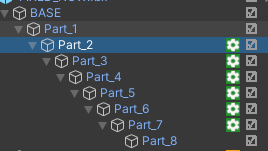
Will this create any problems for me?
PATH IK and target problem
I followed the inverse kinematics tutorial. I am using the ABB IRB 1300 robot. The issue I am having is that my robot's TCP is not aligned to the root. It is causing issues and when using the Path IK, the target is not showing (red dot) and the robot's not moving at all. My friend is also having a problem with the Path IK, the target was stated to be unreachable.

area read Mode with DB
Hello,
is there anyone who can explain, how I can get the data, when I use Area Read Write Mode in the S7 Interface? I tried to read form a DB, which worked well. So the connection to my CPD is OK.
Thanks

 Different rotations after update
Hi,
after I upgraded to version "2022.07", when I use "CADLink", my roboter model has different rotations after importing from a STEP-file. How is that?
That leads to many problems in my project....

Hello,
please check whether the option "Z is an upward vector" is activated or not. It is activated by default and leads to an automatic rotation after the import. Please let me know if the issue still occurs after checking this.
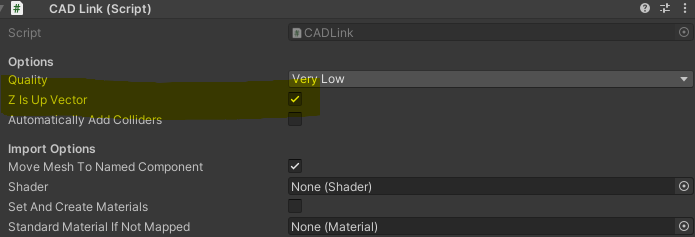
Regards Christin

Building to Android compiler error: Missing reference to SharedMemoryInterface in SharedMemoryInterfaceEditor
When switching build mode to Android, the SharedMemoryInterfaceEditor is still compiled but SharedMemoryInterface is not.
First line in SharedMemoryInterface:
#if UNITY_STANDALONE_WIN
First line in SharedMemoryInterfaceEditor:
#if (UNITY_EDITOR && !UNITY_EDITOR_OSX && !UNITY_EDITOR_LINUX)
Clearly, in android, the SharedMemoryInterface is not declared but SharedMemoryInterfaceEditor is, leading to compiler error.
Work around: Change first line in SharedMemoryInterfaceEditor to:
#if (UNITY_EDITOR && UNITY_STANDALONE_WIN && !UNITY_EDITOR_OSX && !UNITY_EDITOR_LINUX)
Thanks a lot - which version are you using. In the current release we are able to build to Android? The compiler define of your work around is a solution - in current release it should be solved by the assembly definition.
Senden Sie uns Ihr Feedback
Wir hören zu und setzen Ihre Ideen um.


Need Help Connecting to RobotStudio From Unity


