Teilen Sie Ihre Erfahrunge und Wünsche mit uns und anderen Usern!

 S7 interface - no signal values even though address is correct and connection can be made
I'm currently working on a project with a 1518TF-4 CPU which we activated on an IPC. I can establish a connection between Unity and the PLC but the signals then doesn't recieve any values and stay 0 or FALSE.
The signals I need access for are inside a DB. I've created the Signals in the S7 interface by hand and I made sure the address is correct.
Example of a signal I created:
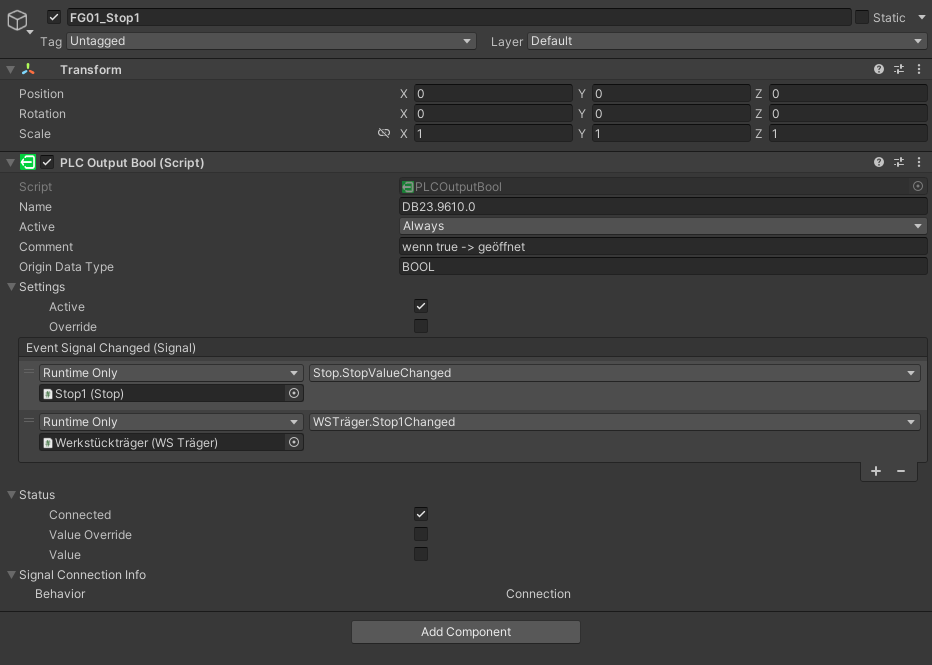
I also made sure, that all the settings specified here S7 TCP | realvirtual.io are done. So that there's full access and PUT/GET communication is allowed. I tried establishing a connection to signals inside a DB and Q signals. My only goal is to read signals, no need to write them.
I've tried it with realvirtual 2022.19.6148 and 2022.15.5414. The Unity version I'm using is 2022.3.39. I also tried a simple test siemens project but that also didn't work.
I know that it already worked at some point last year, but I can't figure out why it doesn't anymore.
This is what my S7 config looks like:
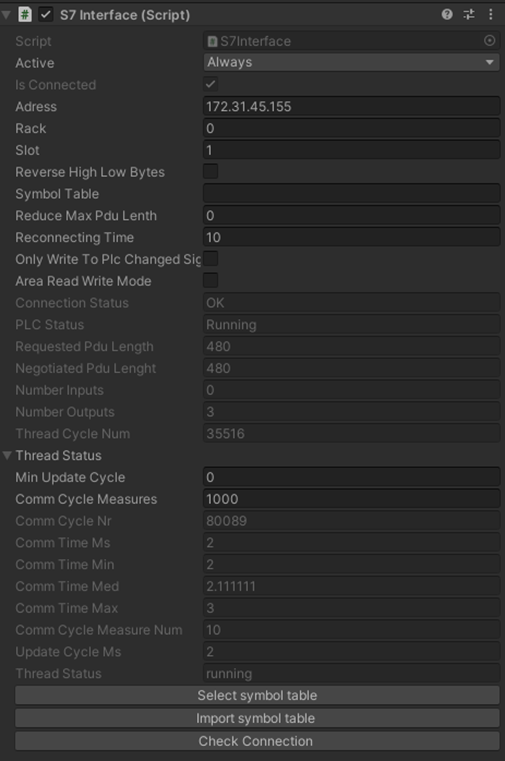
I've also tried all kinds of varieties of settings, so different values for max pdu length, with reverse high low bytes and more.
I don't know if this has any relevance but I did notice that sometimes, when reverse high low bytes is activated, some Bool signals randomly jump between FALSE and TRUE, some Ints sometimes jump to 265 and back to 0 and Floats will do the same to 2.350989E-38.
Does anyone have an idea, why I cannot get the signal values in Unity? I've run out of ideas.

IK Limits
I'm working on some digital twin of a 6 axis arm robot and would like to use the IK.
I actually have something that's currently working fine, but we've found out that some of the joints are reverse and that one of them needs an offset. However - once I fix all that the IK breaks.
I saw in the documentation that there are some strict limitations.
I just wanted to understand where am I still free to play around, and if it's possible to fix the IK somehow:
1. Can I reverse the joint's direction (the bottom two are fine but the rest need reversing)?
2. Can I add an offset so that when the 3rd joint is at 0 angle the robot will be at 90 degrees?
3. If not - is there some recommended method to convert the values so that they would fit the real values?

 Pink Module
Dear Sir/Madam,
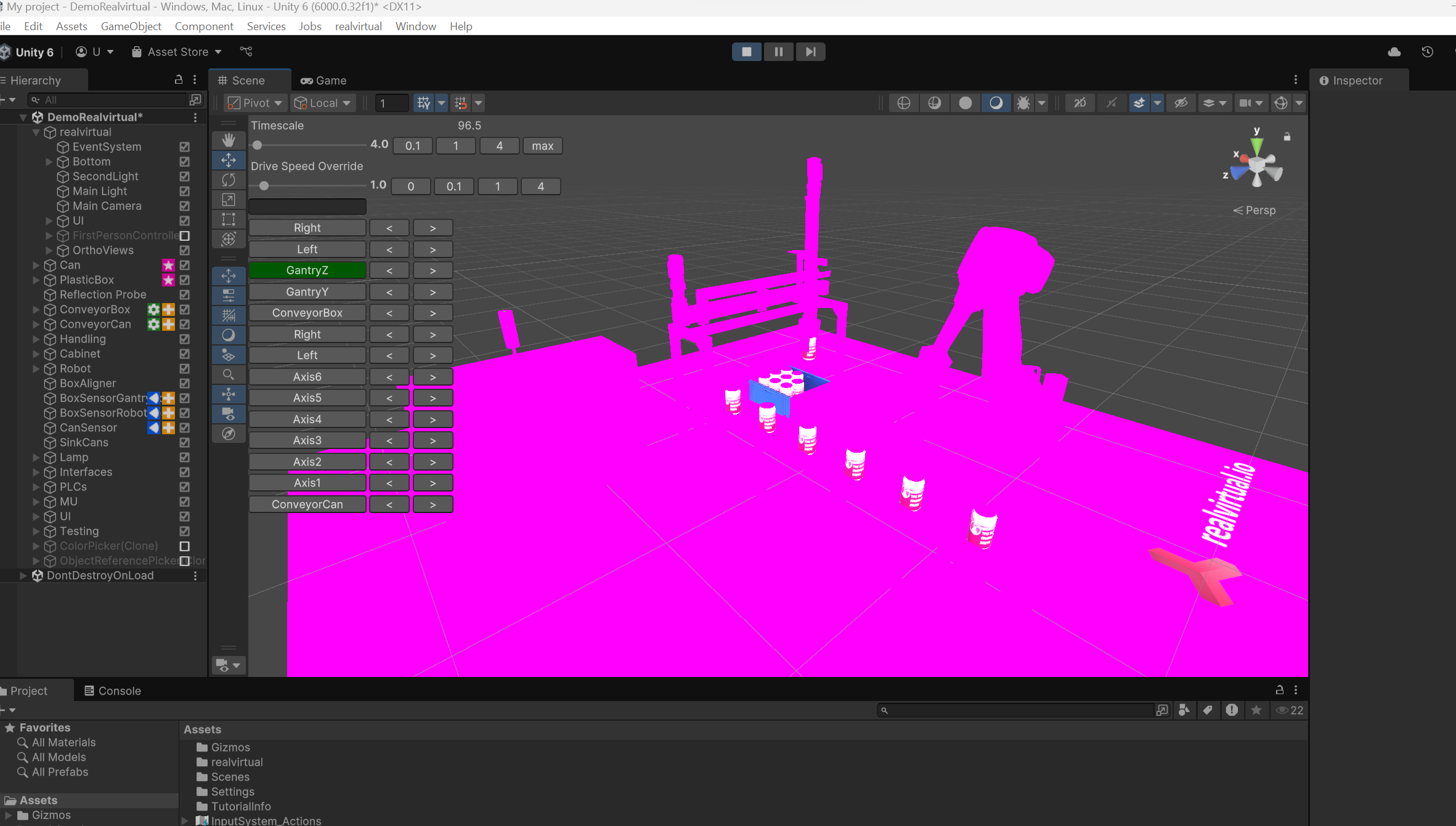
When i open the sample demo and i found the demo has became pink color.
I tried to reinstall the unity and it is still the same.
Can you help to advice on it? Thanks
 Add Box Collider on on curve safeguard
Hi there,
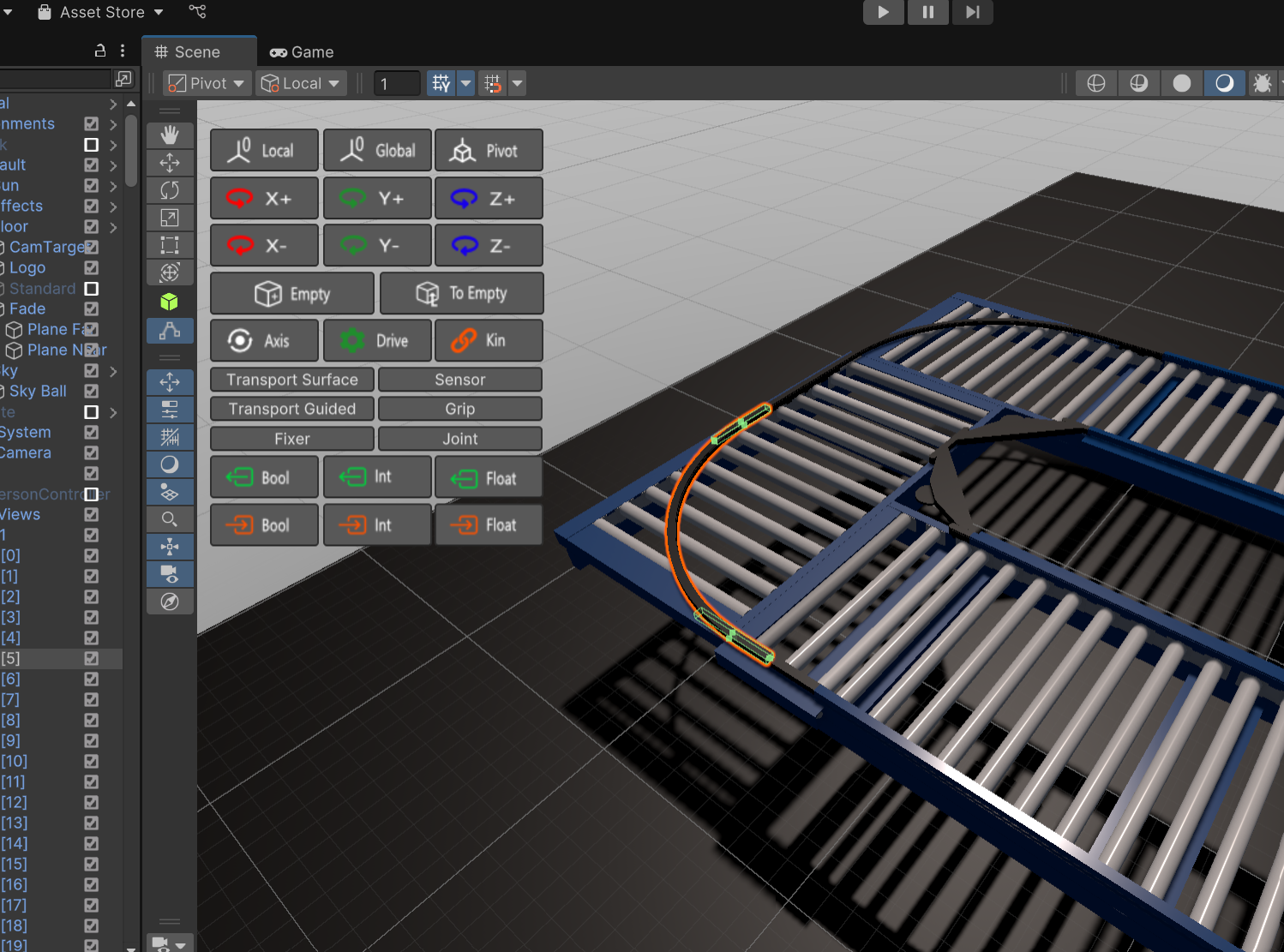
May I know how do i add box collider on a curve safeguard so that i can ensure my carton box move within the conveyor?
Thanks.

About the problem of reconnecting the s7plc to the caton
Hello, I have a question. If there are a lot of devices with a lot of IP, the PLC that is not turned on will be reconnected over time, and reconnecting the PLC over time will cause the program to stall, which will greatly affect the use. May I ask how to solve the problem of reconnecting over and over?

Hi, there would be changes in the code needed. Currently we don't assume that devices are off and on during simulation. The source code is open you would need to change the way how reconnection is done - maybe by using the new Awaitable System in Unity6
Questions about the use of s7 PLC
When using S7Interface, some S7Interface can connect to many points, and some S7Interface will be disconnected if the number of connections is too large, please see the picture, as if: Negotiated Pdu Lenght is related to this value. May I ask how Negotiated Pdu Lenght is set? Why is it 480 or 240? If Negotiated Pdu Lenght is 240, too many signals cannot be connected.
There is also a question about: how to use the Area Read Write Mode, if I need to read 56 points from the PLC's DB block and write 12 points, how should I fill in the configuration.
Looking forward to your reply very much!
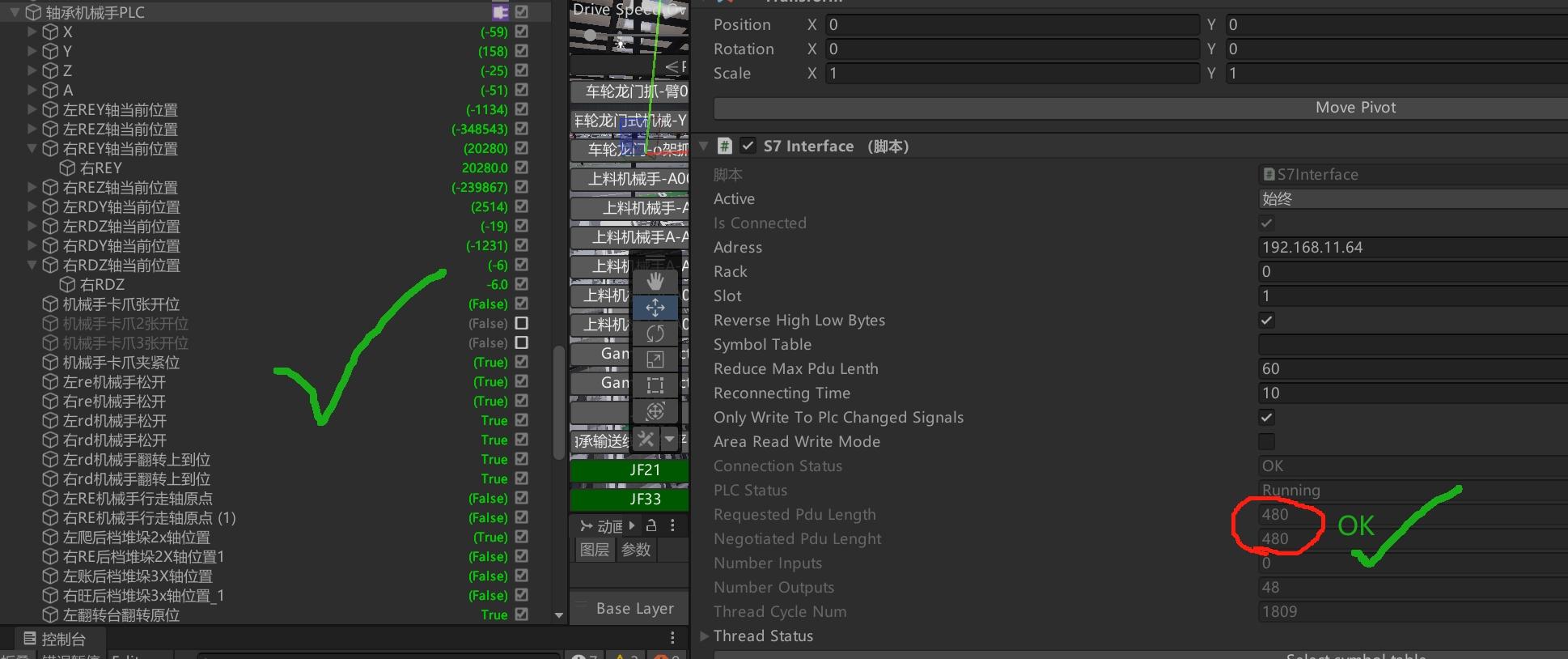
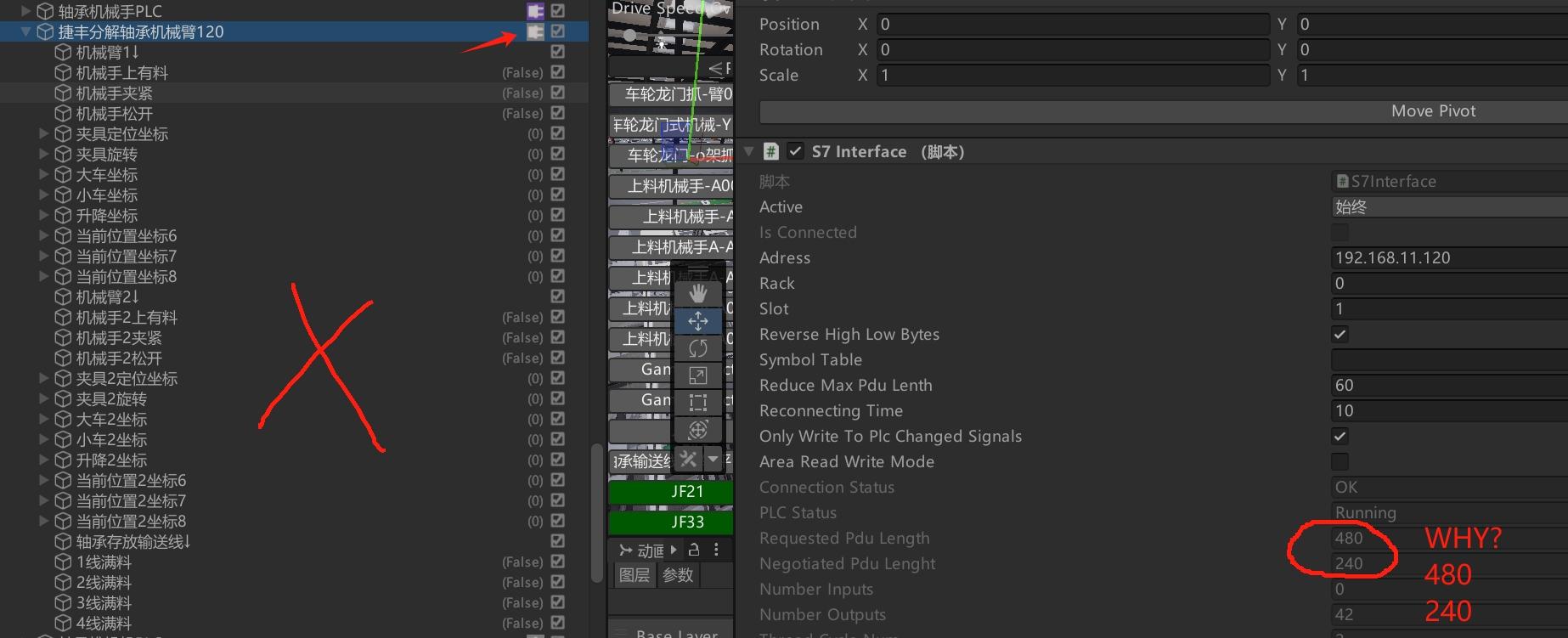
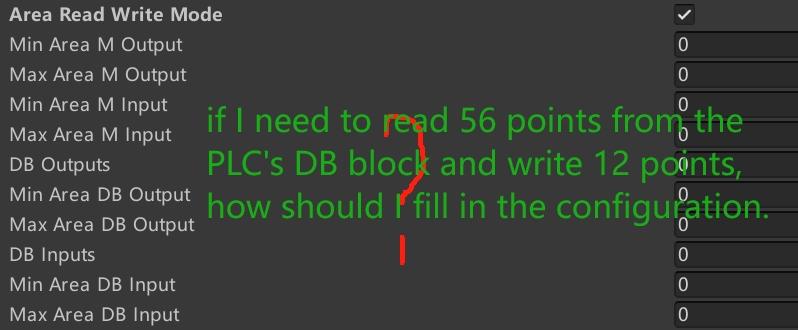
Hi, I can't tell you in detail why the negotiated Pdu lenght is like that. We use Sharp7 as a basis library for the S7 communication. I think this defines the length of the telegrams but it does not defines the number of the signals. If needed multiple telegrams are send for covering all signals. On AreaReadWrite Mode you sould enter min and max adress - so if your DB is 100.X to 140.X you should enter 100 and 140.

VR Headset and HMI
Hello, I have a question: Is it possible to display the HMI components on a VR headset with XR Origin?
Hi, this is possible but you might need to do changes in Unity canvas or other things. All we do is source code open so you can adopt it to your needs.

Ethernet IP not connecting, Allen Bradley PLC
I just bought this software to use the Ethernet IP interface to a Allen Bradley, I am up and running in Visual studio using the same Ethernet and can get tags there, but I need it in Unity, please help.

Enquiry About the twin pack bottlecapper
Hello,
I'm interested in purchasing the OPCUA4UNITY package, but I don't have access to any Siemens TIA Portal-connected devices. Could you please inform me how I can utilize this package without a physical PLC? Additionally, does this package include the TwinBottleCapper, or would that need to be acquired separately?
Thank you!

Bag is not moving with RGV
A693 - Windows, Mac, Linux - Unity 2022.3.3....mp4
I want to move the bag which is shown in project with RGV. But unable to do it. When i am giving forward command to RGV, RGV is moving forward but the bag is not moving with RGV. Last time you had shared a link for reference (https://doc.realvirtual.io/components-and-scripts/motion/transportsurface#transport-surfaces-and-unity-physics).
But i couldn't get it. Please suggest the solution step by step.
Customer support service by UserEcho